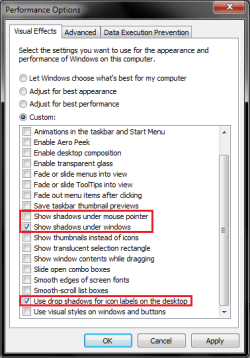
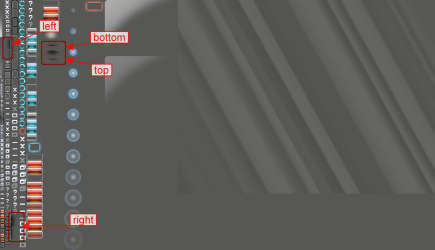
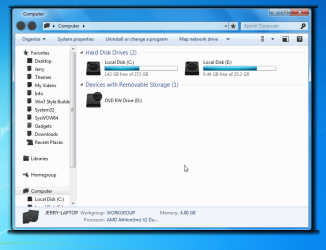
I don't like Apple, I don't like Macs or any of that nonsense, But I love how deep the shadows are behind the separate windows on the screen. Is there a tweak somewhere, like the registry maybe, where the shadows can be deepened? I found a cool .exe on DeviantArt that added a shadow value to my taskbar, maybe there exists one for regular windows? I never had trouble customizing my PC in regards to themes and other appearances in any other way besides this. Help me out guys!
My Computer
At a glance
Windows 7 Ultimate x64AMD Phenom II 1100TCorsair XMS3 (8GB, 2GB x4)XFX Radeon HD 6970
- Computer Manufacturer/Model Number
- Custom Built
- OS
- Windows 7 Ultimate x64
- CPU
- AMD Phenom II 1100T
- Motherboard
- MSi 890FXA-GD70
- Memory
- Corsair XMS3 (8GB, 2GB x4)
- Graphics Card(s)
- XFX Radeon HD 6970
- Monitor(s) Displays
- Samsung P2770 (27")
- Screen Resolution
- 1920x1080
- Hard Drives
- Seagate Barracuda 1TB 7200RPM 64MB Cache
- PSU
- Ultra X4 750W Full Modular PSU
- Case
- Thermaltake Element T
- Cooling
- Ultra Carbon X7 (passively cooled dual red LED fan)
- Keyboard
- Thermaltake Challenger Pro
- Mouse
- Thermaltake Black
- Other Info
- Its got enough black paint and red LEDs to make it the envy of Darth Vader...