Hello to the forum.
recently I removed from my pc a program called tune up utilities.
and ever since,I cant personalise my themes. The only thing changing is the background
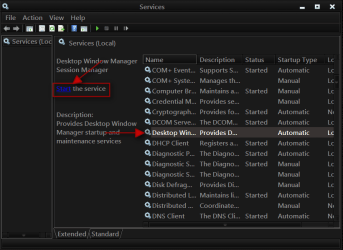
picture,but the task bar remains the same as well as the dialogue boxes, all looking ugly and blocky. this is how it use to be a before and after so i can give a clear understanding.
 [/IMG]
recently I removed from my pc a program called tune up utilities.
and ever since,I cant personalise my themes. The only thing changing is the background
picture,but the task bar remains the same as well as the dialogue boxes, all looking ugly and blocky. this is how it use to be a before and after so i can give a clear understanding.
My Computer
At a glance
windows 7 home premium 64bitAMD Phenom(tm) II X4 955 Processor8.00 GBNVIDIA GeForce GTX 650 Ti
- Computer type
- PC/Desktop
- Computer Manufacturer/Model Number
- Custom build
- OS
- windows 7 home premium 64bit
- CPU
- AMD Phenom(tm) II X4 955 Processor
- Motherboard
- ASRock M3A790GXH/128M
- Memory
- 8.00 GB
- Graphics Card(s)
- NVIDIA GeForce GTX 650 Ti
- Sound Card
- (1) High Definition Audio Device (2) USB Audio Device (3
- Antivirus
- Avast Free
- Browser
- Chrome