KNiGHTWRiTAZ
New member
- Local time
- 2:49 PM
- Messages
- 8
Hello everybody,
First a very nice Win 7 forum y'all got going on in here my compliments for that and keep up the hard and dedicated work.
As the subject title says, want to become more familiar on what is the best way to install a custom windows 7 theme.
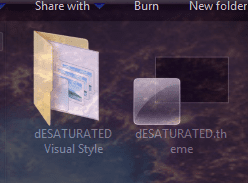
For example I want to use this theme a very nice theme if I may say so dESATURATED for Windows Seven by Redmile

once unrarred, the folder contained the following sub-folders
-Cursors
-System Files
-Themes
-uxtheme patch
Okay the Themes and the included sub folders goes to in C:/Windows/Resources/Themes << This I did !
okay I got a Win 7 Ultimate x64 (RTM) !
The System Files contains the following files Explorer, ExplorerFrame.dll & Shell32.dll
so the explorer to goe into >> C:/Windows by copy and replacing it ! (This I didn't try, so the question is, is it save to do so without messing up my system !)
so the ExplorerFrame.dll & Shell32.dll goes into C:/Windows/System32 by copy and replacing the original after making a backup of the original files !
(This I didn't try also, so the question is, is it save to do so without messing up my system !)
So this leave me with the UniversalThemePatcher-x64 as I got a x64 OS !
do I must use the UniversalThemePatcher in order to get the custom win 7 theme by Redmile, or by replacing the files is good enuff ?
and does VistaGlazz do the same thing that UniversalThemepatcher does ! which one is better or saver for the system. ?
Hope that someone is willing or has the time to help me out !
read something in the tutorial section : Enable Custom themes without modifying system files << Is this the savest way to go ?
reason for my question is , my system is running perfect at the moment, just curious on how things works with the custom theme designs and how to install it in a proper way without messing things up.
Best Regards,
First a very nice Win 7 forum y'all got going on in here my compliments for that and keep up the hard and dedicated work.
As the subject title says, want to become more familiar on what is the best way to install a custom windows 7 theme.
For example I want to use this theme a very nice theme if I may say so dESATURATED for Windows Seven by Redmile
once unrarred, the folder contained the following sub-folders
-Cursors
-System Files
-Themes
-uxtheme patch
Okay the Themes and the included sub folders goes to in C:/Windows/Resources/Themes << This I did !
okay I got a Win 7 Ultimate x64 (RTM) !
The System Files contains the following files Explorer, ExplorerFrame.dll & Shell32.dll
so the explorer to goe into >> C:/Windows by copy and replacing it ! (This I didn't try, so the question is, is it save to do so without messing up my system !)
so the ExplorerFrame.dll & Shell32.dll goes into C:/Windows/System32 by copy and replacing the original after making a backup of the original files !
(This I didn't try also, so the question is, is it save to do so without messing up my system !)
So this leave me with the UniversalThemePatcher-x64 as I got a x64 OS !
do I must use the UniversalThemePatcher in order to get the custom win 7 theme by Redmile, or by replacing the files is good enuff ?
and does VistaGlazz do the same thing that UniversalThemepatcher does ! which one is better or saver for the system. ?
Hope that someone is willing or has the time to help me out !
read something in the tutorial section : Enable Custom themes without modifying system files << Is this the savest way to go ?
reason for my question is , my system is running perfect at the moment, just curious on how things works with the custom theme designs and how to install it in a proper way without messing things up.
Best Regards,
My Computer
At a glance
Windows 7 Ultimate x64Q6600 2.4 GHz Overclocked to 3.6 GHz4 GB (DDR2-800 DDR2 SDRAM)EVGA NVIDIA GeForce 8800 Ultra (768 MB)
- Computer Manufacturer/Model Number
- 6.1.7600 (Win7 RTM)
- OS
- Windows 7 Ultimate x64
- CPU
- Q6600 2.4 GHz Overclocked to 3.6 GHz
- Motherboard
- Asus Formula SE X38
- Memory
- 4 GB (DDR2-800 DDR2 SDRAM)
- Graphics Card(s)
- EVGA NVIDIA GeForce 8800 Ultra (768 MB)
- Sound Card
- SoundMAX Integrated Digital HD Audio
- Monitor(s) Displays
- Samsung SyncMaster 206BW (20")
- Hard Drives
- Seagate 2x 1 TB
Hitachi 2x 1 TB
- Case
- NZXT BLackline Lexa Blue Lad
- Cooling
- Antec Tricolor Blue