
How to Setup a Media Center Movie Library in Windows 7
Information
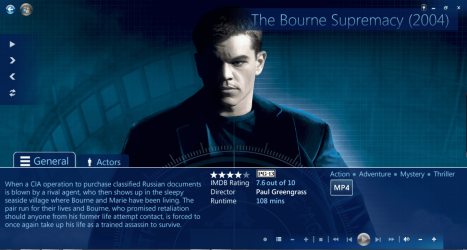
This tutorial will show how to manage your movie library in Media Center, including poster images & full synopsis information.
Note
Windows Media Center is not available in Windows 7 Starter and Windows 7 Home Basic editions.
The N and KN editions of Windows 7 have all the features that normally come with each individual Windows 7 edition, except for Windows Media Player 12 and related programs, such as Windows Media Center or Windows DVD Maker.
The N editions of Windows 7 allow you to choose your own media player and software required to manage and play CDs, DVDs, and other digital media files. If you choose to use Windows Media Player 12, downloading it, along with related software, is free. Download Media Feature Pack for Windows 7 N with Service Pack 1 and Windows 7 KN with Service Pack 1 (KB968211) from Official Microsoft Download Center
The N and KN editions of Windows 7 have all the features that normally come with each individual Windows 7 edition, except for Windows Media Player 12 and related programs, such as Windows Media Center or Windows DVD Maker.
The N editions of Windows 7 allow you to choose your own media player and software required to manage and play CDs, DVDs, and other digital media files. If you choose to use Windows Media Player 12, downloading it, along with related software, is free. Download Media Feature Pack for Windows 7 N with Service Pack 1 and Windows 7 KN with Service Pack 1 (KB968211) from Official Microsoft Download Center
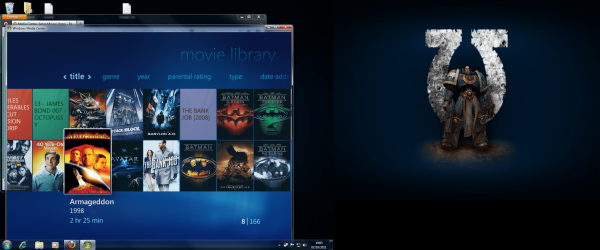
Examples: With & without poster information.


Before you start:
NOTE: Special thanks to DemonSeed for the file2folder batch file. 1. Click on the Download button below to download the file2folder.zip file and extract the file2folder.bat file to the drive containing your movie files (e.g. G:\MOVIES). Run the file which will create directories based on the movie file name (e.g. Babylon A.D.avi will have the directory Babylon A.D created) and the movie file moved to the directory.
2. Search for & download a file for the movie you would like as a poster and save it in the movie folder and name it folder.jpg. Do this for each movie.
Warning
I would advise at least 2GB of memory as due to the size of the folder.jpg files there is a lot of memory used. You could (like me) resize all folder.jpg files to a width of 300 pixels & maintain aspect ratio.
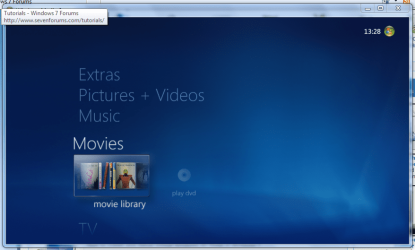
Here's How: 1. Run Media Center and navigate to Movies
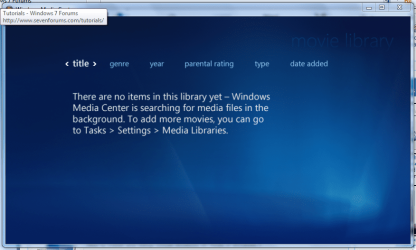
2. Open movie library, you should notice no movies shown
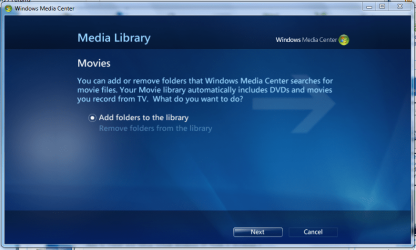
3. Right-Click within the inner (empty area) and select Manage Library, you will be shown the 'Add folders' wizard. Select 'Add folders to the library' and click next
4. Select the location where your drive with the videos is stored, and click on next.

5. Navigate to the folder where your videos are stored (e.g. G:\MOVIES), and click next.

6. On the final screen select 'Yes, use these locations' and click finish

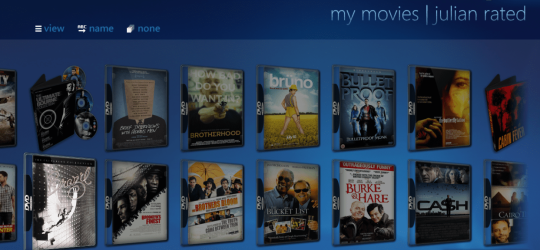
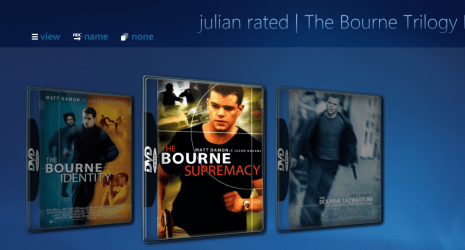
Now your folder is added, Media Center will show the Video folders (with posters if you downloaded an image file for each movie).
Note
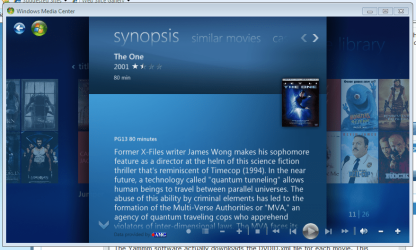
If you wish to include metadata you will need to download Yammm. The meta data will download the DVDID.XML file which will allow for Media Center to download full synopsis information for each movie
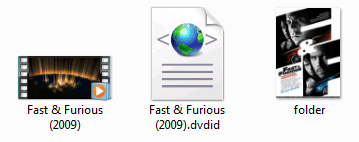
Recommended Yammm settings
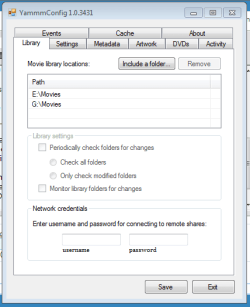
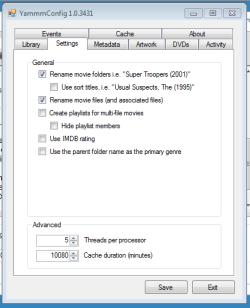
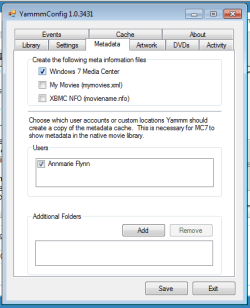
Note
These setting will automatically rename folders/files, download folder.jpg & DVDID.XML files for Media Center to read from.
Update
The Yammm application has been updated to include Image Resizing
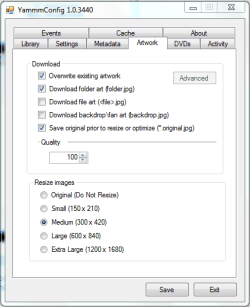
This will allow Media Center to use less memory when rendering folder images.
Tip
It's recommended that you use a setting of 92 Quality & 300x420 medium size as this will greatly reduce the amount of memory used by 7MC when viewing a large movie library
Update 2: More Synopsis
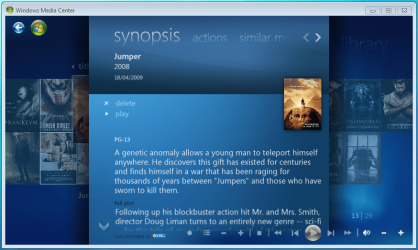
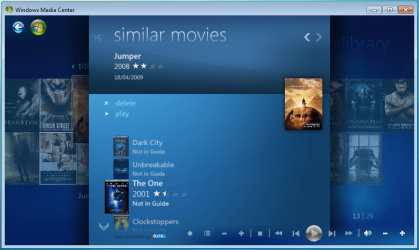
I thought i'd include an example of how the DVDID.XML file works.
1, Full synopsis information
2, Similar Movies shown, with posters
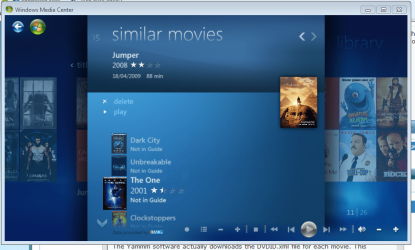
3, Click the similar movie to get full details of that movie

4, Cast & Crew information
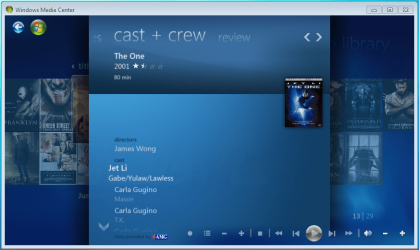
5, Click on a name to see a fimography (film list) relating to that actor/director

Enjoy
Attachments

Last edited by a moderator:





 . So maybe i am slow and didn't follow the directions right(some i didn't quite understand). so the part about finding files and putting them in a folder.jpeg is confusing. Where do I put the folder? I have download 344 jpeg files for each movie. I have tried putting each one in the movie folder its for and also in just one group file. Neither has work when I loaded them in my windows media player. Any help would be appreciated. Thanks

