Windows 7 Forums Search
Welcome to Windows 7 Forums. Our forum is dedicated to helping you find solutions with any problems, errors or issues you are experiencing with Windows 7. The Windows 7 forum also covers news and updates and has an extensive Windows 7 tutorial section that covers a wide range of tips and tricks.


Windows 7 - Windows Easy Transfer - Transfer To & From Computers


05-29-2009   #19
Orbital Shark


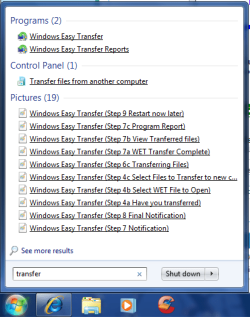
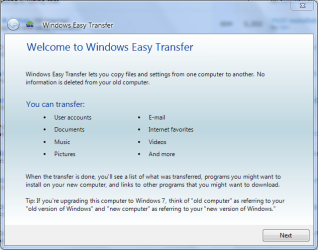
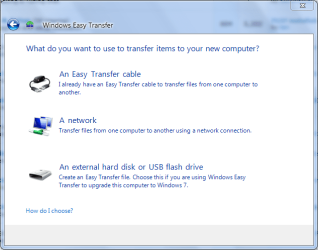
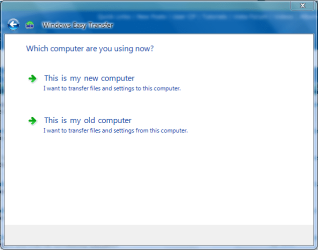
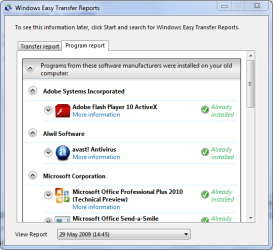
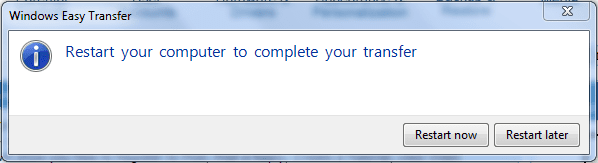
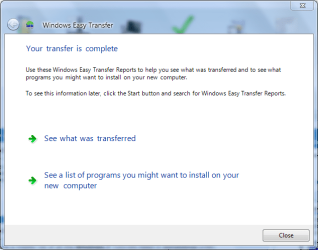
Windows Easy Transfer - Transfer To & From Computers

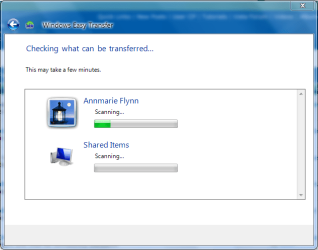
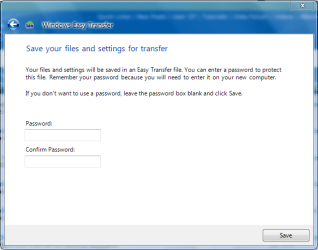
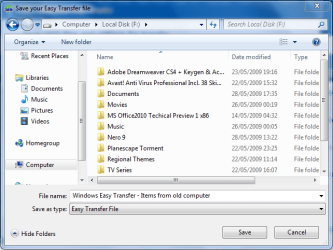
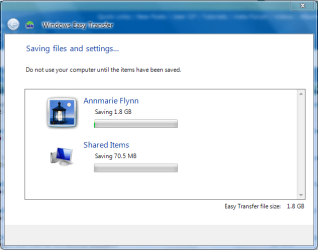
How to Transfer Files from One Computer to Another Computer with Windows Easy Transfer

...


Last edited by Brink; 11-09-2011 at 11:42 AM..
My System SpecsSystem Spec
10-21-2009   #20
mcleod55


Windows 7 Professional x64


How to Transfer Files from One Computer to Another Computer with Windows Easy Transfer. I have XP & Vista (different HDD's) same computer. I plan on putting Windows 7 on the XP hdd. Can I transfer files from the Vista to Win 7. (different hdd's but same computer) I hope that makes sense.

My System SpecsSystem Spec
10-22-2009   #21
Orbital Shark


Hi mcleod55,

In short, yes you can. The Easy Transfer for 7 is the same (if not very slightly different) from Vista and will transfer all the files you require. You can even download W.E.T for XP from Microsoft.

Hope this helps


OS
My System SpecsSystem Spec
10-28-2009   #22
JonLa


Windows 7


Installed Windows 7 last night. Tonight I'm going to install my apps and then import the Windows Easy Transfer I did from the old system.

Question: My C (Windows) partition is 50 GB and I've set up a much larger data partition.

My Easy Transfer is about 80GB.

Will it try to install all 80GB on C? I noticed that my install has said up my user account on C so I've changed the default for all of my libraries to the data drive - will it recognise this and sort out the files accordingly?
My System SpecsSystem Spec
10-29-2009   #23
JonLa


Windows 7


Answered my own question. Even though I'd set the default locations in my profile to the much larger partition (thanks to another tutorial here) windows easy transfer still refused to put my 80GB of files into the 50GB System partition. Could find no workaround.

Eventually I elected not to to transfer the Itunes folder, as I have a manual backup of it, and let the system work its magic.
My System SpecsSystem Spec
.


11-06-2009   #24
wyndwolfe


Windows 7


32 bit to 64 bit

I seem to have run into a problem while doing the easy file transfer.
I have upgraded from Vista to Windows 7. I initially used the "upgrade" option to go from vista to 7, however I was also hoping to go from 32 to 64 bit. As I wasn't paying close enough attention at the time, I ended up with the 32 bit version of Windows 7 installed. At this point I realized that I would require a "clean" install, so used the Easy File Transfer utility and saved my files to a removeable USB hard drive.
After completing the clean install of the 64 bit version of Windows 7, I started the EFT utility only to discover that when I select the file that I saved to, it tells me that it cannot read the file.
Is there any EASY way for me to get to these files?
My System SpecsSystem Spec
11-09-2009   #25
zx81


Windows 7 Home Premium x64


Orbital Shark,

Thank you very much for this clear and handy tutorial!

A small correction:
6. Select which files you wish saved suring the transfer process, then click on Next.

Should be during I think.
I hope you don't mind me for correcting this ;-)

Best regards,

zx81
My System SpecsSystem Spec
11-12-2009   #26
Darryl Licht


Windows 7 Ultimate 64 bit Steve Ballmer Signature Edition


Make sure you run EZT from DVD...

If you are transferring old data from XP or Vista, make sure and run Easy Transfer from the Windows 7 install disc. You will find it in the X:\Support\Migwiz folder (where X is the drive letter of your DVD), just double click on the migwiz.exe app to start it. The version included with Windows 7 is much faster and robust than previous versions.

Orbital, you might want to add that to the tutorial!
My System SpecsSystem Spec
11-13-2009   #27
kaanstain


googlegooglegoogle


hi guys,
can i clone all my data's(include windows) with this way??
My System SpecsSystem Spec
11-13-2009   #28
Darryl Licht


Windows 7 Ultimate 64 bit Steve Ballmer Signature Edition


Quote   Quote: Originally Posted by kaanstain View Post
hi guys,
can i clone all my data's(include windows) with this way??
Welcome to sevenforums Kaanstain!

Not sure what you mean by clone, but this will get all your docs, pics, videos, music, and Windows settings from old setup to new Windows 7 setup. It is meant as an easy way to transfer your existing data and settings... not a backup!
My System SpecsSystem Spec
11-14-2009   #29
kaanstain


googlegooglegoogle


You can see i'm from Turkey,and i'm working in cafe, we have 40 computer here.
all of them had xp, i wanted to try Windows 7 and i decided to change my system...
each has 500gb HDD, and 400gb Game we have... i installed everything one of them after that, i tried to clone hdd to the others.
i tried first acronis work edition
acronis home 2010
norton ghost 14

but i couldn't

at the last i tried windows backup and recovery program

it's perfect now....

i cloned each hdd easily


thank you win 7.


thank you win seven forums...
My System SpecsSystem Spec
Comment

Windows Easy Transfer - Transfer To & From Computers problems?


Tutorial Tools


Similar Threads for: Windows Easy Transfer - Transfer To & From Computers
Windows 7 Tutorial Category
Can an Easy Transfer archive be used/read without using Easy Transfer? General Discussion
Solved Don't want to transfer user files with easy transfer General Discussion
Anyone Use Windows Easy Transfer? General Discussion
Windows Easy Transfer Software
Using Windows 7 Easy Transfer Installation & Setup


All times are GMT -5. The time now is 02:47 AM.


Windows 7 Forums is an independent web site and has not been authorized,
sponsored, or otherwise approved by Microsoft Corporation.
"Windows 7" and related materials are trademarks of Microsoft Corp.
© Designer Media Ltd
  

1 2 3 4 5 6 7 8 9 10 11 12 13 14 15 16 17 18 19 20 21 22 23 24 25 26 27 28 29 30