|
Welcome to Windows 7 Forums. Our forum is dedicated to helping you find solutions with any problems, errors or issues you are experiencing with Windows 7. The Windows 7 forum also covers news and updates and has an extensive Windows 7 tutorial section that covers a wide range of tips and tricks.
Windows 7 - Windows Easy Transfer - Transfer To & From Computers |
05-29-2009
|
#59 | | |
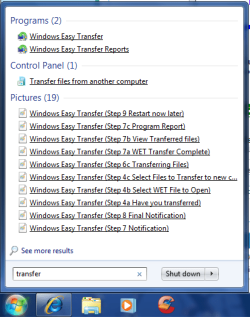
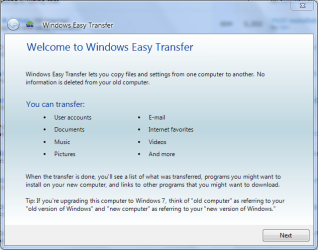
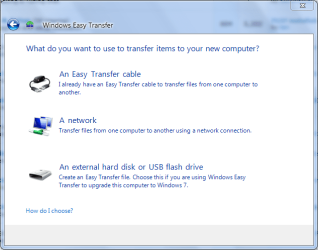
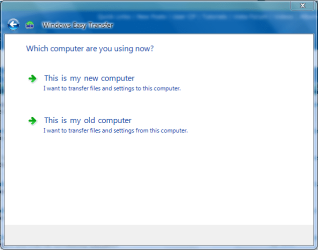
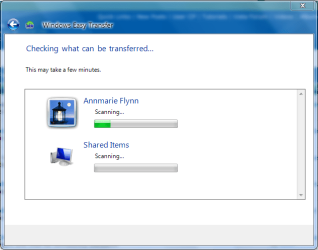
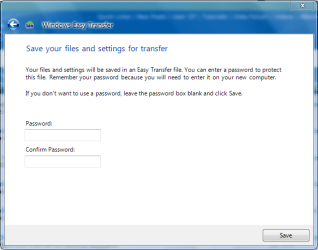
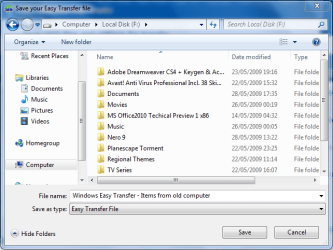
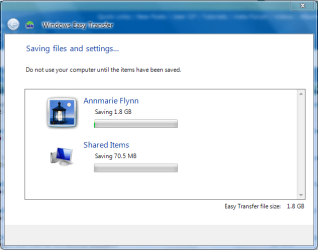
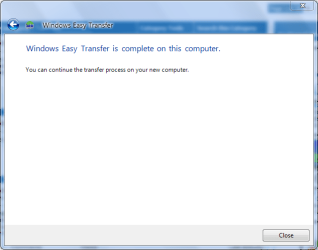
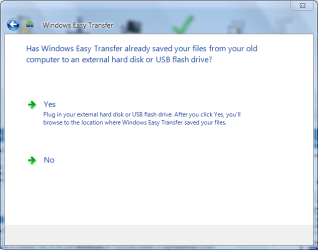
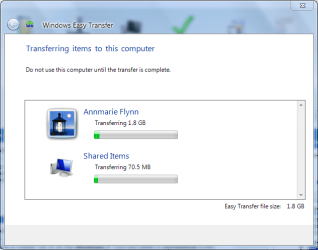
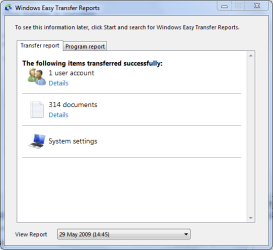
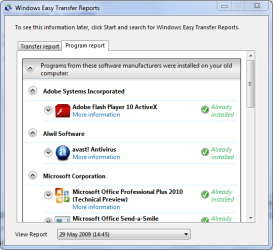
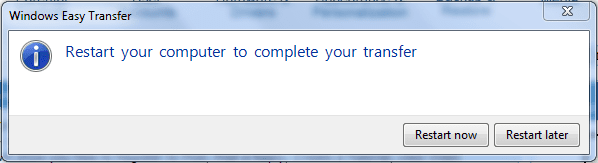
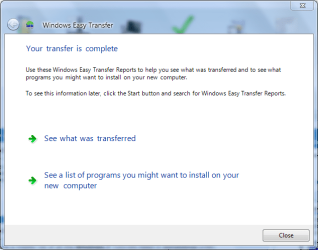
Windows Easy Transfer - Transfer To & From Computers How to Transfer Files from One Computer to Another Computer with Windows Easy Transfer
Last edited by Brink; 11-09-2011 at 11:42 AM..
| My System Specs | | System Manufacturer/Model Number Compaq Desktop OS Windows 7 Ultimate x64 CPU AMD Sempron Dual Core Memory 3GB Graphics Card NVIDIA GeForce 6150SE nForce 430 Screen Resolution 1024x768 Hard Drives 150GB Sata |
09-20-2011
|
#60 | | Windows 7 SP1, Home Premium, 64-bit |

Quote: Originally Posted by Pumpman2 Hi,
My HP's vista motherboard went bad and I bought a new HP win 7 machine. The old hard drive I mounted as a slave hard drive on the new computer. How do I transfer my files from the old salve Drive (G  to my new hard drive (C  IT probably really simple but i have not been able to figure it out yet.
Richard You say "files".
What files?
If you mean personal data files, just drag them with the mouse to the appropriate location on the new drive.
If you mean installed programs, you must reinstall them from scratch. They cannot be copied over and be expected to run properly. | My System Specs | | System Manufacturer/Model Number Ignatz Special; 4 speed manual gearbox; factory air conditioning; one of one OS Windows 7 SP1, Home Premium, 64-bit CPU Intel Sandy Bridge i5-2500, not overclocked Motherboard Gigabyte H67A-UD3H-B3, full ATX Memory 4 GB Crucial DDR3-1333 Graphics Card none; graphics are integrated on CPU Sound Card onboard: Realtek ALC892; external: USB Behringer UF0-202 Monitor(s) Displays NEC 90GX2-BK 19" LCD Screen Resolution 800 x 640 Keyboard Leopold Tenkeyless with Cherry Blue switches, USB Mouse Logitech or Microsoft optical wired; either USB or PS 2 PSU Seasonic SS-560KM, modular Case Antec Solo II Cooling CPU: Scythe Big Shuriken; Case: Scythe Slipstream 800 & 500 Hard Drives System: Intel 320 Series SSD, 80 GB;
Data: Samsung Spinpoint 103SJ, 1 TB;
Backup: WD Caviar Green WD15EADS-00P8B0, 1.5TB Other Info Power consumption of this system, including monitor: 68 watts at idle; 144 watts at full load |
09-20-2011
|
#61 | | |
More specific information The files I specifically need are mail messages from windows mail. I know I can get all the pictures and word docs directly but how do I get the mail messages transferred or pointed in the right direction. Thanks for the quick reply!!! | My System Specs | | |
09-20-2011
|
#62 | | Windows 7 SP1, Home Premium, 64-bit |
I'd start a fresh thread about your particular issue in the "Browsers and Mail" section of this site.
Offhand, I can tell you that getting mail transferred properly can be problematic. Sometimes it's easy and sometimes you pull your hair out.
I have not checked, but there might be a tutorial on Windows Mail transfer on this site. | My System Specs | | System Manufacturer/Model Number Ignatz Special; 4 speed manual gearbox; factory air conditioning; one of one OS Windows 7 SP1, Home Premium, 64-bit CPU Intel Sandy Bridge i5-2500, not overclocked Motherboard Gigabyte H67A-UD3H-B3, full ATX Memory 4 GB Crucial DDR3-1333 Graphics Card none; graphics are integrated on CPU Sound Card onboard: Realtek ALC892; external: USB Behringer UF0-202 Monitor(s) Displays NEC 90GX2-BK 19" LCD Screen Resolution 800 x 640 Keyboard Leopold Tenkeyless with Cherry Blue switches, USB Mouse Logitech or Microsoft optical wired; either USB or PS 2 PSU Seasonic SS-560KM, modular Case Antec Solo II Cooling CPU: Scythe Big Shuriken; Case: Scythe Slipstream 800 & 500 Hard Drives System: Intel 320 Series SSD, 80 GB;
Data: Samsung Spinpoint 103SJ, 1 TB;
Backup: WD Caviar Green WD15EADS-00P8B0, 1.5TB Other Info Power consumption of this system, including monitor: 68 watts at idle; 144 watts at full load |
11-09-2011
|
#63 | | Windows 7 Home Premium 32bit |
What if a computer goes to sleep during Win Easy Xfer? My transfer, just ongoing now, is to take ten or more hours. Both computers go to sleep after about fifteen minutes without user interaction. Will that be a problem?
If so, would it be safe to change the sleep settings, bearing in mind WET users shouldn't use either computer during transfer?
If WET stops because a computer goes to sleep, does one have to re-start the whole transfer from the beginning?
Thanks, all - Eric | My System Specs | | OS Windows 7 Home Premium 32bit |
11-10-2011
|
#64 | | |
Is it going to sleep or is it just the monitor that is turning off? It shouldn't sleep with network and hard drive activity. | My System Specs | | System Manufacturer/Model Number Dell Precision 370 OS Windows 7 Pro X64 CPU Intel Pentium 4 Dual LP 3.4Ghz Memory 4GB DDR PC2-5200 ECC Graphics Card NVIDIA Quadro FX 3400/4400 Sound Card SoundMAX Integrated Digital Audio Monitor(s) Displays Westinghouse 22" L2210NW Screen Resolution 1680 x 1050 Hard Drives 300GB PATA
80GB SATA (boot)
1.5TB SATA Internet Speed Cable via Road Runner 2MB Upload, 20MB Download |
11-11-2011
|
#65 | | Windows 7 Home Premium 32bit |
Thanks, Ztruker! I*'ve been caught with an active but untouched computer going to sleep before, but maybe the design has changed? Anyway, the transfer worked with me pressing the SHIFT key every so often!
Thanks again - Eric | My System Specs | | OS Windows 7 Home Premium 32bit |
11-21-2011
|
#66 | | Windows 7 Home Premium 64bit - Dutch |
Is it smart enough to do the following?
Assume I save user JOHN and restore to JIM .... does it update JIM's userregistry entries from C:\users\john to c:\users\jim? Also for ini-files etc?
So every reference to a file in JOHN's profile will be updated to a reference in JIM's profile. I can do that manually by search and replace in registry and ini files but automatically would be nice. But sometimes it's in a xml-file or settings.dat (for example utorrent).
So how good is this tool? | My System Specs | | System Manufacturer/Model Number ACER ASPIRE 5742G OS Windows 7 Home Premium 64bit - Dutch CPU Intel core i3 M370 Memory 4GB |
11-21-2011
|
#67 | | Windows 7 Ult x64 - SP1/ Windows 8 CP x64 |
Not exactly sure of your scenario, it will transfer the user info you have on the computer at the time you run Windows Easy Transfer. | My System Specs | | System Manufacturer/Model Number 76~1.4 OS Windows 7 Ult x64 - SP1/ Windows 8 CP x64 CPU Intel Core i5-750 3.84GHz Motherboard Gigabyte GA-P55A-UD4P, SATA 6Gb/s USB 3, f14 Memory 8GB (2X4GB) DDR3 1600 Corsair Vengeance CL8 1.5v Graphics Card XFX HD 5770 1GB DDR5 Sound Card Realtek HD Audio ALC889 Integrated Chip Monitor(s) Displays 22" LCD Dell Screen Resolution 1680x1050 Keyboard Logitech Wave Mouse CM Sentinel PSU Corsair HX650W Case Cooler Master Storm Scout Cooling Corsair H80 2x12cm Noctua NF P12 , 2x14cm case fans Hard Drives Intel X25 M 120GB SSD,
Seagate Barracuda 500GB SATA2 7200rpm 32MB cache, Seagate Barracuda 1TB SATA2 7200rpm 32MB cache, Internet Speed Dismal Other Info eSATA ports,
External eSATA Seagate 500GB SATA2 7200rpm,
External USB WD 500GB |
01-12-2012
|
#68 | | Windows 7 Home Premium 64bits |
Can i do a WET between Windows 7 and 8?
Last edited by LM2008; 01-14-2012 at 08:48 AM..
| My System Specs | | System Manufacturer/Model Number Acer Aspire 5810T8929 OS Windows 7 Home Premium 64bits CPU Intel Core Solo 1.4Ghz 800Mhz FSB Memory Samsung 4GB DDR3 Graphics Card Intel GMA 4500MHD Hard Drives Western Digital Black Scorpio 7200 RPM 16MB cache 320GB Internet Speed 12 MB/s |
01-13-2012
|
#69 | | Windows 7 Ult x64 - SP1/ Windows 8 CP x64 |
Not sure about that.
Will check on it. | My System Specs | | System Manufacturer/Model Number 76~1.4 OS Windows 7 Ult x64 - SP1/ Windows 8 CP x64 CPU Intel Core i5-750 3.84GHz Motherboard Gigabyte GA-P55A-UD4P, SATA 6Gb/s USB 3, f14 Memory 8GB (2X4GB) DDR3 1600 Corsair Vengeance CL8 1.5v Graphics Card XFX HD 5770 1GB DDR5 Sound Card Realtek HD Audio ALC889 Integrated Chip Monitor(s) Displays 22" LCD Dell Screen Resolution 1680x1050 Keyboard Logitech Wave Mouse CM Sentinel PSU Corsair HX650W Case Cooler Master Storm Scout Cooling Corsair H80 2x12cm Noctua NF P12 , 2x14cm case fans Hard Drives Intel X25 M 120GB SSD,
Seagate Barracuda 500GB SATA2 7200rpm 32MB cache, Seagate Barracuda 1TB SATA2 7200rpm 32MB cache, Internet Speed Dismal Other Info eSATA ports,
External eSATA Seagate 500GB SATA2 7200rpm,
External USB WD 500GB Windows Easy Transfer - Transfer To & From Computers problems? All times are GMT -5. The time now is 11:04 PM. |  |