

How to See Download Speed and Time in Download Manager of IE9 and IE10
InformationThis tutorial will show you how to see the download speed in KB/sec, MB/sec, and percentage completed, and estimated time left for a download in the download manager of IE9 and IE10.
Here's How:
1. To See Download Speed and Status at the Bottom of IE9 and IE10That's it,
A) Once your download begins, you will a pop-up message bar at the bottom of IE9 or IE10 displaying your download rate and status. (see screenshot below)OR
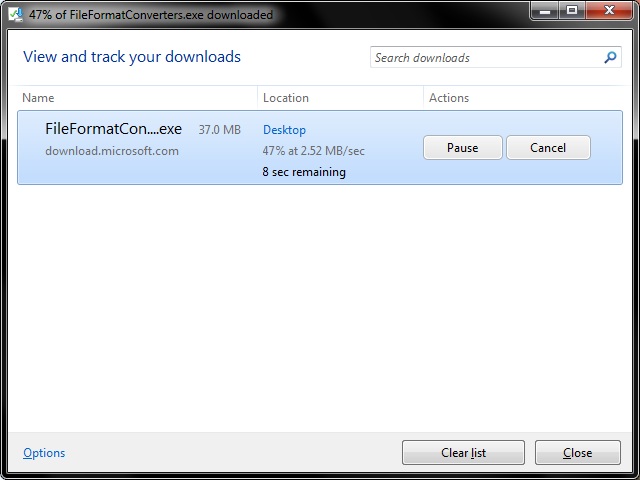
2. To See Download Speed and Status in Download Manager of IE9 and IE10
A) While downloading a file in IE9 or IE10, click/tap on the gear icon and on View downloads. (see screenshots below)
NOTE: You could also press CTRL + J to open the IE9 or IE10 download manager.
Shawn
Internet Explorer - Download Speed and Time
-
New #1
Nice Tip ... Thanks Shawn.
I wish it just showed the Download speed rather than hovering over it.
-
-
-
New #4
It's nice finally see "managed" downloads in IE... instead of single windows. Let's all hope we don't have to wait a couple of version to see full details in the status.

Internet Explorer - Download Speed and Time
How to See Download Speed and Time in Download Manager of IE9 and IE10Published by Brink


 Quote
Quote
Related Discussions