HOW TO SETUP
INTERNET STREAMING
IN WMP 12
INTERNET STREAMING
IN WMP 12
Information
This will show you how to set up internet streaming in windows 7 using windows media player 12.
Note
This has worked for me im using Windows 7 RC X64 i would assume that it works the same for all. The Screens might look different but should mostly be the same
Warning
In order for this to work you must have
1: Windows Live ID Sign-in Assistant 6.5
2: A Live ID ( @hotmail.com @msn.com @live.com should all work, or what ever your LIVE ID is)
3: Your windows accounts do not need the be the same
4: This MUST be done on both systems or all systems that you want to be able to connect too or connect from
5: You are able to connect to more then one remote system
1: Windows Live ID Sign-in Assistant 6.5
2: A Live ID ( @hotmail.com @msn.com @live.com should all work, or what ever your LIVE ID is)
3: Your windows accounts do not need the be the same
4: This MUST be done on both systems or all systems that you want to be able to connect too or connect from
5: You are able to connect to more then one remote system
Here's How:
- To start open WMP 12
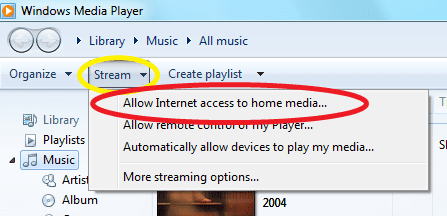
Once open click at the top of the left side of the window STREAM here in Yellow then click on the Allow Internet Access To Home Media
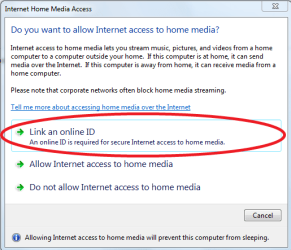
- Click on Link an online ID
- Click on Add An online ID provider.
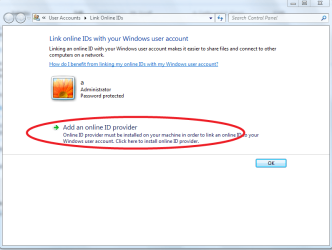
- Click here
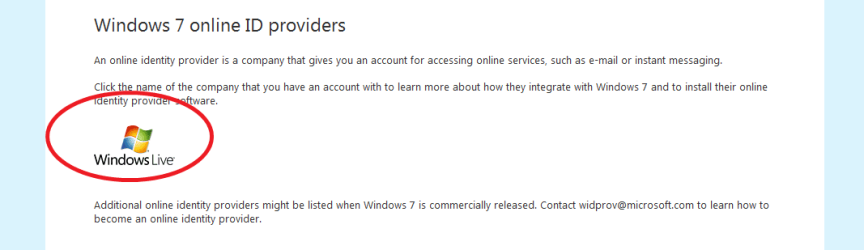
- The last step should have opened this window here.
Click Downloads Below or Scroll Down the page to get to the downloads make sure you pick the right OS 32-bit OR 64-bit
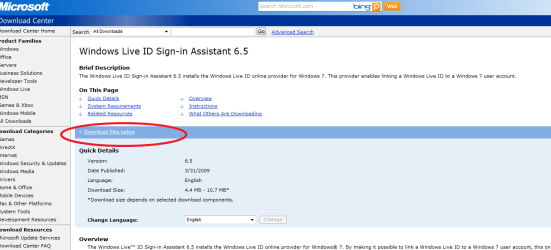

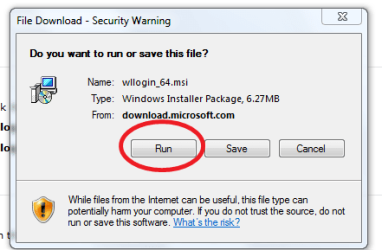
- Either Run or Save then run latter.
Just Click Run. Let it download start the installer.
When done click on Finsh.
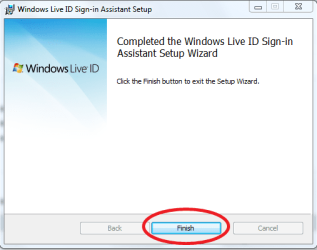
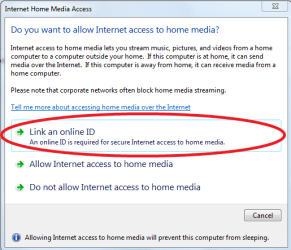
GO back to WMP 12 you should still have this window here open
Click on Link A online ID.
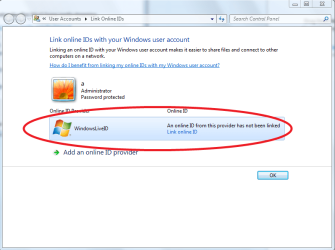
- Click on Link Online ID
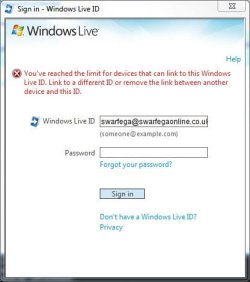
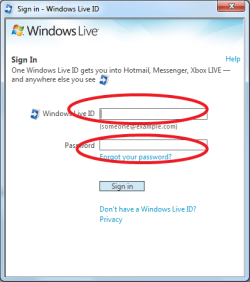
- Sign-in with your ID User Name and Password.
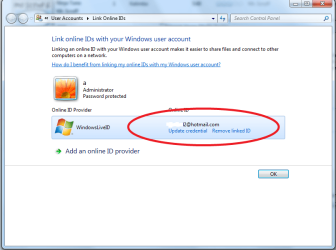
- Back to WMP 12 one last time

Allow Internet Access To Home Media
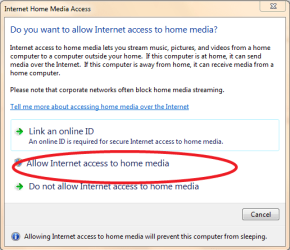


DONE