Windows 7 Forums Search
Welcome to Windows 7 Forums. Our forum is dedicated to helping you find solutions with any problems, errors or issues you are experiencing with Windows 7. The Windows 7 forum also covers news and updates and has an extensive Windows 7 tutorial section that covers a wide range of tips and tricks.


Windows 7 - Device Manager - Access During Windows 7 Installation

 
07-09-2009   #19
Orbital Shark


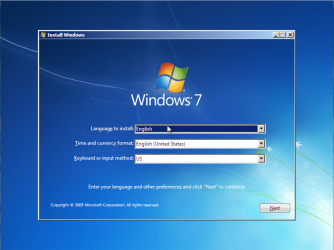
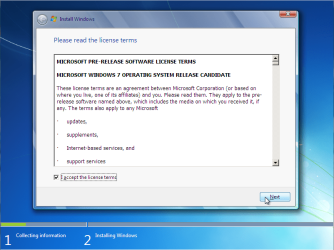
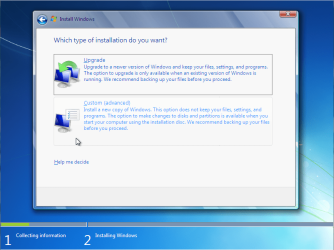
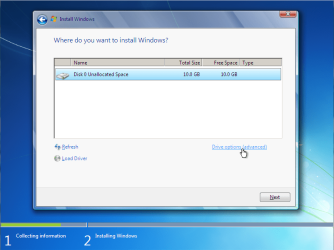
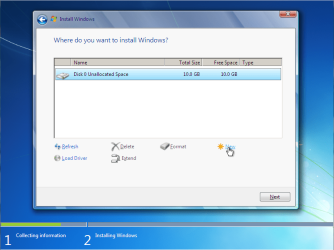
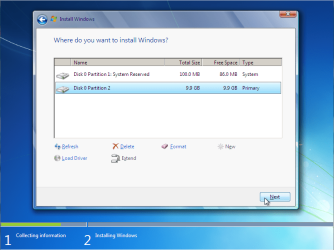
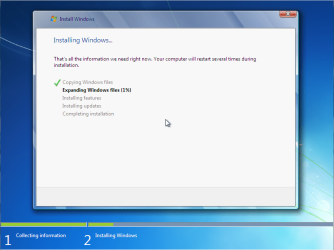
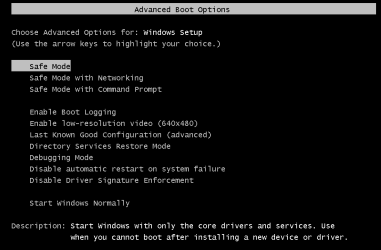
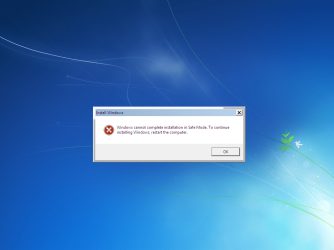
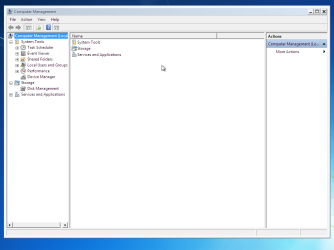
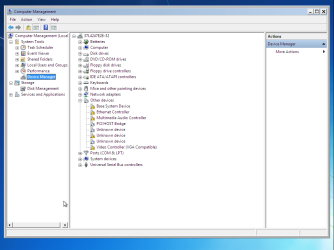
Device Manager - Access During Windows 7 Installation

How to Access Device Manager During the Installation of Windows 7

...


Last edited by Brink; 04-05-2012 at 10:32 PM..
My System SpecsSystem Spec
08-28-2010   #20
syed097


Windows 7 Ultimate 32-Bit (x86)


thanks man

My System SpecsSystem Spec
05-29-2011   #21
Nighthawk7118


Windows 7 Home Premium 32bit


I have been struggeling with this for days. Endless loop without finishing the install. I disabled the video controller and it completed the install. Thanks
My System SpecsSystem Spec
05-31-2011   #22
Orbital Shark


Quote   Quote: Originally Posted by Nighthawk7118 View Post
I have been struggeling with this for days. Endless loop without finishing the install. I disabled the video controller and it completed the install. Thanks
Glad it worked for you and welcome to the forums
My System SpecsSystem Spec
05-31-2011   #23
Nighthawk7118


Windows 7 Home Premium 32bit


After Windows 7 updates and restart - apparently there is some problem with loading the settings for my video card. I went back in and disabled it again and every thing seems to work fine except the default windows display setting. I suspect the problem may be with the video card.
My System SpecsSystem Spec
.


05-31-2011   #24
Orbital Shark


Once you disable the video card, Windows will default to the Standard VGA Adapter, you then need to do 1 of the following...

1, Delete the VGA Adapter in Device Manager and reboot, allowing for Windows to configure drivers for the card properly.

2, Download the latest drivers from the manufacturer site then install them


OS
My System SpecsSystem Spec
05-31-2011   #25
Nighthawk7118


Windows 7 Home Premium 32bit


I took no2 and installed the new driver. When it rebooted with the new driver it went to a black screen. Went into safe mode and disabled the driver, rebooted and it works fine - other than the poor graphics. Do you think the video card might be bad?
My System SpecsSystem Spec
08-14-2011   #26
Dude


windows 7 Home Premium 64


This solved my install. Tried for two days to install seven and it kept hanging. Vista installed but seven wouldn't. Used this and disabled the video card and like magic it finished installing. Thank you!!
My System SpecsSystem Spec
04-08-2012   #27
Gautamster


Window XP 32 bit


Still nothing worked for me. I did same as according to device manager installation still after completing installation, and after checking video performance and all, still not showing any desktop. The whole installation goes right but still no desktop of window 7. Window xp works fine on the same machine.
My System SpecsSystem Spec
04-09-2012   #28
cmaro21


x64 pro


No need to go into Safe Mode

Great tutorial Orbital Shark, I wanted to update you on one thing, you don't need to enter safe mode to do this in between reboots.

Let the computer reboot, once it says "completing installation..." with the infinite loop going on, then Press SHIFT+F10 and type in "compmgmtlauncher" as orbital shark has explained. You can start disabling items on the fly until you see progress with the install. Just go down the list, anything with a yellow ? just disable, my issue was a co-processor driver, about the 10th thing. Once that was gone it finished the install a minute.

Hope that helps some of you.
My System SpecsSystem Spec
Comment

 Device Manager - Access During Windows 7 Installation problems?


Tutorial Tools


Similar Threads for: Device Manager - Access During Windows 7 Installation
Windows 7 Tutorial Category
Solved Windows bootes but can't start any programm not even device manager Crashes and Debugging
NO USB controllers in Device Manager after Windows 7 Update Hardware & Devices
Bluetooth Disappeared from Device Manager After Windows 7 Upgrade Drivers
Device Manager reports Unknown Device & explorer crash Drivers
Unable To Access Device Manager Performance & Maintenance


All times are GMT -5. The time now is 12:38 AM.


Windows 7 Forums is an independent web site and has not been authorized,
sponsored, or otherwise approved by Microsoft Corporation.
"Windows 7" and related materials are trademarks of Microsoft Corp.
© Designer Media Ltd
  

1 2 3 4 5 6 7 8 9 10 11 12 13 14 15 16 17 18 19 20 21 22 23 24 25 26 27 28 29 30