Windows 7 Forums Search
Welcome to Windows 7 Forums. Our forum is dedicated to helping you find solutions with any problems, errors or issues you are experiencing with Windows 7. The Windows 7 forum also covers news and updates and has an extensive Windows 7 tutorial section that covers a wide range of tips and tricks.


Windows 7 - Presentation Mode - Change


01-14-2009   #19
Brink


Windows 7 Ultimate x64 SP1


Presentation Mode - Change

How to Change the Windows 7 Display Presentation Mode

...


Last edited by Brink; 04-25-2011 at 11:16 AM..
My System SpecsSystem Spec
05-13-2010   #20
homamkeh


windows 7


Quote   Quote: Originally Posted by Brink View Post
Hello Homamkeh,

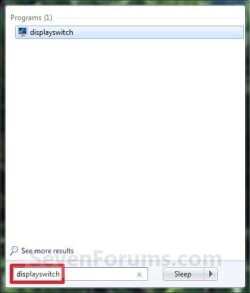
Does it work when opening the displayswitch.exe file? If so, you might see if creating a shortcut of it, then assigning your own keyboard shortcut to open this shortcut may work for you instead.

Hope this helps,
Shawn
it does not work when clicking on the displayswitch.exe file (i get the same split second view of the icons) , i am using the shortcut method posted here(method 2) as a temporary fix. however i still want to get win+p working again. any ideas?

thanks in advance!


Last edited by homamkeh; 05-13-2010 at 11:24 PM.. Reason: added link
My System SpecsSystem Spec
05-13-2010   #21
Brink


Windows 7 Ultimate x64 SP1


You might see if running a sfc /scannow commmand may be able to help since this is a system file.

If not, and since this only started recently, then you might see if doing a system restore using a restore point dated when it worked may fix it.
My System SpecsSystem Spec
05-14-2010   #22
homamkeh


windows 7


Quote   Quote: Originally Posted by Brink View Post
You might see if running a sfc /scannow commmand may be able to help since this is a system file.

If not, and since this only started recently, then you might see if doing a system restore using a restore point dated when it worked may fix it.

did the scannow command. did not work.
also tried restoring from a system resore point created over 10 days ago (im sure this started today as i use my projector everyday) also did not work.

i really have no idea what may have caused this
My System SpecsSystem Spec
05-14-2010   #23
Brink


Windows 7 Ultimate x64 SP1


Well, if you have a retail Windows 7 copy, a repair install should be able to fix it for you.
My System SpecsSystem Spec
.


05-16-2010   #24
homamkeh


windows 7


Quote   Quote: Originally Posted by Brink View Post
Well, if you have a retail Windows 7 copy, a repair install should be able to fix it for you.
It seems like too much hassle to maybe fix the issue. I would rather install a fresh copy of windows 7 (i have an acronis image of my OS drive from when i first installed windows 7).

for some unknown and extremely strange reason, when using qsynergy (the problematic computer as the master and another working computer as the slave) the salve computer does the same split second view of win+p when the cursor is on the slave computer.

qsynergy is a program that allows one mouse and keyboard to control 2 computers. sadly it stopped working for me and i think all these issues are related but i do not know how or why.

i do not expect to solve this issue anymore. i will probably just wait for it to magically get fixed on its own or wait until im forced to restore my system using my image back up.

many thanks for all your tips and suggestions Shawn.

Best regards,
homamkeh
My System SpecsSystem Spec
05-17-2010   #25
Brink


Windows 7 Ultimate x64 SP1


You're welcome Homamkeh. Please let us know how it turns out for you.
My System SpecsSystem Spec
05-19-2010   #26
homamkeh


windows 7


Quote   Quote: Originally Posted by Brink View Post
You're welcome Homamkeh. Please let us know how it turns out for you.
my video card went berserk, my screen would show red and gray lines with no picture or would randomly turn gray scale. this happened more than once and i was annoyed from the previous issues i stated above so i decided to restore from my backup.

After restoring from my image, to my surprise, the problems still persisted. WIN + P still flickers, synergy does not work and i had issues with logitech setpoint (v6) i could not set any kind of keystrokes. I also had issues with a program named switcher (i could not set a global shortcut, it would force the key "B" whenever i tried anything).

obviously this meant that it was a hardware problem, i started disconnecting everything one by one. I isolated the problem to my logitech headset. whenever i plugged it in, the problems would occur. It solved all my problems when unplugging the headset. I guess it just malfunctioned the day i posted my problem.

i am still confused however due to the headset working perfectly on my other system (win+p does not flicker).

this is by far one of the most bizarre issues i have ever had. i can't see how the above stated programs are connected.

thanks for your help,
Homamkeh
My System SpecsSystem Spec
05-19-2010   #27
Brink


Windows 7 Ultimate x64 SP1


Homamkeh,

That is strange. You might see if there may be a newer driver (if required) for the Logitech headset available at Logitech's website to see if it may address this issue.
My System SpecsSystem Spec
05-24-2010   #28
homamkeh


windows 7


Quote   Quote: Originally Posted by Brink View Post
Homamkeh,

That is strange. You might see if there may be a newer driver (if required) for the Logitech headset available at Logitech's website to see if it may address this issue.

No drivers from logitech, the drivers used come from win 7 preloaded. I tried updating, it says my software is up to date.

I read about some other problems with logitech headsets and possible driver issue on the forums. Nothing like what i am going through though. I'll update if i figure it out. thanks again!

Last edited by homamkeh; 05-24-2010 at 04:00 PM..
My System SpecsSystem Spec
Comment

Presentation Mode - Change problems?


Tutorial Tools


Similar Threads for: Presentation Mode - Change
Windows 7 Tutorial Category
How to change the master slide in a whole presentation Microsoft Office
sharing Windows 7 screen (presentation mode) from XP mode Network & Sharing
Change resolution from Safe mode? Graphic Cards
HOW TO: change path in batch mode General Discussion
DVD device can't change to DMA mode Drivers


All times are GMT -5. The time now is 09:16 PM.


Windows 7 Forums is an independent web site and has not been authorized,
sponsored, or otherwise approved by Microsoft Corporation.
"Windows 7" and related materials are trademarks of Microsoft Corp.
© Designer Media Ltd
  

1 2 3 4 5 6 7 8 9 10 11 12 13 14 15 16 17 18 19 20 21 22 23 24 25 26 27 28 29 30