Windows 7 Forums Search
Welcome to Windows 7 Forums. Our forum is dedicated to helping you find solutions with any problems, errors or issues you are experiencing with Windows 7. The Windows 7 forum also covers news and updates and has an extensive Windows 7 tutorial section that covers a wide range of tips and tricks.


Windows 7 - NEW Context Menu - Edit for Desktop

 
08-23-2009   #19
kintomaniac


windows 7 Ultimate 32bit


NEW Context Menu - Edit for Desktop

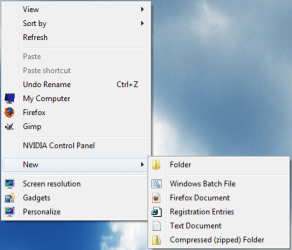
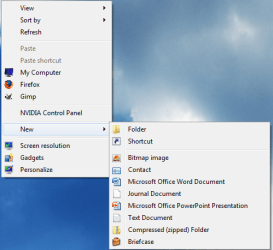
How to Edit the Windows 7 Desktop "NEW" Context Menu

This tutorial shows you how to do this

BEFORE Click here to read the entire tutorial


Last edited by Brink; 05-26-2011 at 01:31 PM..
My System SpecsSystem Spec
09-23-2010   #20
kintomaniac


windows 7 Ultimate 32bit


Quote   Quote: Originally Posted by laffen86 View Post
Hi.

I am new to registry editing, and having some trouble getting this to work with some filetypes. I have been at it for a couple of hours now, and I am about to give up.This is what I would like to do:

As I recently have started java programming I would like to have the option to right click, and choose new java document.

I have sucsessfully added other filetypes such as HTML, XML and REG files to the "new" context menu. The ".JAVA" file type however, will not show up.

I have used this registry entry:
Windows Registry Editor Version 5.00

[HKEY_CLASSES_ROOT\.java\ShellNew]
"NullFile"=""

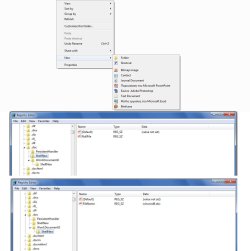
It shows up correctly when I look for it in Regedit, and also when I look in this program: ShellNewHandler (ShellNewHandler | Download ShellNewHandler software for free at SourceForge.net). I also noticed in this program(see jpg attachment) that .BMP and .TRC filetypes should be visible in the new context menu - but they are not. There is also no description to any of the three file types (.JAVA,.BMP and .TRC) - could this be the problem? If so, how can I add a file type description?

I also read on some forum that it may be because the file type has no associated class(?) but there was no solution, and I do not remember where I read it. I also have tried setting Notepad to be the default editor, but it does not seem to help...

Does anyone have any idea that can help? I am getting pretty frustrated not getting this to work..


I would appreciate any help
try this

Windows Registry Editor Version 5.00

[HKEY_CLASSES_ROOT\.java\ShellNew]
"ItemName"=hex(2):00,00
"NullFile"=""

My System SpecsSystem Spec
Comment

 NEW Context Menu - Edit for Desktop problems?


Tutorial Tools


Similar Threads for: NEW Context Menu - Edit for Desktop
Windows 7 Tutorial Category
How to edit the context menu items for shortcuts? Customization
Can I edit the Context Menu? Customization
Edit folder context menu? Customization
Can't fully edit context menu Customization
How to edit context menu items order? Customization


All times are GMT -5. The time now is 02:23 AM.


Windows 7 Forums is an independent web site and has not been authorized,
sponsored, or otherwise approved by Microsoft Corporation.
"Windows 7" and related materials are trademarks of Microsoft Corp.
© Designer Media Ltd
  

1 2 3 4 5 6 7 8 9 10 11 12 13 14 15 16 17 18 19 20 21 22 23 24 25 26 27 28 29 30