
How to Get and Use the Windows 7 USB/DVD Download Tool
Introduction
Information
If you would like to burn your downloaded or converted .iso image to a DVD or create a bootable USB flash drive, this free Microsoft utility is for you.
In very little time this can be accomplished by even a novice, and in this tutorial I'm gonna show you how. I have seperated this tutorial into 2 sections: Part 1 covers how to burn a bootable DVD and Part 2 is on creating a bootable flash drive.
This is primarily going to be useful to XP and Vista users who do not have .iso burning software installed on their current HDD and wish to perform a clean install.
In very little time this can be accomplished by even a novice, and in this tutorial I'm gonna show you how. I have seperated this tutorial into 2 sections: Part 1 covers how to burn a bootable DVD and Part 2 is on creating a bootable flash drive.
This is primarily going to be useful to XP and Vista users who do not have .iso burning software installed on their current HDD and wish to perform a clean install.
Note
The Windows 7 USB/DVD Download Tool does not support using Windows XP .iso files.
If you do not have a Windows 7 with SP1 ISO, then you can download the latest official Windows 7 with SP1 ISO file here:
:ar: Microsoft Software Recovery
:ar: Microsoft: Windows 7 Direct Download Links
If you do not have a Windows 7 with SP1 ISO, then you can download the latest official Windows 7 with SP1 ISO file here:
:ar: Microsoft Software Recovery
:ar: Microsoft: Windows 7 Direct Download Links
Warning
The Windows 7 USB/DVD Download Tool does not work with UEFI.
To create a 64-bit Windows 7 or Windows 8 UEFI USB flash drive, see:
How to Create a Bootable UEFI USB Flash Drive for Installing Windows 7 and Windows 8
To create a 64-bit Windows 7 or Windows 8 UEFI USB flash drive, see:
How to Create a Bootable UEFI USB Flash Drive for Installing Windows 7 and Windows 8
Here's How:
First visit the MS Store Website to download and install the Windows 7 USB/DVD download tool.
Note
If the download links are broken at the sites below, then you can click on the blue Download button below to directly download an official copy of the Windows7-USB-DVD-tool.exe file below from here instead.
Download
Download
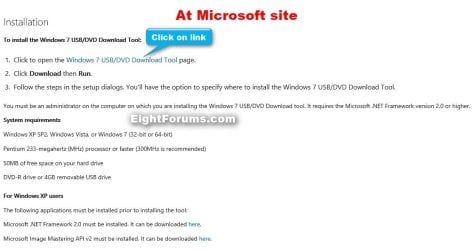
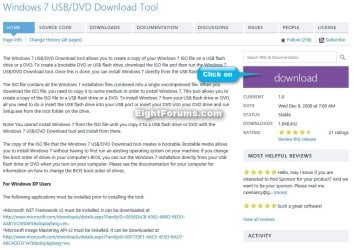
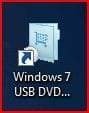
After you have successfully downloaded and installed the Windows 7 USB/DVD Download Tool, you should see its icon on your desktop. Double click to start the program.
PART 1 - How to Burn a bootable Windows 7 DVD
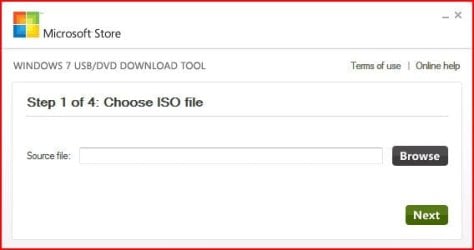
1) After you run the Windows 7 USB/DVD download tool, you will see the Step 1 of 4 dialog box. Here you will navigate to the location of your .iso file by clicking the Browse button. Once you have successfully located your iso file click Next to continue to step 2.
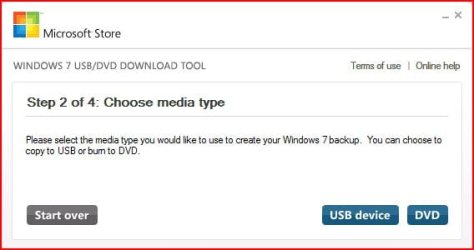
2) In step 2 of 4 you are given the choice of making a bootable DVD or a bootable USB flash. In this first section of my tutorial I show you how to burn a bootable DVD. So click DVD if that is what you want.
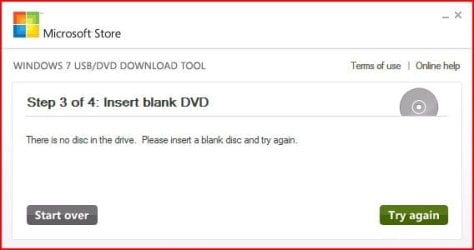
3) Make sure you have a blank DVD in your optical drive, or you may see this message.
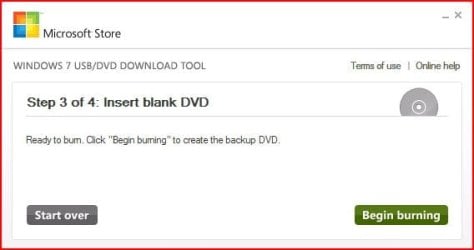
4) Once you have inserted a blank DVD you will see the folowing screen, click Begin burning to continue.
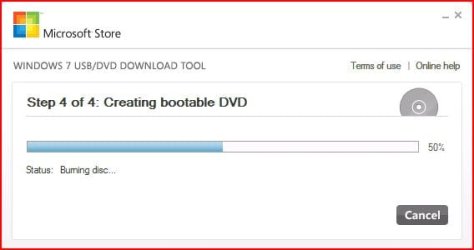
5) Once the burn starts, you should see the progress bar here at Step 4 of 4. Remember the amount of time it takes to complete the burn depends on many factors... be patient.
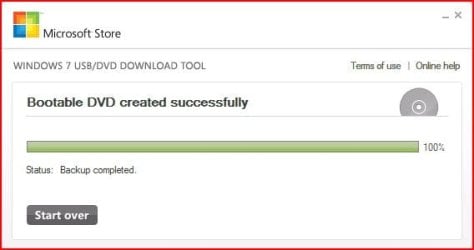
6) If all you wanted was a bootable DVD, you are finished when you see the image below, close the program or start over if you wish to make a 2nd copy.
PART 2 - How to create a bootable Windows 7 USB Flash Drive
Warning
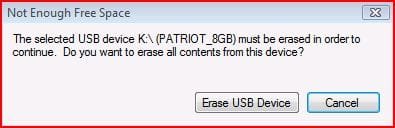
You need a USB flash drive with at least 4GB of free space, and the flash drive will be formattted to NTFS! So backup your data before creating this bootable USB, or you will lose all your data!
Follow the instructions in the Introduction at the beginning of tutorial and download and install the tool. The installation will add the program shortcut to your desktop, just double click to start.
1) After you launch the app, you will see the Step 1 of 4 dialog box. Here you will navigate to the location of your .iso file by clicking the Browse button. Once you have successfully located your iso file click Next to continue to step 2.
2) In step 2 of 4 you are given the choice of making a bootable DVD or a bootable USB flash. Here in Part 2 of my tutorial I show you how to create a bootable USB Flash Drive. So click USB device if that is what you want.
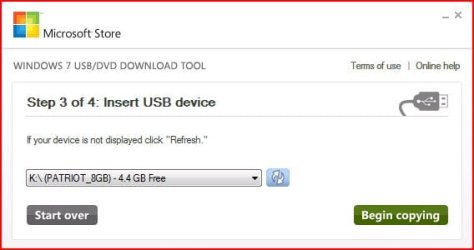
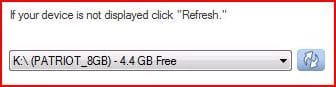
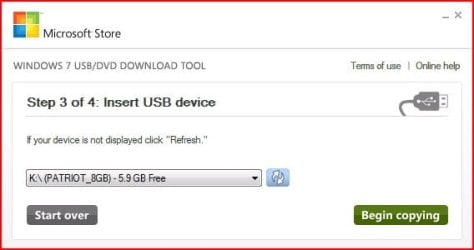
3) Here in step 3 of 4 you will select the USB flash drive of your choice by using the drop down list arrow. Once you have chosen the correct Drive, click the Begin copying button.
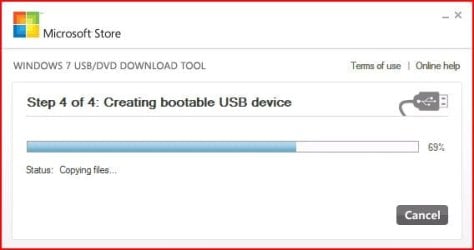
4) Here in step 4 of 4: Creating bootable USB device, you should see the progress bar move across the screen. As always your speed depends on many factors, have patience!
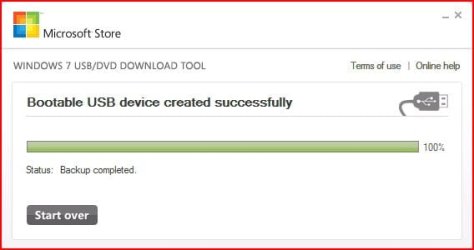
5) Once completed you should see the following dialog box.
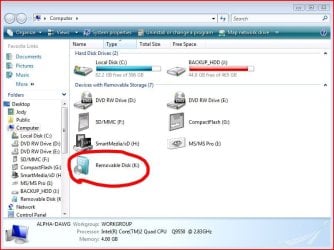
I found it interesting that the USB device icon in "Computer" now looks identical to that of the DVD!
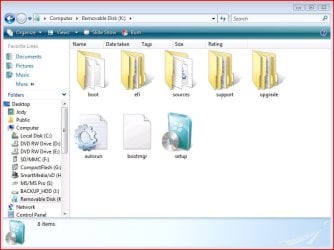
Here are the contents of the USB device after completion...
I hope this helps out some of you who are "stuck" when it comes to burning an iso to DVD or creating a bootable USB device.
Thanks!
Related Tutorials
- How to Do a Upgrade Installation with Windows 7
- How to Do a Clean Installation with Windows 7
- How to Do a Custom Installation of Windows 7
- How to Create a Windows 7 Universal Installation Disc
- How to Create a Windows 7 Installation USB Key
- Make bootable iso from student d/l
- How to Install Windows 7 from USB Pen Drive Using Grub4Dos
- How to Slipstream Windows 7 SP1 to Create a Installation DVD or ISO File
- How to Burn a "ISO" or "IMG" Disc Image file to a CD/DVD in Windows 7 and Windows 8
Attachments
Last edited by a moderator:


