
How to View Troubleshooting History in Windows 7 and Windows 8
Information
This tutorial will show you how to view a list of all troubleshooting history and problems previously diagnosed in Windows 7 and Windows 8.
Here's How:
1. Open the Control Panel (Icons View) in Windows 7 and Windows 8.
2. Click/tap on the Troubleshooting icon.
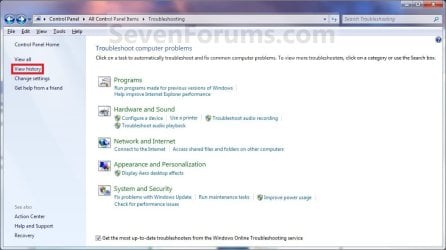
3. Click/tap on the View history link at the upper right corner in the left pane. (see screenshot below)
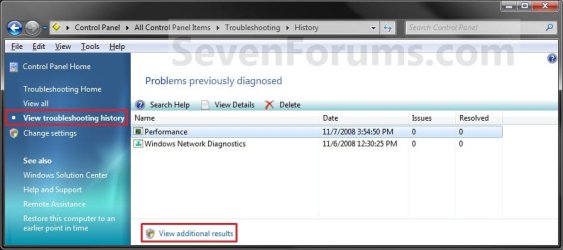
4. You will now see a list of all problems previously diagnosed by Troubleshooting. (see screenshot below)
NOTE: To view any additional results, click on the View additional results (if available) link at the bottom of the window.
5. When done, close the Troubleshooting History window.
That's it,
Shawn
Last edited:

