Add or Remove "Pin to Start Menu" for a Folder, Drive, and Library in Windows 7
Information
By default, you can only pin programs to the Start menu in Windows 7 with the Pin to Start Menu context menu item. You could also drag a folder, drive, or library to the Start button until you see Pin to Start Menu and drop it to pin the folder, drive, or library to the Start Menu.
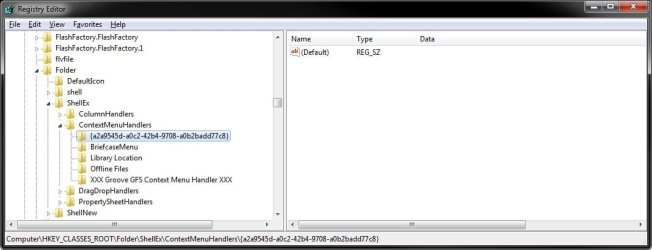
This will show you how to add Pin to Start Menu to the context menu of a folder, drive, or library for all users in Windows 7.
You must be logged in as an administrator to be able to do the steps in this tutorial.
This will show you how to add Pin to Start Menu to the context menu of a folder, drive, or library for all users in Windows 7.
You must be logged in as an administrator to be able to do the steps in this tutorial.
Note
From the Start menu All Programs area, you can only pin the folders you have added to All Programs and not any of the default Accessories, Administrative Tools, Maintenance, and Startup folders.
You can pin any folder, drive, or library from within Windows Explorer to the Start Menu.
You can pin any folder, drive, or library from within Windows Explorer to the Start Menu.
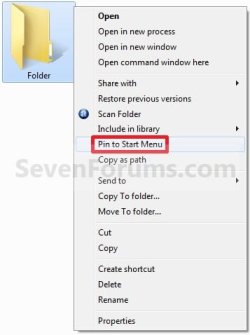
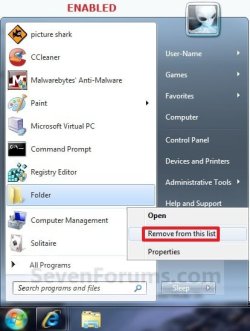
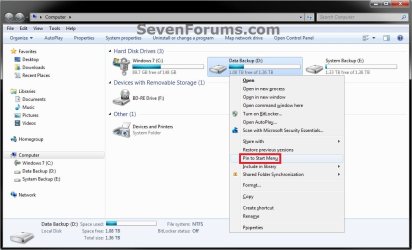
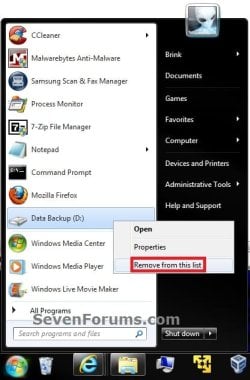
EXAMPLE: "Pin to Start Menu" Enabled for Folders and Drives
NOTE: You will need to press and hold Shift and right click on a folder or drive to see Pin to Start Menu.
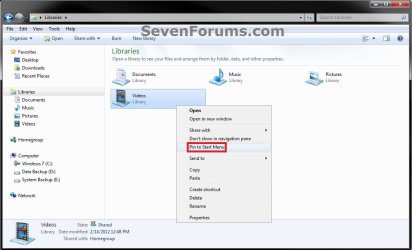
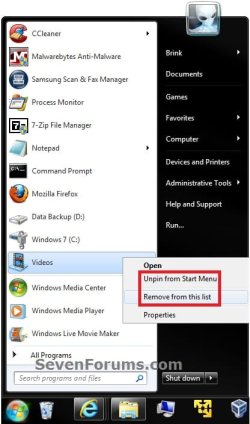
EXAMPLE: "Pin to Start Menu" Enabled for Libraries
NOTE: You will just need to right click on a library to see Pin to Start Menu.
Here's How:
1. To Enable Folder, Drive, and Library "Pin to Start Menu"
A) Click on the Download button below to download the file below.
Enable_Folder_Drive_Library_Pin_to_Start_Menu.reg
Download
B) Go to step 3.
2. To Disable Folder, Drive, and Library "Pin to Start Menu"
NOTE: This is the default setting.
A) Click on the Download button below to download the file below.
Disable_Folder_Drive_Library_Pin_to_Start_Menu.reg
Download
3. Save the .reg file to the desktop.
4. Right click on the downloaded .reg file and click on Merge.
5. Click on Run, Yes, Yes, and OK when prompted.
6. When done, you can delete the downloaded .reg file if you like.
That's it,
Shawn
Related Tutorials
- How to Pin or Unpin a Folder to the Windows 7 Taskbar
- How to Reset the Pin To Start Menu Area in Windows 7
- How to Pin or Unpin a Program to the Windows 7 Start Menu
- How to Use Small or Large Icons in the Windows 7 Start Menu
- How to Hide or Show a Library in the Windows 7 Navigation Pane
- How to Turn the Library Pane On or Off in Windows 7
- How to Restore Missing "Pin to Taskbar" and "Pin to Start Menu" Context Menu Items in Windows 7 Shortcuts
- How to Add or Remove "Pin to Start Menu" from Context Menu in Windows 7
Attachments
Last edited: