Windows 7 Forums


Windows 7: Sticky Notes - Change Text Format

01 Apr 2009   #9
Brink

 
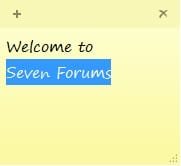
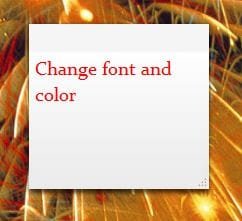
Sticky Notes - Change Text Format

How to Format Text in a Sticky Note in Windows 7 and Windows 8

...


Last edited by Brink; 02 Apr 2013 at 12:26 PM..
My System SpecsSystem Spec

29 Mar 2010   #10
Brink


LOL, now there's a good workaround.

Thank you Tw33k.
My System SpecsSystem Spec

29 Mar 2010   #11
tw33k


Quote   Quote: Originally Posted by Brink View Post
LOL, now there's a good workaround.

Thank you Tw33k.
Yeah...works well

My System SpecsSystem Spec
02 Apr 2011   #12
xXiMiXx

 
follow up question

Is there any way to add indentation to list items? Like so...

1. Book A
i chapter 3
ii chapter 7
2. Book B
i chapter 12
ii chapter assessment

I tried highlighting a sub item and pressing tab, also tried to select just the sub items and use Ctrl+Shift+L. Although it kind of worked the next un-indented list item starts a new list order (ie 1. instead of 2.) Also, tried the word shortcuts (Ctrl+M/ Ctrl+Shift+M) any ideas?

Last edited by xXiMiXx; 02 Apr 2011 at 01:58 PM.. Reason: slight formatting error
My System SpecsSystem Spec
02 Apr 2011   #13
Brink


Hello XiMiX, and welcome to Seven Forums.

If you mean inside Sticky Notes, then you could press the Tab key to indent.

Hope this helps,
Shawn
My System SpecsSystem Spec
.


02 Apr 2011   #14
xXiMiXx


Thanks for the info and welcoming Brink!
I understand that I am able to indent with the tab key but this is regarding indenting lists within a list. For now I am just creating them by hand but was wondering if there is an easier way.

Last edited by xXiMiXx; 02 Apr 2011 at 02:18 PM.. Reason: thanks
My System SpecsSystem Spec
02 Apr 2011   #15
Brink


I'm afraid not. You might see if the free program Stickies may work better for this though.
My System SpecsSystem Spec
03 Feb 2012   #16
comcc


In response to the question about changing the default font used by Sticky Notes, I use a program called Bitstream Font Navigator (came with Corel Draw Graphics Suite) to unregister the font Segoe Print. This causes Windows to fall back to the default font, MS Sans Serif. This is acceptable to me, since I can't ever distinguish the different numbers and letters in the Segoe Print font.

Edit:
I've confirmed that you will have to unregister the Segoe Print font to keep from having problems. There is a free font manager that can do that for you called AMP Font Viewer. You can find it here: AMP Font Viewer - Complete font manager: view, organize, install, delete and print fonts lists (TrueType, OpenType and Type 1) - AMPsoft

Last edited by comcc; 03 Feb 2012 at 02:03 PM.. Reason: Additional information
My System SpecsSystem Spec
02 Apr 2013   #17
JoeSwan

 
Get rid of that nasty font!

Thanks for the tip, comcc! Works wonderfully! I removed the font, but without installing anything. You can do this from Control Panel -> Fonts (if by Categories, it's under the "Appearance and Personalization" category). Before deleting the font, you will get an error message if you don't exit completely from any application that is using the "Segoe Print [...]" font, including browsers, Word, Sticky Notes, etc.

-Joe

Quote   Quote: Originally Posted by comcc View Post
In response to the question about changing the default font used by Sticky Notes, I use a program called Bitstream Font Navigator (came with Corel Draw Graphics Suite) to unregister the font Segoe Print. This causes Windows to fall back to the default font, MS Sans Serif. This is acceptable to me, since I can't ever distinguish the different numbers and letters in the Segoe Print font.

Edit:
I've confirmed that you will have to unregister the Segoe Print font to keep from having problems. There is a free font manager that can do that for you called AMP Font Viewer. You can find it here: AMP Font Viewer - Complete font manager: view, organize, install, delete and print fonts lists (TrueType, OpenType and Type 1) - AMPsoft
My System SpecsSystem Spec
Comment

 Sticky Notes - Change Text Format problems?


Tutorial Tools


Similar help and support threads for: Sticky Notes - Change Text Format
Windows 7 Tutorial Category
Sticky Notes: Change Default look Tutorials
Sticky Notes Taskbar Hider - Send Notes to Tray! Software
Sticky Notes - Change Default Font Tutorials
Change 7's Sticky Notes Skin Customization
Sticky Notes - Change Color Tutorials


All times are GMT -5. The time now is 07:48 AM.


Windows 7 Forums is an independent web site and has not been authorized,
sponsored, or otherwise approved by Microsoft Corporation.
"Windows 7" and related materials are trademarks of Microsoft Corp.
© Designer Media Ltd