
How to Load SATA Drivers in Windows XP Setup on your Dual Boot PC with Vista or Windows 7
When you install Win XP, setup can not find your Hard Drive.
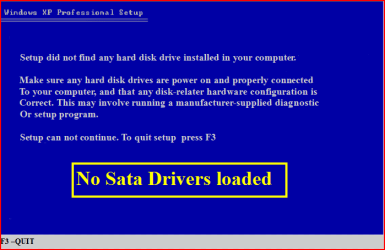

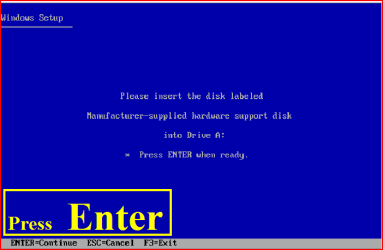
1) Copy your SATA drivers to a floppy disk.
NOTE: Keep this disk in a safe place, as it will be need to use in the Recovery Console.
NOTE: You cannot use a USB flash drive for this.
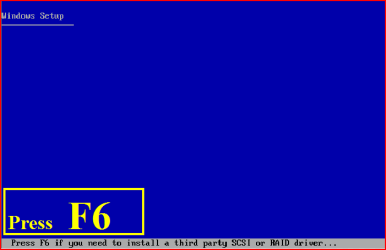
2) Press F6 at the first screen.
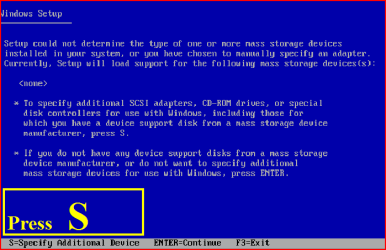
3) When you get to the load drive screen, Press S
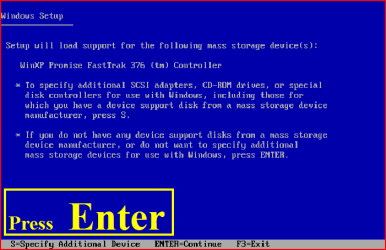
4) Next screen, Press Enter
5) Choose your Sata Controller. Press Enter
NOTE: For this example, I am using Promise Fastrak 376.

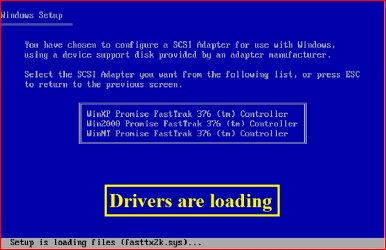
6) When drivers have load, press Enter
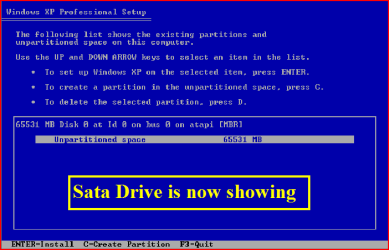
7) Continue with setup here:
A connected USB floppy disk drive does not work when you press F6 to install mass storage drivers during the Windows XP installation process
Dual Boot Installation with Windows 7 and XP
OR
Dual Boot Installation with Windows Vista and XP - Vista Forums
Last edited:
