Windows 7 Forums Search
Welcome to Windows 7 Forums. Our forum is dedicated to helping you find solutions with any problems, errors or issues you are experiencing with Windows 7. The Windows 7 forum also covers news and updates and has an extensive Windows 7 tutorial section that covers a wide range of tips and tricks.


Windows 7 - Force DVI/HDMI resolutions and refresh rates


04-27-2009   #79
baarod


Windows 7 Ultimate 64-bit


Force DVI/HDMI resolutions and refresh rates

How to Force DVI or HDMI Resolutions and Refresh Rates in Windows 7

...


Last edited by Brink; 11-18-2011 at 10:13 PM..
My System SpecsSystem Spec
09-24-2009   #80
bobdynlan


Windows 98SE


Quote   Quote: Originally Posted by beman36 View Post
ok I'm not too sure how to do this and I was hoping someone can make an INF for me if I give all the details as im scared to do it and burn my lcd tv! ok here goes! I have vista64x and nvidia 9800gtx video card which is connected via DVI to a 46" sharp aqous 120mhz.
First you should describe your problem. Hz related? Resolution related?
One problem I see is that your TV does not have an VGA port, only HDMI. The following resolutions are available when using the PC through HDMI:
Code:
 
Resolution        Horizontal    Frequency
720 x 400           31.5 kHz    70 Hz
--------------------------------------
                    31.5 kHz    60 Hz
640 x 480           37.9 kHz    72 Hz
                    37.5 kHz    75 Hz
--------------------------------------
                    35.1 kHz    56 Hz
800 x 600           37.9 kHz    60 Hz
                    48.1 kHz    72 Hz
                    46.9 kHz    75 Hz
--------------------------------------
                    48.4 kHz    60 Hz
1024 x 768          56.5 kHz    70 Hz
                    60.0 kHz    75 Hz
--------------------------------------
1360 x 768          47.7 kHz    60 Hz
--------------------------------------
1280 x 1024         64.0 kHz    60 Hz
It's best to use the wide 1360 x 768 resolution, but if you read your TV's user manual, in page 36 there is an interesting note about 1024x768 and 1360x768 not distinguishable when received, so you need to select the “Input Signal” on the Setup menu manually, it will be remembered next time.

Nvidia can also treat your TV as... TV and you would have 720p/1080p signals. No point going further, you don't go to the dentist and tell him that your tooth hurts, without pointing which one

##############################################################
Quote   Quote: Originally Posted by VDV View Post
When I input "1920" in the excel file you provide, it shows "Decrease the horizontal resolution" and numerous DIV/0.
I found out it is because my "Min V Rate" is 60 in PED... If I input 56 in the spreadsheet, it works, but is it good ?
With these settings, the spreadsheet does not recommend something as "high" as 60hz... but it's suppose to work @ 60Hz...

Furthermore, I've got a description block featuring timing for 1920 and they are really different from the one calculated by the spreadsheet...

So... Is my EDID file corrupted ?
In reverse:
- NOT.
- That's normal, it follows a different standard (this time, the correct one).
- The culprit it's not "Min V Rate" but "Max. Pxl Clk", and the first thing to try out is to put Safety margin to 0%. If it's still not good, then you should not cheat your Monitor Range Limits.

A 1080p PC signal requires a huge bandwidth, and your device has only 170Mhz. On lower resolutions you can use any timing standard as long as it fits in the Monitor Range Limits. But on high resolutions, using the CVT-reduced blanking is a must, it makes a huge difference in bandwidth.

LCDs do not need blanking intervals and this translates into less bandwidth requirements. Less bandwidth means cheaper components needed by the manufacturer but also overcomes the limits of the interfaces (VGA / DVI/Dual-DVI etc). VESA developed the CVT-reduced blanking standard specially to take advantage of this.

Joke: Samsung really went cheap , +3Mhz would have been enough to pass PED Helper's validation if Safety margin is on 0%(it's point is to provide a headroom, and manufacturers should do the same, but it looks like they dont like this concept).

I believe I said that my part of the guide is geared towards CRT's and similar devices (plasmas and some projectors). Shame on me for not emphasizing it enought. It's not a problem to update the guide for LCD's and recommend CVT-reduced blanking, but I was hoping to skip this technology
Not really, I was waiting for someone to point out the issue and hopefully gaining motivation. Hack, maybe I'll also change my old piece of junk CRT with a LCD after that.


Last edited by bobdynlan; 09-24-2009 at 11:15 AM.. Reason: Double post
My System SpecsSystem Spec
09-25-2009   #81
beman36


Se7en X64 ultimate/Se7en X64 ultimate


thanks bob for ur answer, but I dont really have a problem I just want my refresh rate to be higher than 60MHz... and my screen size is 1824X1026 at 1080P but the refresh is only 60MHz, I would luv to have at least 70MHz and 75MHz or even 120MHz! since my tv is 120MHz (if thats possible) and lastly I do have a vga input but I use DVI since it is superior...
My System SpecsSystem Spec
09-25-2009   #82
VDV


Windows 7


Quote   Quote: Originally Posted by bobdynlan View Post
It's not a problem to update the guide for LCD's and recommend CVT-reduced blanking, but I was hoping to skip this technology
Not really, I was waiting for someone to point out the issue and hopefully gaining motivation. Hack, maybe I'll also change my old piece of junk CRT with a LCD after that.
Thanks for taking some time to check my problem.

I still don't get something : With the data from the EDID and no safety, we can't achieve 60hz with the formula (and therefore in PED). Then... why does 1080@60hz works perfectly and natively in XP and Vista without the need of any trick ?
Are those version of windows "overclocking" my pxl clock by 3mhz or are they using "CVT reduced blanking" ?

And... more importantly... what should I do now ?
My System SpecsSystem Spec
09-25-2009   #83
bobdynlan


Windows 98SE


Quote   Quote: Originally Posted by beman36 View Post
thanks bob for ur answer, but I dont really have a problem I just want my refresh rate to be higher than 60MHz... and my screen size is 1824X1026 at 1080P but the refresh is only 60MHz, I would luv to have at least 70MHz and 75MHz or even 120MHz! since my tv is 120MHz (if thats possible) and lastly I do have a vga input but I use DVI since it is superior...
Sorry, you can't do that. Your TV has only 60Hz on that resolution(and it's not the recommended one for PC usage but generally it works fine). The highest you can go with the vertical frequency is 75Hz, but not for higher than 1024x768 resolution. The 120Hz thing you sow advertised has to be the internal field processing speed of the panel, but in Windows you only have 60 Hz. Looks like you have been a victim of malicious advertising. How about those 600Hz plasmas? Same deal
Quote   Quote: Originally Posted by VDV View Post
I still don't get something : With the data from the EDID and no safety, we can't achieve 60hz with the formula (and therefore in PED). Then... why does 1080@60hz works perfectly and natively in XP and Vista without the need of any trick ?
Are those version of windows "overclocking" my pxl clock by 3mhz or are they using "CVT reduced blanking" ?

And... more importantly... what should I do now ?
They are using "CVT reduced blanking" because it's the only choice in higher resolutions.

You should re-download(same link), I took some time off to create another version geared towards LCDs (based on CVT Standard this time).
My System SpecsSystem Spec
.


09-28-2009   #84
VDV


Windows 7


Again, thank you very much for your time... really...


I've downloaded the excel sheet again, filled the desired resolution (1920), and it gives me the same "detailed settings" from my edid file. Good.

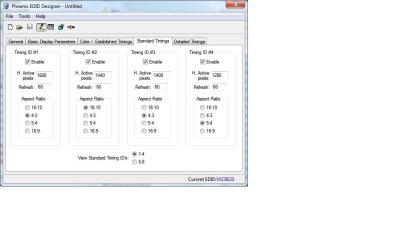
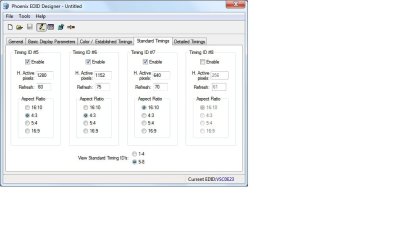
But it simply tells me to set "60", which i've already tried to do by adding a "standard timing" in PED before and it's not working. (same "not supported" warning screen on my TV)

Is Windows 7 using the "detailed timing" information, therefore calculating 59,934Hz and rounding down to 59 ? (which is supposed to be the problem XP doesn't have)
Am I supposed to change the "detailed timing" tab to overcome this ?

edit : Forgot to mention, i've got an ATI videocard, so no "add custom resolution" trick for me

Last edited by VDV; 09-28-2009 at 11:34 AM..
My System SpecsSystem Spec
09-29-2009   #85
bobdynlan


Windows 98SE


Quote   Quote: Originally Posted by VDV View Post
...it gives me the same "detailed settings" from my edid file. Good. But it simply tells me to set "60"
...Is Windows 7 using the "detailed timing" information, therefore calculating 59,934Hz and rounding down to 59 ?[...]
Am I supposed to change the "detailed timing" tab to overcome this ?
...Forgot to mention, i've got an ATI videocard, so no "add custom resolution" trick for me
PED Helper for LCD does it's job then. I really hope you use that version cause it directs you to set CVT - reduced blanking.

Windows uses the detailed timings from the EDID as defined. No rounding happens actually, only the visual display is with less precision (like in Excel).

Yes, you need to change that to the values generated by PED Helper. I have one of your EDID dumps, don't know if it's original, but it has 2 detailed timings defined in Block 1 and Block 2, one of them being custom 1360x768 (incorrect AR, should be 1360x765). Which of them is set to be native in your Display CPL? Maybe it would help to have only one definition on Block 1. But I guess the EDID is fine.

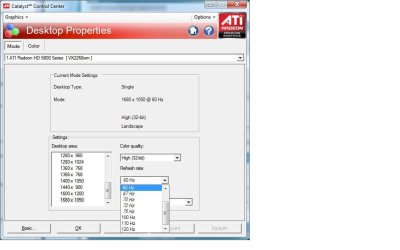
That's the reason everyone asking for help should take 2-3 minutes to write their related My system specs. On nVidia it's a lot simpler to do custom res, timings like the needed CVT - reduced blanking. For Ati, this is a must: catalyst screen (only the reduce DVI thing). Without it, your display will default to CVT and because of those 3Mhz less you get Out Of Range.

Please feel free to read more on DVI/cables/bandwidth on this page DVI compatibility for sticklers.
Quote:
Any screen mode which fits in 165 MHz uses only a single link even if the video card, video cable, and monitor all support dual links.
Screen resolution @ 60 Hz-------------1920 X 1080
Standard blanking DVI pixel clock-------173 MHz - dual link @ 86.5 MHz
Reduced blanking DVI pixel clock--------139 MHz - single link @ 139 MHz
You have maximum 170 Mhz.
Most LCD monitors made before 2004 don't support reduced blanking.

Last edited by bobdynlan; 09-29-2009 at 06:57 AM..
My System SpecsSystem Spec
10-03-2009   #86
disqualified


win7 x64


Hi.I have LG Flatron F900B 19" CRT connected to my GTX260 via VGA-VGA extender + DVI-VGA dongle. Still struggling in adding a custom 800x600@125Hz & 640x480@125 to a resolution list. EDID Designer reports 123Hz is a maximum for this display. Dumped original .dat, can anybody help me to create an .inf file for my monitor? Thanks..*


//sorry for my english, working on that*
Attached Files
File Type: zip f900b.zip (355 Bytes, 36 views)

Last edited by disqualified; 10-06-2009 at 09:42 AM.. Reason: wrong attachment
My System SpecsSystem Spec
10-04-2009   #87
bobdynlan


Windows 98SE


Quote   Quote: Originally Posted by disqualified View Post
Hi.I have LG Flatron F900B 19" CRT connected to my GTX260 via VGA-VGA extender + DVI-VGA dongle. Still struggling in adding a custom 800x600@125Hz & 640x480@125 to a resolution list. EDID Designer reports 123Hz is a maximum for this display. Dumped original .dat, can anybody help me to create an .inf file for my monitor? Thanks..*


//sorry for my english, working on that*
Your posted edid is for an Acer V233H LCD monitor, and a strange looking one I might say. Looks like you have edited that one to fit your CRT, am I right? If not, please turn off your LCD before doing edid dumps.
123Hz is the maximum suported value on Standard Timings for all displays.
You can go higher than that in Detailed Timings.
No point on using 125Hz, it's better to use the established 120Hz, plays better with Windows (and better suited if your power line is 60Hz, but I guess you live in a 50hz country).

Review part I and II from my extended guide.
My System SpecsSystem Spec
10-06-2009   #88
disqualified


win7 x64


Quote   Quote: Originally Posted by bobdynlan View Post
Your posted edid is for an Acer V233H LCD monitor, and a strange looking one I might say. Looks like you have edited that one to fit your CRT, am I right? If not, please turn off your LCD before doing edid dumps.
123Hz is the maximum suported value on Standard Timings for all displays.
You can go higher than that in Detailed Timings.
I'm sorry for the wrong file, my prev post is now correct. I have DDC/CI Not supported message in softMCCS, but still interested in 125Hz under 800x600 in win7x64 . Thanks for the help!

P.S:*
Quote   Quote: Originally Posted by bobdynlan View Post
No point on using 125Hz, it's better to use the established 120Hz, plays better with Windows (and better suited if your power line is 60Hz, but I guess you live in a 50hz country).
125 makes my q3arena to run smoothly for many years), native rate I think. I'm using this display only for q, qw..*

Last edited by disqualified; 10-06-2009 at 10:16 AM..
My System SpecsSystem Spec
10-06-2009   #89
bobdynlan


Windows 98SE


Quote   Quote: Originally Posted by disqualified View Post
I'm sorry for the wrong file, my prev post is now correct. I have DDC/CI Not supported message in softMCCS, but still interested in 125Hz under 800x600 in win7x64 . Thanks for the help!...
125 makes my q3arena to run smoothly for many years), native rate I think. I'm using this display only for q, qw..*
DDC/CI Not supported does not matter.
Like I said, you can't go higher than 123 on Standard Timings, but I did create a Detailed Timing for 800x600@125Hz.
Native/preferred timing.. 1280x960p at 85Hz (4:3)
Modeline "1280x960" 149.500 1280 1376 1512 1744 960 961 964 1008 -h+v
Detailed timing #1....... 800x600p at 125Hz (4:3)
Modeline "800x600" 87.750 800 856 944 1088 600 601 604 645 -h+v

640 x 480p at 120Hz - VESA STD, 800 x 600p at 120Hz - VESA STD,
1024 x 768p at 100Hz - VESA STD, 1280 x 960p at 85Hz - VESA STD,
1280 x 1024p at 85Hz - VESA STD, 1600 x 1200p at 75Hz - VESA STD

Just change the default monitor driver with the one attached, but that will not give you magically 125Hz in 800x600, you need to create a custom resolution for it.
Add Custom Resolution in Windows: 800 x 600 @ 125Hz GTF
Manual Input Active pixels/Front porch/Sync width/Total pixels/Polarity
Horizontal values: 800 56 88 1088 -
Vertical values: 600 1 3 645 +

And for it to work in games, you also need a refresh rate patcher like Refresh Rate Patcher or RivaTuner. It was better if you did this yourself following the guide, it's not that hard, you know...

I think it's time for you to move up at least to 1024x768@100Hz...800x600 on a 19inch with 0.24dot is ... need I say more? It's embarassing for that GTX 260
Attached Files
File Type: zip f900b_1.zip (1.3 KB, 60 views)

Last edited by bobdynlan; 10-06-2009 at 01:25 PM.. Reason: note
My System SpecsSystem Spec
Comment

Force DVI/HDMI resolutions and refresh rates problems?


Tutorial Tools


Similar Threads for: Force DVI/HDMI resolutions and refresh rates
Windows 7 Tutorial Category
Same monitor refresh rates on A/C and battery Graphic Cards
Monitor refresh rates problem Graphic Cards
CRT monitor - refresh rates disappeared Drivers
Refresh rates on LCD monitors Graphic Cards
HELP: Cannot change refresh rates on Win 7 (CRT-monitor Graphic Cards


All times are GMT -5. The time now is 05:47 AM.


Windows 7 Forums is an independent web site and has not been authorized,
sponsored, or otherwise approved by Microsoft Corporation.
"Windows 7" and related materials are trademarks of Microsoft Corp.
© Designer Media Ltd
  

1 2 3 4 5 6 7 8 9 10 11 12 13 14 15 16 17 18 19 20 21 22 23 24 25 26 27 28 29 30