Windows 7 Forums Search
Welcome to Windows 7 Forums. Our forum is dedicated to helping you find solutions with any problems, errors or issues you are experiencing with Windows 7. The Windows 7 forum also covers news and updates and has an extensive Windows 7 tutorial section that covers a wide range of tips and tricks.


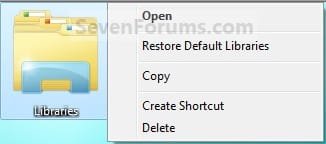
Windows 7 - Libraries Desktop Icon - Add or Remove


12-14-2008   #29
Brink


Windows 7 Ultimate x64 SP1


Libraries Desktop Icon - Add or Remove

How to Add or Remove the Libraries Desktop Icon in Windows 7

...


Last edited by Brink; 11-13-2011 at 12:01 AM..
My System SpecsSystem Spec
11-13-2009   #30
afuentes


windows 7


The folder is not in the right column and I went through the settings to show, disable, then show as link, etc. but i think my problem is that I havent tried you guys' remove_registry hack. I will give it a try and will report.

The computer having this trouble is my bosses so I have to ask for when the computer is available.

My System SpecsSystem Spec
11-13-2009   #31
Brink


Windows 7 Ultimate x64 SP1


Afuentes,

Have you already double checked to make sure that the C:\Users\(user-name)\My Documents folder is there, and that it is set at it's default location using the tutorial below?

User Folders - Restore Default Location
My System SpecsSystem Spec
12-05-2009   #32
marinildac


Windows 7 Home Premium 32 bits


Thanks, easy and effective.
marinilda
My System SpecsSystem Spec
12-05-2009   #33
Brink


Windows 7 Ultimate x64 SP1


Your welcome Marinilda, and welcome to Seven Forums.
My System SpecsSystem Spec
.


01-19-2010   #34
Marglar


Windows 7


Many thanks

I'm glad someone had a fix for that obnoxious libraries icon, Windows 7 is a pain in the posterior as it is trying to get accustomed to the new location of typical settings. You'd swear there's a group of people sitting around thinking of where to hide the control panels for their new OS.... It's still the same info, just tucked away differently... Its like we pay extra to play hide and seek.... oh well, icon gone! thanks man
My System SpecsSystem Spec
01-20-2010   #35
Brink


Windows 7 Ultimate x64 SP1


You're welcome Marglar, and welcome to Seven Forums.

It's up to you, but you might consider giving Libraries a try though. It can be real helpful if you would like to be able to say access all of your music files in included folders in one place instead of having to go to each folder while still having the music only stored in their original locations.
My System SpecsSystem Spec
03-30-2010   #36
presidio2001


Windows 7 Home Premium


Why can't I download remove Libraries software?
I just signed on to WDs 7 Forum.
I have a problem with run-away Libraries icon siting in my taskbar which can not be reduced in its icon size.

Windows 7 doesn't have Zip file, one needs to download 7-Zip or other feee zip/unzip softwares. You shouldn't assume everyone comes to Windows 7 is fully loaded as you guys.

Now, please explain how to unzip and select .reg file and then, look for merge if one can not find it?

Last edited by Brink; 03-30-2010 at 02:19 PM.. Reason: merged consecutive posts an removed unneeded incorrect comments
My System SpecsSystem Spec
03-30-2010   #37
Brink


Windows 7 Ultimate x64 SP1


Hello Presidio, and welcome to Seven Forums.

You should not have a problem downloading anything from our site since you do not need to be a member to download anything. You might check to see if you have a security program that may be blocking it.

However, the download in this tutorial will not affect anything on the taskbar. You might see this instead.

Taskbar - Use Small or Large Icons

Hope this helps,
Shawn

UPDATE:
For your added comments:

All editions of Windows 7 include a built in ZIP handler to open all ZIP file with. If your's is not working, then I would suggest using the ZIP download in this tutorial to restore the default ZIP associations in Windows 7. There is absolutely no need to have to use a 3rd party program to open ZIP file in any edition of Windows 7 unless you just want to.

Default File Type Associations - Restore
My System SpecsSystem Spec
05-18-2010   #38
Kispolak


Win 7 Ultimate 64


Wipe the annoying Libraries folder icom from Win 7 desk

Quote   Quote: Originally Posted by Brink View Post
Hello w00t, and welcome to Seven Forums.

After you have downloaded and merged the reg file in step 2, did you right click on a empty space on the desktop and click on Refresh?

Hope this helps,
Shawn
Thank you for reminding to "Refresh", cause it works, but just if you refresh. I also tried without refresh and the Libraries folder icon remained on the desktop, but after refreshing it disappeared (thanks to God - it was so annoying).

Best regards

Zsolt Pintér

Last edited by Brink; 05-18-2010 at 01:58 PM.. Reason: Removed email address
My System SpecsSystem Spec
05-18-2010   #39
Brink


Windows 7 Ultimate x64 SP1


You're most welcome Zsolt Pintér, and welcome to Seven Forums.
My System SpecsSystem Spec
Comment

Libraries Desktop Icon - Add or Remove problems?


Tutorial Tools


Similar Threads for: Libraries Desktop Icon - Add or Remove
Windows 7 Tutorial Category
Cannot Remove an Icon From Desktop General Discussion
Remove desktop icon text? Customization
HomeGroup Desktop Icon - Add or Remove Tutorials
Cant remove desktop Icon/Shortcut Customization
How To Remove Win 7 Desktop Icon Shadows General Discussion


All times are GMT -5. The time now is 04:48 AM.


Windows 7 Forums is an independent web site and has not been authorized,
sponsored, or otherwise approved by Microsoft Corporation.
"Windows 7" and related materials are trademarks of Microsoft Corp.
© Designer Media Ltd
  

1 2 3 4 5 6 7 8 9 10 11 12 13 14 15 16 17 18 19 20 21 22 23 24 25 26 27 28 29 30