Windows 7 Forums


Windows 7: Vista guest in VirtualBox

28 Jan 2011  
Dick Jagger

Windows 7 Ultimate
75 posts
 
 
Vista guest in VirtualBox

Anyone running this? Got any tips for the initial setup settings to get it to run smoothly? Thanks.

My System SpecsSystem Spec

28 Jan 2011  
Dick Jagger

Windows 7 Ultimate
75 posts


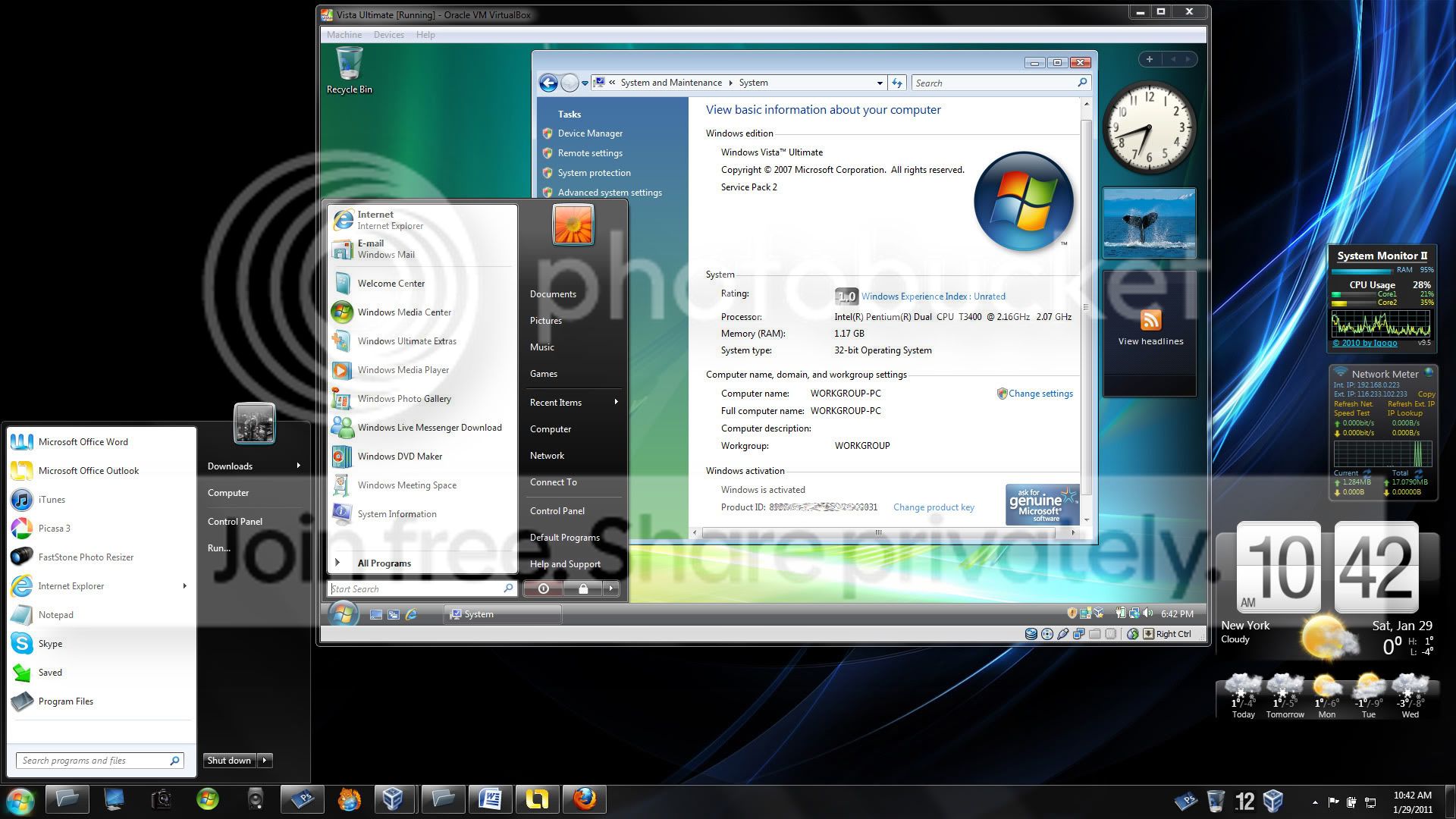
Just went ahead and installed it. I see that by running with VBox guest additions, allows for seamless mode integration (not enabled in this screen capture).


Last edited by Dick Jagger; 29 Jan 2011 at 12:41 AM..
My System SpecsSystem Spec
29 Jan 2011  
Darician

Windows 7 Ultimate x64 SP1
1,039 posts


Nothing really to say. Just make sure you set enough RAM for it (usually at least 1 GB) and that you install VBox Additions.
My System SpecsSystem Spec
.


30 Jan 2011  
Dick Jagger

Windows 7 Ultimate
75 posts


Thanks it is running good, but I think I didn't shut the vm down properly yesterday, when I started it up today I got the error message about not shutting down properly... What is the right way to close / shut down a windows vm in Virtual Box?
My System SpecsSystem Spec
30 Jan 2011  
Darician

Windows 7 Ultimate x64 SP1
1,039 posts


Just turn it off like a real machine and go to Start --> Turn off Computer. I think that error is a bug in VBox though.
My System SpecsSystem Spec
30 Jan 2011  
Kari

Windows 7 x64 Ultimate
12,755 posts
A Finnish immigrant in Leipzig, Germany


It's not a bug. If a vm in VirtualBox is closed from host i.e. user clicks the close button of vm's Explorer window, the default action is the last one used of three alternatives: Save the machine state, Send the shutdown signal and Power off the machine. If user has not changed this default closing action by selecting another action, the selection is Power off the machine, so when it is selected and user clicks OK, it's like pressing power button on a real PC when Windows is still running. That causes for instance Windows vm's to ask if they should boot to Safe Mode next time when the vm is launched.

Name:  VBox_close.png
Views: 662
Size:  21.4 KB

How to close a VirtualBox Windows vm:
  • Shut down normally: From guest, using guest's Start Menu > Shut down
  • Hibernate: From host, using Explorer window's close button, select Save the machine state. It's much faster than Windows guest's own hibernate function, doing basically the same thing. Extremely fast wake-up
  • Power off: From host, using Explorer window's close button, select Power off the machine. Use this when you need to do a hard reset for instance after guest turning unresponsive
Kari
My System SpecsSystem Spec
Reply

 Vista guest in VirtualBox problems?


Thread Tools


Similar help and support threads for: Vista guest in VirtualBox
Thread Forum
Virtualbox not working with 64bit guest Virtualization
Ubuntu guest in VirtualBox - some tips Virtualization
running dyndns.org on virtualbox guest os Network & Sharing
Accessing Host applications from Guest in VirtualBox Software
Windows 7 as guest on VirtualBox Software


All times are GMT -5. The time now is 05:05 AM.


Windows 7 Forums is an independent web site and has not been authorized,
sponsored, or otherwise approved by Microsoft Corporation.
"Windows 7" and related materials are trademarks of Microsoft Corp.
© Designer Media Ltd