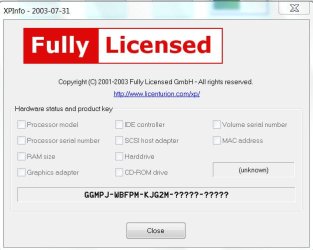
I knew Alex Nichol (not well, but we met and coresponded) his article is here -
Windows Product Activation (WPA) - the MAC address as I understand it accounted for one of the three votes in XP , but none in either Vista or Win7.
There is no such voting system in Vista or Win7 so far as I know - they rely purely on the motherboard ID as discovered from the BIOS and its various tables. This means that the most common cause of re-activation requests (for hardware) is BIOS updates, or Chipset driver updates.
Since this forum is about Win 7 (and peripherally Win Vista) talking about details of XP activation is irrelevant anyhow.
The EULA/SLT for Vista and above has changed significantly from that in Win XP - and the following advice is given in the OEM System Builder FAQs in respect of these OS's....
<quote>
Q. If I upgrade or replace a motherboard do I need a new operating system license for the computer?
A. An upgrade or a replacement of the motherboard is considered to create a new personal computer. Therefore, Microsoft OEM operating system software cannot be transferred from another computer. If the motherboard is upgraded or replaced for reasons other than a defect then a new computer is created, and a new operating system license is required.
If the motherboard is replaced because of a defect, you do not need to acquire a new operating system license for the computer. The motherboard replacement must be the same make and model, or the same manufacturer’s replacement or equivalent, as defined by that manufacturer’s warranty.
The reason for this licensing rule primarily relates to the end-user license agreement (EULA) and the support of the software covered by that EULA. The EULA is a set of usage rights granted to the end-user by the computer manufacturer. The EULA relates only to rights for that software as installed on that particular computer. The System Builder is required to support the software on that individual computer.
Understanding that end-users, over time, upgrade their computers with different components, Microsoft views the CPU as the one remaining base component that still defines that original computer. Because the motherboard contains the CPU, when the motherboard is replaced for reasons other than defect, a new computer is essentially created. Therefore, the original OEM cannot be expected to support this new computer that they did not manufacture.
The licensing rules do not apply to non-OEM Microsoft operating systems.
</quote>
Licensing FAQ
These guidelines stem from the activation requirements (or vice-versa) - MS has as far as I know, never published the details of what could trigger re-activation requests.
Having said that, there are a number of things outside hardware changes which will trigger re-activation requests, with either OEM or Retail installations.
These include.
1) BIOS changes
2) WGA/MGA failures caused by real changes to the OS and system files (either from data corruption or DLL hell or similar causes)
3) Driver changes
4) Race Conditions - usually such re-activation requests will disappear on a reboot, or later in the day asa the system re-tests.
4) Switching off/on motherboard components in the BIOS may also trigger requests
All re-activation requests will, if left for long enough without action, result in a non-genuine status.
I suspect that the cause of the 'cure' in this case was simply a reboot, and allowing the system to settle for a period - I would be prepared to wager that returning the MAC address to the original one would not cause a repeat of the problem.



 )then you can change the MAC Address of your LAN to that of the Wireless Card you are removing. That way Windows will see the same MAC Address and remain activated.