| Windows 7: Another Windows 7 suddenly not genuine issue |
21 Aug 2012
|
#1 | | |
Hi! I found your forum while trying to find a fix for why my version of Windows 7 was suddenly not genuine after having this computer for 8 months.
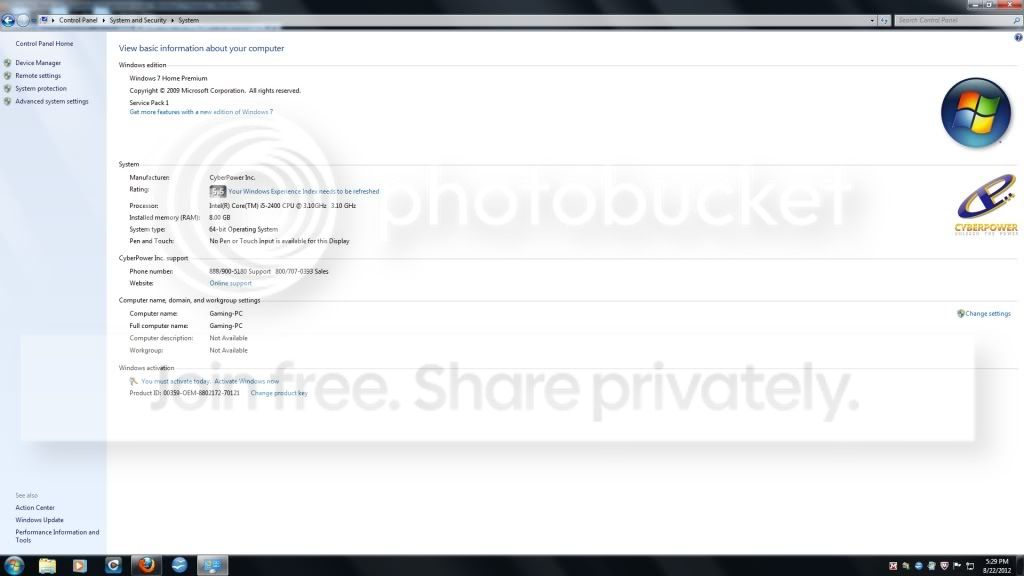
I bought the computer from TigerDirect in January 2012. It is a CyberPower Inc computer running Windows 7 home premium 64 bit edition. On Sunday, my roommate turned the computer on to have the validation error message. At the same time, Windows has 4 critical security updates it is trying to make but keeps failing on - 3 are security updates (KB2705219, KB2712808, and KB2731847) and one for IE9 for windows 7 64 bit systems (KB2722913). Every time we turn the computer off and on, it tries to make these updates and fails.
I ran malwarebytes to be sure I don't have malware causing the problem. I tried to do a system restore, but the system fails every time it tries. There was a thread that suggested trying rsop.msc, but my computer doesn't have that available. another suggestion looked at the registry editor users/1-5-20 (something like that), but that didn't work either. I saw a third suggestion on deleting a certain update, but can't find that one now that I restarted my system.
I ran the MGADaig.exe tool and got the results below. One interesting thing I noted is that when the tool ran, the product key listed agreed with the product key on the service tag on the side of the computer; however, when I go to control panel/system security/system and look at the key listed there, it doesn't agree. The system will not let me change the key to match the service tag.
Any help would be greatly appreciated! Code:
Diagnostic Report (1.9.0027.0):
-----------------------------------------
Windows Validation Data-->
Validation Code: 50
Cached Online Validation Code: 0x0
Windows Product Key: *****-*****-3CWJQ-MRVTW-DCPPQ
Windows Product Key Hash: neXxosy/u4lya5lkkxfmkqOm4kg=
Windows Product ID: 00359-OEM-8802172-70121
Windows Product ID Type: 3
Windows License Type: OEM System Builder
Windows OS version: 6.1.7601.2.00010300.1.0.003
ID: {3E8865BE-E016-4987-9C68-213BF6AEF8B2}(1)
Is Admin: Yes
TestCab: 0x0
LegitcheckControl ActiveX: N/A, hr = 0x80070002
Signed By: N/A, hr = 0x80070002
Product Name: Windows 7 Home Premium
Architecture: 0x00000009
Build lab: 7601.win7sp1_gdr.120503-2030
TTS Error:
Validation Diagnostic:
Resolution Status: N/A
Vista WgaER Data-->
ThreatID(s): N/A, hr = 0x80070002
Version: N/A, hr = 0x80070002
Windows XP Notifications Data-->
Cached Result: N/A, hr = 0x80070002
File Exists: No
Version: N/A, hr = 0x80070002
WgaTray.exe Signed By: N/A, hr = 0x80070002
WgaLogon.dll Signed By: N/A, hr = 0x80070002
OGA Notifications Data-->
Cached Result: N/A, hr = 0x80070002
Version: N/A, hr = 0x80070002
OGAExec.exe Signed By: N/A, hr = 0x80070002
OGAAddin.dll Signed By: N/A, hr = 0x80070002
OGA Data-->
Office Status: 109 N/A
OGA Version: N/A, 0x80070002
Signed By: N/A, hr = 0x80070002
Office Diagnostics: 025D1FF3-364-80041010_025D1FF3-229-80041010_025D1FF3-230-1_025D1FF3-517-80040154_025D1FF3-237-80040154_025D1FF3-238-2_025D1FF3-244-80070002_025D1FF3-258-3
Browser Data-->
Proxy settings: N/A
User Agent: Mozilla/4.0 (compatible; MSIE 8.0; Win32)
Default Browser: C:\Program Files (x86)\Mozilla Firefox\firefox.exe
Download signed ActiveX controls: Prompt
Download unsigned ActiveX controls: Disabled
Run ActiveX controls and plug-ins: Allowed
Initialize and script ActiveX controls not marked as safe: Disabled
Allow scripting of Internet Explorer Webbrowser control: Disabled
Active scripting: Allowed
Script ActiveX controls marked as safe for scripting: Allowed
File Scan Data-->
Other data-->
Office Details: <GenuineResults><MachineData><UGUID>{3E8865BE-E016-4987-9C68-213BF6AEF8B2}</UGUID><Version>1.9.0027.0</Version><OS>6.1.7601.2.00010300.1.0.003</OS><Architecture>x64</Architecture><PKey>*****-*****-*****-*****-DCPPQ</PKey><PID>00359-OEM-8802172-70121</PID><PIDType>3</PIDType><SID>S-1-5-21-1688581731-837907838-1233772342</SID><SYSTEM><Manufacturer>BIOSTAR Group</Manufacturer><Model>H61MHB</Model></SYSTEM><BIOS><Manufacturer>American Megatrends Inc.</Manufacturer><Version>4.6.4</Version><SMBIOSVersion major="2" minor="7"/><Date>20110517000000.000000+000</Date></BIOS><HWID>32440900010000FE</HWID><UserLCID>0409</UserLCID><SystemLCID>0409</SystemLCID><TimeZone>Eastern Standard Time(GMT-05:00)</TimeZone><iJoin>0</iJoin><SBID><stat>3</stat><msppid></msppid><name></name><model></model></SBID><OEM/><GANotification/></MachineData><Software><Office><Result>109</Result><Products/><Applications/></Office></Software></GenuineResults>
Spsys.log Content: 0x80070002
Licensing Data-->
C:\Windows\system32\slmgr.vbs(1333, 5) (null): The service has not been started.
Windows Activation Technologies-->
HrOffline: 0x00000000
HrOnline: 0xC004C533
HealthStatus: 0x0000000000000000
Event Time Stamp: 8:21:2012 19:16
ActiveX: Registered, Version: 7.1.7600.16395
Admin Service: Registered, Version: 7.1.7600.16395
HealthStatus Bitmask Output:
HWID Data-->
N/A, hr = 0x8007000d
OEM Activation 1.0 Data-->
N/A
OEM Activation 2.0 Data-->
BIOS valid for OA 2.0: yes, but no SLIC table
Windows marker version: N/A
OEMID and OEMTableID Consistent: N/A
BIOS Information:
ACPI Table Name OEMID Value OEMTableID Value
APIC ALASKA A M I
FACP ALASKA A M I
HPET ALASKA A M I
MCFG ALASKA A M I
SSDT AMICPU PROC
ASPT ALASKA PerfTune also, I tried this solution found here: Windows 7 all of a sudden saying it's not genuine.
but this did not work. When I tried to re-enter my key, I get error code 0x80070426: the service has not been started.
Last edited by Brink; 22 Aug 2012 at 11:25 AM..
Reason: code box and merged
| My System Specs |
| System Manufacturer/Model Number CyberPower Inc OS windows home premium 64 CPU Intel core i5-2400 3.10GHz Memory 8 Gb Monitor(s) Displays Samsung SyncMaster E2420 |
21 Aug 2012
|
#2 | | Windows 7 Ultimate SP1 (x64) South Australia |

Quote: Originally Posted by bmeadows Licensing Data-->
C:\Windows\system32\slmgr.vbs(1333, 5) (null): The service has not been started. Hi,
Have you tried this suggestion from Noel: Windows 7 all of a sudden saying it's not genuine.
Regards,
Golden | My System Specs | | Computer type PC/Desktop System Manufacturer/Model Number Golden Mk. I.3 OS Windows 7 Ultimate SP1 (x64) CPU Intel i7 860 @ 2.80 GHz Motherboard Gigabyte P55A-UD3R Rev.1. Award BIOS F13 Memory 16GB Corsair Vengance DDR3 @ 661 MHz Dual Channel (9-9-9-24) Graphics Card EVGA NVidia GTX 560 1024MB Sound Card Realtek Integrated Monitor(s) Displays Dual Samsung SyncMaster 2494HS Screen Resolution 1920*1080 and 1920*1080 Keyboard Logitech G110 Mouse Logitech MX518 PSU Thermaltake ToughPower QFan 750W Case Thermaltake Element S VK60001W2Z Cooling Corsair H60 Water Cooling, 2*230mm and 2*80mm case fans Hard Drives 1*OCZ Vertex 2 60GB SSD;
2*Samsung F3 SpinPoint 1TB in RAID0;
3*Samsung F1 SpinPoint 1TB in RAID5;
1*Western Digital 500GB External USB 3.0
1*Seagate 500GB External USB 2.0 Internet Speed Not fast enough!!! Antivirus MSE and Malwarebytes Pro Browser Chrome Version 25 Other Info Laptop: ASUS X54C, Intel Core i3-2330M @ 2.0Ghz, 4GB RAM, Intel HD on-board graphics, Windows 7 Professional SP1 (x64), LinuxMint 14 (x64), PepperMint 3 (x86) |
21 Aug 2012
|
#3 | | |
hi, thank you!
Yes, I did try that, but when I got to step 10, it still would not validate. | My System Specs | | System Manufacturer/Model Number CyberPower Inc OS windows home premium 64 CPU Intel core i5-2400 3.10GHz Memory 8 Gb Monitor(s) Displays Samsung SyncMaster E2420 |
22 Aug 2012
|
#4 | | Win 7 x64 Home Premium (and x86 VirtualBox VM) Wales - probably in the pub |
Interesting - I suspect that you have more than one problem going on.
Let's see what service is being talked about
Please open an Elevated Command Prompt, and run the following commands.
SC QC SPPSVC
SC QC SPPUINOTIFY
SC QC WUAUSERV
SC QC BITS
SC QC TRUSTEDINSTALLER
NET START SPPSVC
NET START SPPUINOTIFY
copy and paste the results to your reply Here are some instructions to make life easier 1) To open an Elevated Command Prompt Window (the CP window), click on Start, All Programs, Accessories – then right-click on Command Prompt, and select Run as Administrator. Accept the UAC prompt. 2) To run the commands easier, highlight the block of commands, and right-click on the highlight – select Copy. In the CP Windows, click on the black/white icon at top left – select Paste. The commands will run but may not complete the last command, so hit the Enter Key once. 3) To copy the results... click on the Black/White icon in the top left, and select Edit... 'Select All', and hit the Enter key - then use Ctrl+V or r-click+Paste to paste it into your response. | My System Specs | | Computer type Laptop System Manufacturer/Model Number Asus K52F OS Win 7 x64 Home Premium (and x86 VirtualBox VM) CPU i3 370M Motherboard Asus Memory 8GB - finally :) Graphics Card it's an i3, dude! Sound Card onboard Monitor(s) Displays 15.6" built-in Screen Resolution 1366x768 PSU n/a Hard Drives 750GB Seagate internal
Sundry external drives attached to other computers on the local network Internet Speed as much as I can get - usually on a dongle, so <1Mb/s Antivirus MSE Browser IE10/Chrome/FF(if I must) |
22 Aug 2012
|
#5 | | |
okay, as requested: Code:
Microsoft Windows [Version 6.1.7601]
Copyright (c) 2009 Microsoft Corporation. All rights reserved.
C:\Windows\system32>SC QC SPPSVC
[SC] QueryServiceConfig SUCCESS
SERVICE_NAME: SPPSVC
TYPE : 10 WIN32_OWN_PROCESS
START_TYPE : 2 AUTO_START (DELAYED)
ERROR_CONTROL : 1 NORMAL
BINARY_PATH_NAME : C:\Windows\system32\sppsvc.exe
LOAD_ORDER_GROUP :
TAG : 0
DISPLAY_NAME : Software Protection
DEPENDENCIES : RpcSs
SERVICE_START_NAME : NT AUTHORITY\NetworkService
C:\Windows\system32>SC QC SPPUINOTIFY
[SC] QueryServiceConfig SUCCESS
SERVICE_NAME: SPPUINOTIFY
TYPE : 20 WIN32_SHARE_PROCESS
START_TYPE : 3 DEMAND_START
ERROR_CONTROL : 1 NORMAL
BINARY_PATH_NAME : C:\Windows\system32\svchost.exe -k LocalService
LOAD_ORDER_GROUP :
TAG : 0
DISPLAY_NAME : SPP Notification Service
DEPENDENCIES : EventSystem
SERVICE_START_NAME : NT AUTHORITY\LocalService
C:\Windows\system32>SC QC WUAUSERV
[SC] QueryServiceConfig SUCCESS
SERVICE_NAME: WUAUSERV
TYPE : 20 WIN32_SHARE_PROCESS
START_TYPE : 2 AUTO_START (DELAYED)
ERROR_CONTROL : 1 NORMAL
BINARY_PATH_NAME : C:\Windows\system32\svchost.exe -k netsvcs
LOAD_ORDER_GROUP :
TAG : 0
DISPLAY_NAME : Windows Update
DEPENDENCIES : rpcss
SERVICE_START_NAME : LocalSystem
C:\Windows\system32>SC QC BITS
[SC] QueryServiceConfig SUCCESS
SERVICE_NAME: BITS
TYPE : 20 WIN32_SHARE_PROCESS
START_TYPE : 3 DEMAND_START
ERROR_CONTROL : 1 NORMAL
BINARY_PATH_NAME : C:\Windows\System32\svchost.exe -k netsvcs
LOAD_ORDER_GROUP :
TAG : 0
DISPLAY_NAME : Background Intelligent Transfer Service
DEPENDENCIES : RpcSs
: EventSystem
SERVICE_START_NAME : LocalSystem
C:\Windows\system32>SC QC TRUSTEDINSTALLER
[SC] QueryServiceConfig SUCCESS
SERVICE_NAME: TRUSTEDINSTALLER
TYPE : 10 WIN32_OWN_PROCESS
START_TYPE : 3 DEMAND_START
ERROR_CONTROL : 1 NORMAL
BINARY_PATH_NAME : C:\Windows\servicing\TrustedInstaller.exe
LOAD_ORDER_GROUP : ProfSvc_Group
TAG : 0
DISPLAY_NAME : Windows Modules Installer
DEPENDENCIES :
SERVICE_START_NAME : localSystem
C:\Windows\system32>NET START SPPSVC
The requested service has already been started.
More help is available by typing NET HELPMSG 2182.
C:\Windows\system32>NET START SPPUINOTIFY
The requested service has already been started.
More help is available by typing NET HELPMSG 2182.
C:\Windows\system32>
Last edited by Brink; 22 Aug 2012 at 11:24 AM..
Reason: code box
| My System Specs | | System Manufacturer/Model Number CyberPower Inc OS windows home premium 64 CPU Intel core i5-2400 3.10GHz Memory 8 Gb Monitor(s) Displays Samsung SyncMaster E2420 |
22 Aug 2012
|
#6 | | Win 7 x64 Home Premium (and x86 VirtualBox VM) Wales - probably in the pub |
Odd - That's all normal, and I don't know of any other services likely to be involved at that point.
What happens if you run SLMGR.VBS /DLV CSCRIPT SLMGR.VBS /DLV WSCRIPT SLMGR.VBS /DLV
(you should get a popup window from the first and third commands, and results in the Command prompt windows from the second)
perhaps the scripting host has a problem? | My System Specs | | Computer type Laptop System Manufacturer/Model Number Asus K52F OS Win 7 x64 Home Premium (and x86 VirtualBox VM) CPU i3 370M Motherboard Asus Memory 8GB - finally :) Graphics Card it's an i3, dude! Sound Card onboard Monitor(s) Displays 15.6" built-in Screen Resolution 1366x768 PSU n/a Hard Drives 750GB Seagate internal
Sundry external drives attached to other computers on the local network Internet Speed as much as I can get - usually on a dongle, so <1Mb/s Antivirus MSE Browser IE10/Chrome/FF(if I must) |
22 Aug 2012
|
#8 | | Win 7 x64 Home Premium (and x86 VirtualBox VM) Wales - probably in the pub |
The only relevant service that may be invovled that I can find is the Event Log service....
please run SC QC EVENTLOG NET START EVENTLOG
and post the results. | My System Specs | | Computer type Laptop System Manufacturer/Model Number Asus K52F OS Win 7 x64 Home Premium (and x86 VirtualBox VM) CPU i3 370M Motherboard Asus Memory 8GB - finally :) Graphics Card it's an i3, dude! Sound Card onboard Monitor(s) Displays 15.6" built-in Screen Resolution 1366x768 PSU n/a Hard Drives 750GB Seagate internal
Sundry external drives attached to other computers on the local network Internet Speed as much as I can get - usually on a dongle, so <1Mb/s Antivirus MSE Browser IE10/Chrome/FF(if I must) |
22 Aug 2012
|
#9 | | |

Quote: Originally Posted by NoelDP The only relevant service that may be invovled that I can find is the Event Log service....
please run SC QC EVENTLOG NET START EVENTLOG
and post the results.
Okay, as you requested, here is are the results from running the above:
Microsoft Windows [Version 6.1.7601]
Copyright (c) 2009 Microsoft Corporation. All rights reserved.
C:\Windows\system32>SC QC EVENTLOG
[SC] QueryServiceConfig SUCCESS
SERVICE_NAME: EVENTLOG
TYPE : 20 WIN32_SHARE_PROCESS
START_TYPE : 2 AUTO_START
ERROR_CONTROL : 1 NORMAL
BINARY_PATH_NAME : C:\Windows\System32\svchost.exe -k LocalServiceNetw
orkRestricted
LOAD_ORDER_GROUP : Event Log
TAG : 0
DISPLAY_NAME : Windows Event Log
DEPENDENCIES :
SERVICE_START_NAME : NT AUTHORITY\LocalService
C:\Windows\system32>NET START EVENTLOG | My System Specs | | System Manufacturer/Model Number CyberPower Inc OS windows home premium 64 CPU Intel core i5-2400 3.10GHz Memory 8 Gb Monitor(s) Displays Samsung SyncMaster E2420 |
22 Aug 2012
|
#10 | | |
another interesting I noticed is that when I ran the original tool at the beginning, I saw that the last 3 sets of the product key were shown and matched what is on the service tag of my machine. However, when I go into Control Panel\System & Security\System, the product key does not match there, and I cannot change it to make it match.
I'm hoping we can fix this without doing a total re-install of Windows, as I really, really don't want to have to do that--it will take days for me to re-install everything!
Thanks for all the help! | My System Specs | | System Manufacturer/Model Number CyberPower Inc OS windows home premium 64 CPU Intel core i5-2400 3.10GHz Memory 8 Gb Monitor(s) Displays Samsung SyncMaster E2420 Another Windows 7 suddenly not genuine issue problems? All times are GMT -5. The time now is 01:21 PM. | |