Like I said it in the earlier post you should create a new custom theme so you don't corrupt the original and give it a
unique name to you, look at Post #38
Here it will show you how.
Download the 30 day trial of Restorator 2007
Restorator - Bome Software - Restorator - the resource editor for customization, localization, and translation.
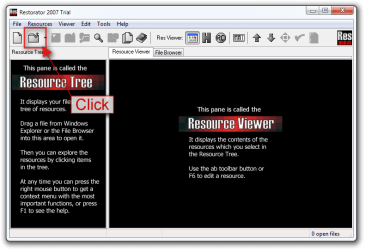
Startup Restorator click on the little file folder.
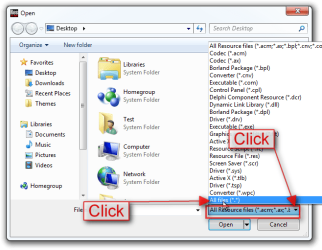
The Open dialog box will open click on the little drop-down arrow and choose All files (*.*)
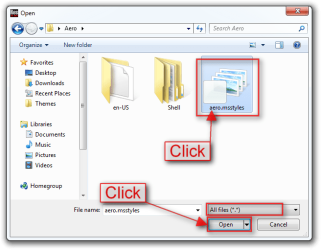
Then navigate to the new custom theme you made .msstyles and click on the open button.
Click on the little image triangle and it will expand the column.
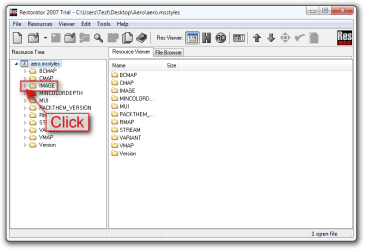
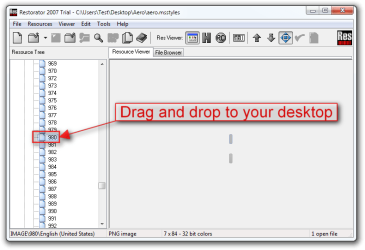
Scroll down to the 980 image and grabbed it with your mouse and drag it to your desktop.
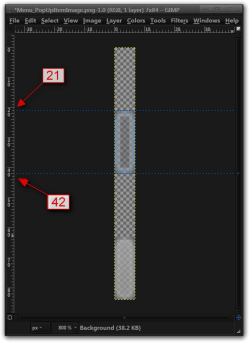
Now you need to edit that image with a image editor (I used gimp in this example) as you can see in this image you will need to work from the 21st pixel down to the 42nd pixel.
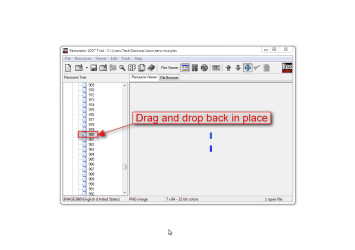
Now grab that image with your mouse and drag it back into Restorator 980 position.
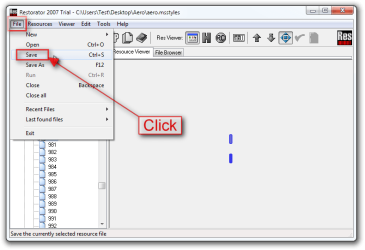
Now Click on File and go down and click on Save it will save the original as a backup and leave you with a new copy (With the trial version you will get a warning after you click on save just click on OK)
Now put your new theme folder and .theme file in C:\Windows\Resources\Themes and try it.
Jerry