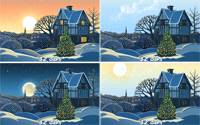
Animated Christmas Tree for Windows desktop

DriveSoft

New member
Member
Local time
3:28 PM
Messages
13
Hello all,

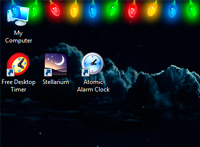
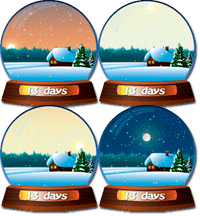
This year I'm glad to introduce a new Animated Christmas Trees for Desktop and other Christmas gadgets.
Raise up a Christmas mood!

Video preview:


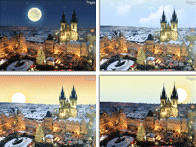
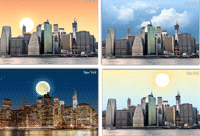
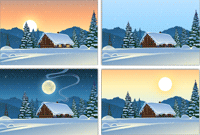
Home page: Get free Christmas tree for your desktop (50 Christmas trees and other Christmas gadgets)


Click on image to download the tree.



Dmitriy.
 
Last edited by a moderator:

My Computer

Computer type
PC/Desktop
OS
Windows 7 Ultimate x32
You are welcome! :)
 

My Computer

Computer type
PC/Desktop
OS
Windows 7 Ultimate x32
HELP!

These animations are ".exe" files. The ones I have used are attaching themselves into my startup tab of the system configuration and they are appearing everytime I start my computer. Can they be modified so that they won't do this, if so, how?

-thx
 

My Computer

Computer type
PC/Desktop
Computer Manufacturer/Model Number
HP (HP-P6212F)
OS
Microsoft Windows 7 Home Premium 64-bit 7601 Multiprocessor Free Service Pack 1
CPU
Pentium(R) Dual-Core CPU E5300 @ 2.60GHz
Motherboard
PEGATRON CORPORATION Benicia
Memory
6.00 GB
Graphics Card(s)
Intel(R) G33/G31 Express Chipset Family
Sound Card
Realtek High Definition Audio
Monitor(s) Displays
24'' HP WS LCD
Screen Resolution
1920 x 1080 x 32 bits (4294967296 colors) @ 60 Hz
Hard Drives
(1) ATA Hitachi HDT72106 SCSI Disk Device (2) Generic- Compact Flash USB Device (3) Generic- MS/MS-Pro USB Device (4) Generic- SD/MMC USB Device (5) Generic- SM/xD-Picture USB Device (6) Verbatim STORE N GO USB Device
Keyboard
Logitech G510s
Mouse
Logitech Trackball M570
Antivirus
Microsoft Security Essentials / Malwarebytes
Browser
IE / Firefox / Chrome

My Computer

Computer type
PC/Desktop
Computer Manufacturer/Model Number
1. HP p6733w Desktop 2. HP Envy 700-515xt Desktop
OS
1. Windows 7 Home Premium sp1 - 64bit 2. Windows 7 Pro sp1 - 64bit
CPU
1. AMD Phenom II x2 511 3.4GHz 2. Intel i7-4790 Quad 4.0GHz
Motherboard
1. N-Alvorix-RS880-uATX 2. Kaili2
Memory
1. 5 GB - DDR3 2. 8GB DDR3-1600MHz
Graphics Card(s)
Integrated 1. ATI Radeon 4200 2. Intel HD Graphics 4600
Sound Card
1. Realtek High Definition Audio 2. Realtek (Neutered Beats)
Monitor(s) Displays
1. Acer V193L 2. HP 2311 Series Wide LCD
Screen Resolution
1. 1280 x 1024 2. 1920 x 1080
Hard Drives
1. 750 GB - 7200 RPM SATA 2. 1TB 7200 RPM SATA
PSU
1. 250w 2. 300w
Cooling
Stock
Keyboard
Logitech USB keyboard
Mouse
Logitech USB optical mouse
Internet Speed
1.0 - 2.0 mbps
Antivirus
Eset Smart Security v9.0.349.0
Browser
Pale Moon
HELP!

These animations are ".exe" files. The ones I have used are attaching themselves into my startup tab of the system configuration and they are appearing everytime I start my computer. Can they be modified so that they won't do this, if so, how?

-thx


Sorry for delay.
Click right-mouse on the Christmas tree and
uncheck item "Start when I start Windows" then select item "Exit"
 

My Computer

Computer type
PC/Desktop
OS
Windows 7 Ultimate x32
Back
Top