

shadowzephyr
New member
- Local time
- 9:43 AM
- Messages
- 13
Hello all! New here. 
I need help with bubbles screensaver. The background becomes blurred when the bubbles appear. I already restore the default bubbles settings registry (taken from bubbles screensaver tutorial) but nothing changed. Also, from that tutorial I didn't see any settings to edit this thing.
Here's the screenshot.
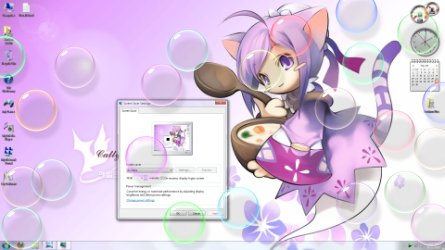
And this is the actual picture.
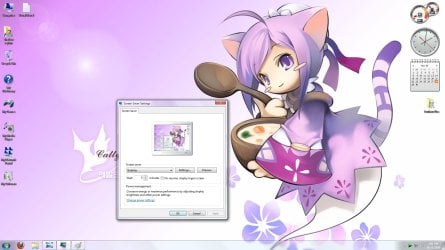
Thanks!
I need help with bubbles screensaver. The background becomes blurred when the bubbles appear. I already restore the default bubbles settings registry (taken from bubbles screensaver tutorial) but nothing changed. Also, from that tutorial I didn't see any settings to edit this thing.
Here's the screenshot.
And this is the actual picture.
Thanks!
My Computer
- Computer Manufacturer/Model Number
- shadowzephyr
- OS
- Windows 7 Ultimate x64
- CPU
- AMD Phenom II X4 955 Black Edition 3.2Ghz
- Motherboard
- Asus M4A78T-E
- Memory
- 8GB DDR3 Corsair Vengeance 1600Mhz 2x4GB
- Graphics Card(s)
- Sapphire ATI HD5850 Toxic 1GB
- Sound Card
- Integrated, VIA VT1708S 8-Channel
- Monitor(s) Displays
- Acer X223HQ 21.5"
- Screen Resolution
- 1920 x 1080
- Hard Drives
- Mushkin Chronos SSD 120GB (OS)
WD Caviar Black 1TB (Main)
WD Caviar Blue 3x2TB (Anime, Games, Movie)
Maxtor Basic External HD 1TB (Games Installer)
- PSU
- CoolerMaster GX 750W
- Case
- CoolerMaster CM690 II Plus
- Other Info
- Speaker : Logitech X-540 5.1 ch

