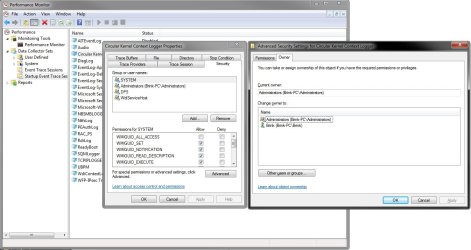
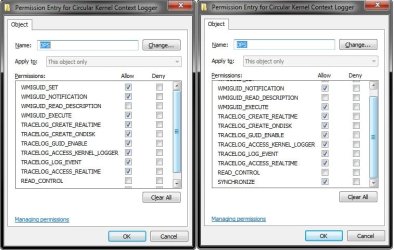
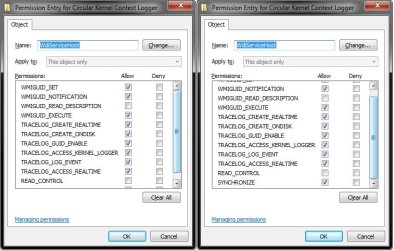
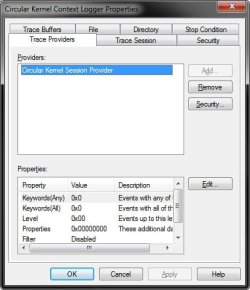
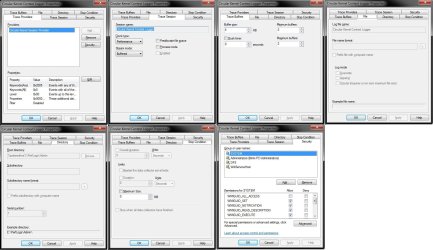
I mucked with my Circular Kernel Context Logger to get some trace data and now it won't start when Win 7 boots. I reset what I recall changing, but I do remember changing some security as the output .etl dataset couldn't be read or takeown'ed by me. However, if I manually start it (right-click START) it does start successfully. Maybe I'm admin (owner of CKCL) and I can thus start it, but the SYSTEM (security/SID) can't??
Control Panel > Administrative Tools > Performance Monitor.
Expand - Data Collector Reports.
Left-click on - Start Event Trace Sessions.
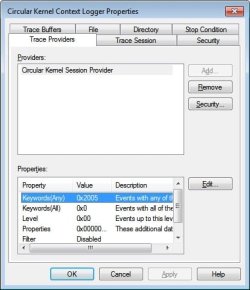
Left-Click once - Circular Kernel Context Logger to highlight it. Then right-click to get context menu, and then click on Properties.
Applet open
Now, click on - Security tile OR Security tab at the top. Then click on Advanced tile.
On this applet, click the Owner tab. What does it list for current owner?
Control Panel > Administrative Tools > Performance Monitor.
Expand - Data Collector Reports.
Left-click on - Start Event Trace Sessions.
Left-Click once - Circular Kernel Context Logger to highlight it. Then right-click to get context menu, and then click on Properties.
Applet open
Now, click on - Security tile OR Security tab at the top. Then click on Advanced tile.
On this applet, click the Owner tab. What does it list for current owner?
My Computer
At a glance
Windows 7AMD Phenom II X2 (dual-core)4Gintegrated ATI HD 4200
- Computer type
- PC/Desktop
- Computer Manufacturer/Model Number
- Custom
- OS
- Windows 7
- CPU
- AMD Phenom II X2 (dual-core)
- Motherboard
- GA-MA785GM-US2H
- Memory
- 4G
- Graphics Card(s)
- integrated ATI HD 4200
- Sound Card
- integrated
- Monitor(s) Displays
- Samsung 24"
- Screen Resolution
- 1920x1080
- Hard Drives
- 1 SSD - Samsung 840 - 500 GB - OS and DATA partitions
1 SSD - Intel 320 - 120 GB (used for backups) - Misc/BACKUP
1 SATA HD - WD, 500 GB - BACKUP
- PSU
- Ultra X4 500W
- Case
- Ultra X-blaster
- Keyboard
- Microsoft Digital Media Pro
- Mouse
- Logitech WIRED!
- Internet Speed
- 15 Mbps FIOS