BeepBeep
New member
- Local time
- 3:13 PM
- Messages
- 24
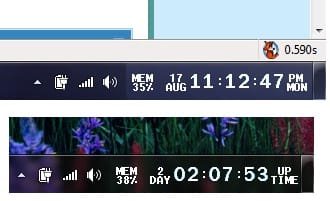
(1) How can I get the sys tray clock to show hh:mm:ss tt ?
I changed the short and long time format yet "ss" is not showing expect when I move cursor over clock.
Changes to date format reflect in sysclock right away.
(2) Is there a freeware clock available that is Win 7 compatible that I could use instead of the default clock?
Appreciate any suggestions - thanks!
I changed the short and long time format yet "ss" is not showing expect when I move cursor over clock.
Changes to date format reflect in sysclock right away.
(2) Is there a freeware clock available that is Win 7 compatible that I could use instead of the default clock?
Appreciate any suggestions - thanks!
My Computer
- Computer Manufacturer/Model Number
- Intel
- OS
- Win 7_x64 Linux Kubuntu Jaunty_x64
- CPU
- E7400
- Motherboard
- Intel GZ35
- Memory
- 2GB DDR2
- Monitor(s) Displays
- IBM 19"
- Screen Resolution
- 1400x1050
- Hard Drives
- 300GB SATA
- PSU
- 650W
- Cooling
- Zalman
- Other Info
- Avira AVP, MSE, ASC Pro, IObit 360 Pro, Customized Win FW