darkw1zard
New member
- Local time
- 12:55 AM
- Messages
- 11
Problems: some programs cannot be run, stopped working as soon as it is opened
I came to recognize my problem when McAfee pops up to check database update, but when I click "Check Now" it stopped working. After that I tried numerous times after a few restart tries.
Even in my attempt to uninstall McAfee, the McAfee host UI has stopped working.
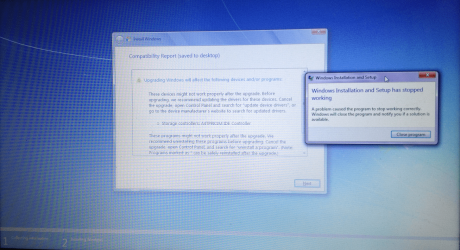
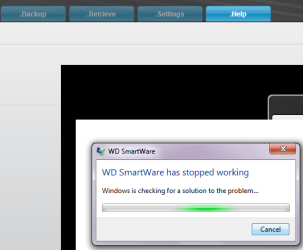
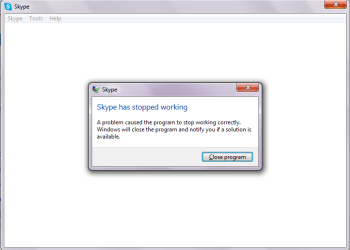
Then I came to realise that its not McAfee's thing, other programs are also affected namely Yahoo Messenger, Skype (MSN), Microsoft Windows Repair Disc.
(Browsers are working fine)
What I have done:
Bad thing: I don't have any restore point that I can use.
Some friend told me to try System File Checker & Repair Install.
The latter I have not done because it seems more complicated & I don't have any Windows CD (This notebook came already installed with it)
I did try System File Checker (cmd sfc /scannow as admin), but the result says:
Windows Resource Protection did not find any integrity violations.
I don't think I have changed anything in recent times, except there are some windows update going on:
(also have iTunes & iCloud thing update to the latest version)
Recent Windows Update:
There's one update which keeps failing to install:
Verdict:
I am considering to do repair install. But not sure which one should I download from here. (I don't know the difference among Home Premium 64bit Media Refresh, the old one, & RTM)
Version of my Windows: 6.1.7601 SP1 Build 7601
If anyone willing to attend my problem would be more than welcomed & I really appreciate that.

I came to recognize my problem when McAfee pops up to check database update, but when I click "Check Now" it stopped working. After that I tried numerous times after a few restart tries.
Even in my attempt to uninstall McAfee, the McAfee host UI has stopped working.
Then I came to realise that its not McAfee's thing, other programs are also affected namely Yahoo Messenger, Skype (MSN), Microsoft Windows Repair Disc.
(Browsers are working fine)
What I have done:
Bad thing: I don't have any restore point that I can use.
Some friend told me to try System File Checker & Repair Install.
The latter I have not done because it seems more complicated & I don't have any Windows CD (This notebook came already installed with it)
I did try System File Checker (cmd sfc /scannow as admin), but the result says:
Windows Resource Protection did not find any integrity violations.
I don't think I have changed anything in recent times, except there are some windows update going on:
(also have iTunes & iCloud thing update to the latest version)
Recent Windows Update:
said:Internet Explorer 10 for Windows 7 for x64-based Systems
Installation date: 20/3/2013 7:11 AM
Installation status: Successful
Update type: Important
Internet Explorer 10 is fast and fluid, and lets your websites shine and perform just like native apps on your PC.
Internet Explorer 10. Fast and fluid for Windows 7.
• Fast. Internet Explorer 10 harnesses the untapped power of your PC, delivering pages full of vivid graphics, smoother video, and interactive content.
• Easy. Experience the web the way you want to with pinned sites, built-in Spellcheck, and seamless integration with your PC running Windows 7.
• Safer. Improved features like SmartScreen Filter and Tracking Protection let you be more aware of threats to your PC and your privacy.
More information:
Internet Explorer - Microsoft Windows
Help and Support:
Support - Microsoft Windows Help
There's one update which keeps failing to install:
Creative Technology Ltd. - Streaming Media and Broadcast - Creative Live! Camera
Installation date: 17/3/2013 3:00 AM
Installation status: Failed
Error details: Code 80070103
Update type: Recommended
Creative Technology Ltd. Streaming Media and Broadcast software update released in August, 2009
More information:
Driver Information
Help and Support:
Product Solution Centers
Verdict:
I am considering to do repair install. But not sure which one should I download from here. (I don't know the difference among Home Premium 64bit Media Refresh, the old one, & RTM)
Version of my Windows: 6.1.7601 SP1 Build 7601
If anyone willing to attend my problem would be more than welcomed & I really appreciate that.
My Computer
- Computer type
- Laptop
- Computer Manufacturer/Model Number
- Dell
- OS
- Windows 7 Home Premium 64bit
- CPU
- Interl Core i7-2670QM
- Memory
- 8.0GB RAM
- Graphics Card(s)
- Intel HD Graphics Family & NVidia GeForce GT 540M
- Hard Drives
- 750GB 7200RPM HDD
- Antivirus
- McAfee
- Browser
- IE,Chrome,Firefox