
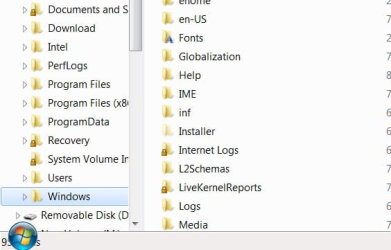
Is there a way to remove the Windows "Orb" on the left side of the taskbar and still be able to access the Start Menu. It may have something to do with having Aero enabled, but I am pretty sure I dont have the orb on my other machine at work that has Aero enabled. I dont like the way it covers the file information in Explorer...... it never goes away, even when the taskbar is hidden!! ......... Anyone know how to disable it without disabling Aero?
Thanks
Thanks
Attachments
My Computer
- Computer Manufacturer/Model Number
- 2 - "Main" boxes- Both Built Clones
- OS
- Windows7/64bit Ultimate/Windows 7/32bit Ultimate
- CPU
- Core i7 920 @ 3.2 & P4 @ 2.4g
- Motherboard
- MSI Big Bang XPower & Asus P4P800E-deluxe
- Memory
- 6gigs Crucial Dominator & 3gigs Kingston
- Graphics Card(s)
- Evga 512mb GeForce 9800 GTX+
- Sound Card
- MSI & Creative X-Fi Xtreme SB0790
- Monitor(s) Displays
- Dual- Viewsonic 21" & Samsung 42"
- Screen Resolution
- 1440 x 900
- Hard Drives
- 1- 64Gb OCZ Vertex SSD (System/Progs)
5- 1TB WDs
4- 250Gb Seagates
- PSU
- OCZ 600w & Antec 450w
- Case
- 2- Antec Plus View 1000AMG RTL
- Cooling
- Coolermaster Hyper N 520
- Keyboard
- Logitech
- Mouse
- Logitech Nano 6 button
- Internet Speed
- 6Mb/sec
- Other Info
- Favorite hobby- Amateur Gynecologist


