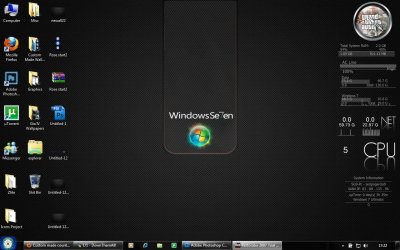
Custom made country flag orbs/icons.

Okay, one question: Can you open explorer.exe with restorator and replace the Bitmap (Without saving)?
No. Restorator shows this error dialog already when trying it. Anolis lets me replace but not save.

Kari
 

My Computer My Computer

At a glance

Windows 10 Pro x64 EN-GB1.6 GHz Intel Core i7-720QM Processor6 GBATI Mobility Radeon HD 5850 Graphics
Computer type
Laptop
Computer Manufacturer/Model Number
HP ENVY 17-1150eg
OS
Windows 10 Pro x64 EN-GB
CPU
1.6 GHz Intel Core i7-720QM Processor
Memory
6 GB
Graphics Card(s)
ATI Mobility Radeon HD 5850 Graphics
Sound Card
Beats sound system with integrated subwoofer
Monitor(s) Displays
17" laptop display, 22" LED and 32" Full HD TV through HDMI
Screen Resolution
1600*900 (1), 1920*1080 (2&3)
Hard Drives
Internal: 2 x 500 GB SATA Hard Disk Drive 7200 rpm
External: 2TB for backups, 3TB USB3 network drive for media
Cooling
As Envy runs a bit warm, I have it on a Cooler Master pad
Keyboard
Logitech diNovo Media Desktop Laser (bluetooth)
Mouse
Logitech Performance Mouse MX
Internet Speed
50/10 Mbps VDSL
Antivirus
Windows Defender 4.3.9431.0
Browser
Maxthon 3.5.2., IE11
No. Restorator shows this error dialog already when trying it. Anolis lets me replace but not save.

Kari
Okay if Anolis dont let you save try to save on the desktop instead (as explorer.exe).
Then go to the windows folder rename the original explorer.exe to explorer.exe.bak and copy the new one in there ;)
 
Okay, one question: Can you open explorer.exe with restorator and replace the Bitmap (Without saving)?

no, save to somewhere else, eg Desktop

open an elevated CMD prompt

cd\
cd c:\windows
takeown /f explorer.exe
ren explorer.exe explorer.bak

then drag and drop explorer.exe into c:\windows

now copy and paste this at the CMD console, and press enter:

Code:
@echo off
taskkill /f /IM explorer.exe
explorer.exe
 

My Computer My Computer

At a glance

Windows 7 Ultimate 64BitAMD Athlon x4 650 3Ghz4gbATI Radeon 3000 series Onboard
OS
Windows 7 Ultimate 64Bit
CPU
AMD Athlon x4 650 3Ghz
Motherboard
ASUS
Memory
4gb
Graphics Card(s)
ATI Radeon 3000 series Onboard
Okay if Anolis dont let you save try to save on the desktop instead (as explorer.exe).
Then go to the windows folder rename the original explorer.exe to explorer.exe.bak and copy the new one in there ;)
Anolis doesn't let me choose where to save, so I copied explorer.exe to another location, opened it and changed bitmaps, and the saved it. No error dialog but nothing done; it doesn't change the bitmaps.

I've used Anolis earlier to change some icons, it has worked.

Kari

P.S. Like I said earlier, this is not so important.
 

My Computer My Computer

At a glance

Windows 10 Pro x64 EN-GB1.6 GHz Intel Core i7-720QM Processor6 GBATI Mobility Radeon HD 5850 Graphics
Computer type
Laptop
Computer Manufacturer/Model Number
HP ENVY 17-1150eg
OS
Windows 10 Pro x64 EN-GB
CPU
1.6 GHz Intel Core i7-720QM Processor
Memory
6 GB
Graphics Card(s)
ATI Mobility Radeon HD 5850 Graphics
Sound Card
Beats sound system with integrated subwoofer
Monitor(s) Displays
17" laptop display, 22" LED and 32" Full HD TV through HDMI
Screen Resolution
1600*900 (1), 1920*1080 (2&3)
Hard Drives
Internal: 2 x 500 GB SATA Hard Disk Drive 7200 rpm
External: 2TB for backups, 3TB USB3 network drive for media
Cooling
As Envy runs a bit warm, I have it on a Cooler Master pad
Keyboard
Logitech diNovo Media Desktop Laser (bluetooth)
Mouse
Logitech Performance Mouse MX
Internet Speed
50/10 Mbps VDSL
Antivirus
Windows Defender 4.3.9431.0
Browser
Maxthon 3.5.2., IE11
Anolis doesn't let me choose where to save, so I copied explorer.exe to another location, opened it and changed bitmaps, and the saved it. No error dialog but nothing done; it doesn't change the bitmaps.

I've used Anolis earlier to change some icons, it has worked.

Kari

P.S. Like I said earlier, this is not so important.
Thats weird :confused: I'm afraid i dont have a solution for your problem :(
 
OK, it's definitely not working here. Tested about everything, also what Matt posted here earlier. No big deal. Happy with 7 start orb.

Kari
 

My Computer My Computer

At a glance

Windows 10 Pro x64 EN-GB1.6 GHz Intel Core i7-720QM Processor6 GBATI Mobility Radeon HD 5850 Graphics
Computer type
Laptop
Computer Manufacturer/Model Number
HP ENVY 17-1150eg
OS
Windows 10 Pro x64 EN-GB
CPU
1.6 GHz Intel Core i7-720QM Processor
Memory
6 GB
Graphics Card(s)
ATI Mobility Radeon HD 5850 Graphics
Sound Card
Beats sound system with integrated subwoofer
Monitor(s) Displays
17" laptop display, 22" LED and 32" Full HD TV through HDMI
Screen Resolution
1600*900 (1), 1920*1080 (2&3)
Hard Drives
Internal: 2 x 500 GB SATA Hard Disk Drive 7200 rpm
External: 2TB for backups, 3TB USB3 network drive for media
Cooling
As Envy runs a bit warm, I have it on a Cooler Master pad
Keyboard
Logitech diNovo Media Desktop Laser (bluetooth)
Mouse
Logitech Performance Mouse MX
Internet Speed
50/10 Mbps VDSL
Antivirus
Windows Defender 4.3.9431.0
Browser
Maxthon 3.5.2., IE11
To my understanding you can't change the default Explorer.exe file.. if you want a custom one you have to open explorer.exe save it as a different name (like exploreredit.exe) and then change settings in regedit
 

My Computer My Computer

At a glance

Windows 7 RC build 7100x64 // 7260x32Quad core 2.33GHz4 gig DRR28400 GS gigabyte
Computer Manufacturer/Model Number
Built
OS
Windows 7 RC build 7100x64 // 7260x32
CPU
Quad core 2.33GHz
Motherboard
Asus P5Q SE
Memory
4 gig DRR2
Graphics Card(s)
8400 GS gigabyte
Sound Card
built in with motherboard
Monitor(s) Displays
LG Flaton l1739s
Screen Resolution
1440x900 x2
Hard Drives
500 gig HDD // and a 500 gig out
PSU
500Watt
Case
ATX black case
Cooling
Cpu fan \ case fan
Keyboard
logitech
Mouse
logitech
Internet Speed
1500
there's a good "how to" in the Custom Themes, Icons and Start Buttons. thread. Look through that and you'll find it

edit: if you can't find it post back and I'll sort it when I get home
I found a guide that tells you to use Resource Tuner, but when I try it, it can't open explorer.exe. Is there another program that will work?

Also, do I have to modify only the explorer.exe file in C:\Windows or do I have to do it in C:\Windows\System32 and C:\Windows\SysWOW64 as well?

Here was the guide:

How to edit:
  • Open your explorer.exe backup with Resource Tuner (or a comparable tool)
  • Extract the image files
  • Modify the file(s) to your likes
  • In Resource Tuner select “Edit Resource” to add the edited image. (Important: the filename has to be the same as the original file)
  • Select “Save File as…” and create a copy of explorer.exe somewhere
  • Make sure all explorer windows are closed
  • In Task Manager, kill explorer.exe
  • Replace the old file with the newly created one
  • In Task Manager restart explorer.exe (File --> new task --> explorer)
Repeat steps 3 -9 untill you’re satisfied. Enjoy!

By the way, how do you replace the explorer.exe file if explorer isn't being used, meaning you can't open anything?
Ummm, guys? Please help?
 

My Computer My Computer

At a glance

Windows 7 Home Premium x64Intel Core i5-2410M Quad Core CPU @ 2.30 GHz8 GB Shared Channel DDR3 MemoryIntel HD Graphics 3000, AMD Radeon HD 6470M
Computer Manufacturer/Model Number
Dell Inspiron 14R N4110
OS
Windows 7 Home Premium x64
CPU
Intel Core i5-2410M Quad Core CPU @ 2.30 GHz
Memory
8 GB Shared Channel DDR3 Memory
Graphics Card(s)
Intel HD Graphics 3000, AMD Radeon HD 6470M
Sound Card
Intel Display Audio, Realtek High Definition Audio
Monitor(s) Displays
14" HD 720p LED Display
Screen Resolution
1366x768
Hard Drives
500 GB 5400 RPM SATA Hard Drive
Mouse
Microsoft USB IntelliMouse Explorer 3.0
I found a guide that tells you to use Resource Tuner, but when I try it, it can't open explorer.exe. Is there another program that will work?

Also, do I have to modify only the explorer.exe file in C:\Windows or do I have to do it in C:\Windows\System32 and C:\Windows\SysWOW64 as well?

Here was the guide:


By the way, how do you replace the explorer.exe file if explorer isn't being used, meaning you can't open anything?

after you kill explorer.exe in task manager click new task run new process..then click browse and copy your modified explorer.exe to c:\windows. after that just run it and you'll have your new orb
 

My Computer My Computer

At a glance

Windows 7 Ultimate (x64) SP1Intel 3770k 4.6GHz8GB (2x 4GB) Crucial BallistixSapphire 7950 (1060/1600)
Computer Manufacturer/Model Number
tw33k
OS
Windows 7 Ultimate (x64) SP1
CPU
Intel 3770k 4.6GHz
Motherboard
ASUS Maximus V Formula
Memory
8GB (2x 4GB) Crucial Ballistix
Graphics Card(s)
Sapphire 7950 (1060/1600)
Sound Card
On Board Realtek HD Audio
Monitor(s) Displays
27" Acer B273HU (via HDMI)
Screen Resolution
2048 x 1152
Hard Drives
Crucial M4 128GB
2TB WD Black
1TB Samsung F3 SATA
1TB WD Elite External
2TB WD USB 3.0
PSU
Corsair AX750 Gold
Case
Corsair Obsidian 800DW
Cooling
Corsair H100 (2x AP-121/2x UK-3000 push/pull)
Keyboard
Microsoft Wireless 5000
Mouse
Microsoft Wireless 5000
Internet Speed
5mb/s
Other Info
Logitech z-2300 2.1 speakers
Lamptron FC-5 v2

My Computer My Computer

At a glance

Windows 7 RTM 64bit, Windows 8 Pro 64bitIntel i5-2500K @ 3.3Ghz16GB G.Skill RaptorX 1600MHz DDR3N570GTX Twin Frozr III Power Edition
Computer type
PC/Desktop
Computer Manufacturer/Model Number
Self built.
OS
Windows 7 RTM 64bit, Windows 8 Pro 64bit
CPU
Intel i5-2500K @ 3.3Ghz
Motherboard
Asus Maximus IV GENE-Z/GEN3
Memory
16GB G.Skill RaptorX 1600MHz DDR3
Graphics Card(s)
N570GTX Twin Frozr III Power Edition
Sound Card
SupremeFX X-Fi 2
Monitor(s) Displays
BenQ XL2420T 120Hz 24 inch gaming monitor, Acer V233H 23 inc
Screen Resolution
1920x1080
Hard Drives
320GB Seagate Barracuda
WD 1TB Black Caviar
2TB WD Green Caviar
Samsung SSD 840 PRO Series
PSU
CoolerMaster Silent Pro Gold 1200WATT 80 Plus Gold
Case
CoolerMaster HAF X RC-942
Cooling
CoolerMaster V6GT Multi-Platform CPU Cooler
Keyboard
Logitech G510 Gaming Keyboard
Mouse
Logitech G700 Gaming Mouse
Antivirus
Norton Internet Security
Browser
Firefox 21
Other Info
Logitech Extreme 3D Pro Gaming Joystick, Logitech G930 Wireless Gaming Headset
orbs don't look right!

OK, it's definitely not working here. Tested about everything, also what Matt posted here earlier. No big deal. Happy with 7 start orb.

Kari

Kari, use resource hacker mate and save ur edited explorer.exe to the desktop and use this simple script i made (assuming c: is ur users folder location and windows directory)

explorer.zip


i like those bull, but something is not right

Capture.JPG

i don't think it's ur fault tho. can anybody else help?? :(
 

My Computer My Computer

At a glance

Windows 7 Ultimate 64BitAMD Athlon x4 650 3Ghz4gbATI Radeon 3000 series Onboard
OS
Windows 7 Ultimate 64Bit
CPU
AMD Athlon x4 650 3Ghz
Motherboard
ASUS
Memory
4gb
Graphics Card(s)
ATI Radeon 3000 series Onboard

My Computer My Computer

At a glance

Windows 7 RTM 64bit, Windows 8 Pro 64bitIntel i5-2500K @ 3.3Ghz16GB G.Skill RaptorX 1600MHz DDR3N570GTX Twin Frozr III Power Edition
Computer type
PC/Desktop
Computer Manufacturer/Model Number
Self built.
OS
Windows 7 RTM 64bit, Windows 8 Pro 64bit
CPU
Intel i5-2500K @ 3.3Ghz
Motherboard
Asus Maximus IV GENE-Z/GEN3
Memory
16GB G.Skill RaptorX 1600MHz DDR3
Graphics Card(s)
N570GTX Twin Frozr III Power Edition
Sound Card
SupremeFX X-Fi 2
Monitor(s) Displays
BenQ XL2420T 120Hz 24 inch gaming monitor, Acer V233H 23 inc
Screen Resolution
1920x1080
Hard Drives
320GB Seagate Barracuda
WD 1TB Black Caviar
2TB WD Green Caviar
Samsung SSD 840 PRO Series
PSU
CoolerMaster Silent Pro Gold 1200WATT 80 Plus Gold
Case
CoolerMaster HAF X RC-942
Cooling
CoolerMaster V6GT Multi-Platform CPU Cooler
Keyboard
Logitech G510 Gaming Keyboard
Mouse
Logitech G700 Gaming Mouse
Antivirus
Norton Internet Security
Browser
Firefox 21
Other Info
Logitech Extreme 3D Pro Gaming Joystick, Logitech G930 Wireless Gaming Headset
Matt, please try it with this PNG file first and if it does not work use the BMP file.

View attachment 24277

View attachment 24278
I dont think you can replace BMP files with Png's ;) I think it has to be Bitmap's ;)
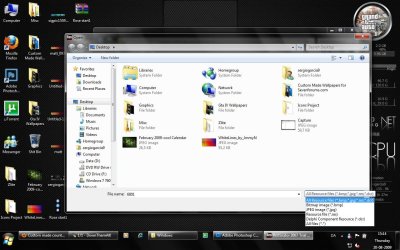
edit: Testing them now... Png now tested no luck :( You cant even choose a png file (pic 2) and if you select all files option this comes up (pic 1)
edit2: It still does that with the black when you move your mouse over it.
 

Attachments

  • Capture.JPG
    Capture.JPG
    45.7 KB · Views: 13
  • cap.jpg
    cap.jpg
    138.2 KB · Views: 27
I dont think you can replace BMP files with Png's ;) I think it has to be Bitmap's ;)
edit: Testing them now... Png now tested no luck :( You cant even choose a png file (pic 2) and if you select all files option this comes up (pic 1)
edit2: It still does that with the black when you move your mouse over it.

Did you try with the attached BMP zipfile Sergio? (Thanks for testing mate. Really want to get this right for Matt!! :o
 

My Computer My Computer

At a glance

Windows 7 RTM 64bit, Windows 8 Pro 64bitIntel i5-2500K @ 3.3Ghz16GB G.Skill RaptorX 1600MHz DDR3N570GTX Twin Frozr III Power Edition
Computer type
PC/Desktop
Computer Manufacturer/Model Number
Self built.
OS
Windows 7 RTM 64bit, Windows 8 Pro 64bit
CPU
Intel i5-2500K @ 3.3Ghz
Motherboard
Asus Maximus IV GENE-Z/GEN3
Memory
16GB G.Skill RaptorX 1600MHz DDR3
Graphics Card(s)
N570GTX Twin Frozr III Power Edition
Sound Card
SupremeFX X-Fi 2
Monitor(s) Displays
BenQ XL2420T 120Hz 24 inch gaming monitor, Acer V233H 23 inc
Screen Resolution
1920x1080
Hard Drives
320GB Seagate Barracuda
WD 1TB Black Caviar
2TB WD Green Caviar
Samsung SSD 840 PRO Series
PSU
CoolerMaster Silent Pro Gold 1200WATT 80 Plus Gold
Case
CoolerMaster HAF X RC-942
Cooling
CoolerMaster V6GT Multi-Platform CPU Cooler
Keyboard
Logitech G510 Gaming Keyboard
Mouse
Logitech G700 Gaming Mouse
Antivirus
Norton Internet Security
Browser
Firefox 21
Other Info
Logitech Extreme 3D Pro Gaming Joystick, Logitech G930 Wireless Gaming Headset
Did you try with the attached BMP zipfile Sergio? (Thanks for testing mate. Really want to get this right for Matt!! :o
The Bmp file is also tested :( Still a black box (You know around the Rose ;)) when you move your mouse over it :(
 

My Computer My Computer

At a glance

Windows 7 RTM 64bit, Windows 8 Pro 64bitIntel i5-2500K @ 3.3Ghz16GB G.Skill RaptorX 1600MHz DDR3N570GTX Twin Frozr III Power Edition
Computer type
PC/Desktop
Computer Manufacturer/Model Number
Self built.
OS
Windows 7 RTM 64bit, Windows 8 Pro 64bit
CPU
Intel i5-2500K @ 3.3Ghz
Motherboard
Asus Maximus IV GENE-Z/GEN3
Memory
16GB G.Skill RaptorX 1600MHz DDR3
Graphics Card(s)
N570GTX Twin Frozr III Power Edition
Sound Card
SupremeFX X-Fi 2
Monitor(s) Displays
BenQ XL2420T 120Hz 24 inch gaming monitor, Acer V233H 23 inc
Screen Resolution
1920x1080
Hard Drives
320GB Seagate Barracuda
WD 1TB Black Caviar
2TB WD Green Caviar
Samsung SSD 840 PRO Series
PSU
CoolerMaster Silent Pro Gold 1200WATT 80 Plus Gold
Case
CoolerMaster HAF X RC-942
Cooling
CoolerMaster V6GT Multi-Platform CPU Cooler
Keyboard
Logitech G510 Gaming Keyboard
Mouse
Logitech G700 Gaming Mouse
Antivirus
Norton Internet Security
Browser
Firefox 21
Other Info
Logitech Extreme 3D Pro Gaming Joystick, Logitech G930 Wireless Gaming Headset

My Computer My Computer

At a glance

Windows 7 RTM 64bit, Windows 8 Pro 64bitIntel i5-2500K @ 3.3Ghz16GB G.Skill RaptorX 1600MHz DDR3N570GTX Twin Frozr III Power Edition
Computer type
PC/Desktop
Computer Manufacturer/Model Number
Self built.
OS
Windows 7 RTM 64bit, Windows 8 Pro 64bit
CPU
Intel i5-2500K @ 3.3Ghz
Motherboard
Asus Maximus IV GENE-Z/GEN3
Memory
16GB G.Skill RaptorX 1600MHz DDR3
Graphics Card(s)
N570GTX Twin Frozr III Power Edition
Sound Card
SupremeFX X-Fi 2
Monitor(s) Displays
BenQ XL2420T 120Hz 24 inch gaming monitor, Acer V233H 23 inc
Screen Resolution
1920x1080
Hard Drives
320GB Seagate Barracuda
WD 1TB Black Caviar
2TB WD Green Caviar
Samsung SSD 840 PRO Series
PSU
CoolerMaster Silent Pro Gold 1200WATT 80 Plus Gold
Case
CoolerMaster HAF X RC-942
Cooling
CoolerMaster V6GT Multi-Platform CPU Cooler
Keyboard
Logitech G510 Gaming Keyboard
Mouse
Logitech G700 Gaming Mouse
Antivirus
Norton Internet Security
Browser
Firefox 21
Other Info
Logitech Extreme 3D Pro Gaming Joystick, Logitech G930 Wireless Gaming Headset

My Computer My Computer

At a glance

Windows 7 RTM 64bit, Windows 8 Pro 64bitIntel i5-2500K @ 3.3Ghz16GB G.Skill RaptorX 1600MHz DDR3N570GTX Twin Frozr III Power Edition
Computer type
PC/Desktop
Computer Manufacturer/Model Number
Self built.
OS
Windows 7 RTM 64bit, Windows 8 Pro 64bit
CPU
Intel i5-2500K @ 3.3Ghz
Motherboard
Asus Maximus IV GENE-Z/GEN3
Memory
16GB G.Skill RaptorX 1600MHz DDR3
Graphics Card(s)
N570GTX Twin Frozr III Power Edition
Sound Card
SupremeFX X-Fi 2
Monitor(s) Displays
BenQ XL2420T 120Hz 24 inch gaming monitor, Acer V233H 23 inc
Screen Resolution
1920x1080
Hard Drives
320GB Seagate Barracuda
WD 1TB Black Caviar
2TB WD Green Caviar
Samsung SSD 840 PRO Series
PSU
CoolerMaster Silent Pro Gold 1200WATT 80 Plus Gold
Case
CoolerMaster HAF X RC-942
Cooling
CoolerMaster V6GT Multi-Platform CPU Cooler
Keyboard
Logitech G510 Gaming Keyboard
Mouse
Logitech G700 Gaming Mouse
Antivirus
Norton Internet Security
Browser
Firefox 21
Other Info
Logitech Extreme 3D Pro Gaming Joystick, Logitech G930 Wireless Gaming Headset
Back
Top