- Local time
- 9:51 PM
- Messages
- 1,308
This interests me. I have little desire to muck with the registry. However, I know people compose things like .bat files or something that do the deeds for us geek-disabled. If your suggestion provides this (along with the taskbar tweak), bring it on friend.... Anyway - how about another suggestion?
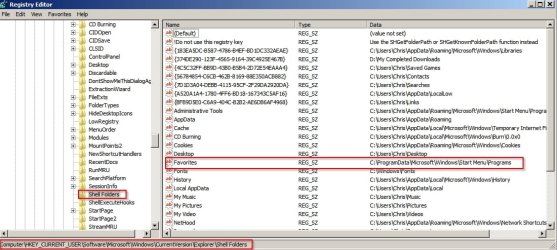
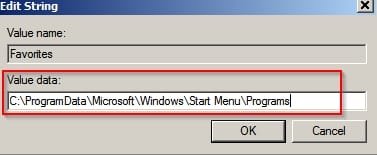
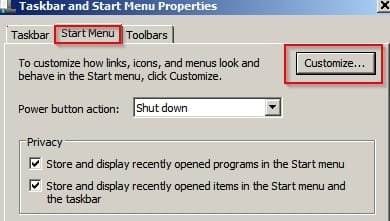
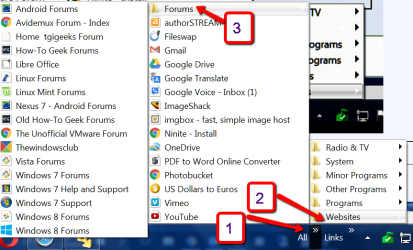
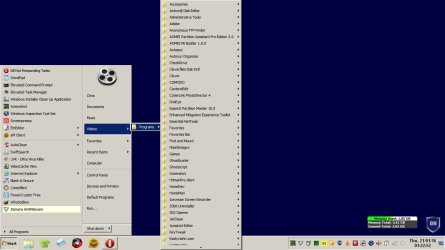
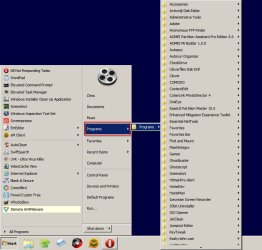
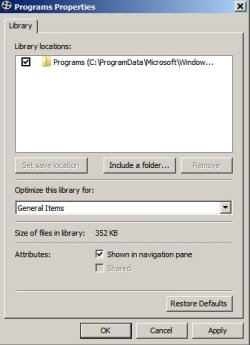
If you don't mind modifying your registry there's a tweak that gets your Programs (and shortcuts to them) to display like this. Here's two example screenshots from my machine. Let us know if it would suit you.
-thx
My Computer
At a glance
Microsoft Windows 7 Home Premium 64-bit 7601 ...Pentium(R) Dual-Core CPU E5300 @ 2.60GHz6.00 GBIntel(R) G33/G31 Express Chipset Family
- Computer type
- PC/Desktop
- Computer Manufacturer/Model Number
- HP (HP-P6212F)
- OS
- Microsoft Windows 7 Home Premium 64-bit 7601 Multiprocessor Free Service Pack 1
- CPU
- Pentium(R) Dual-Core CPU E5300 @ 2.60GHz
- Motherboard
- PEGATRON CORPORATION Benicia
- Memory
- 6.00 GB
- Graphics Card(s)
- Intel(R) G33/G31 Express Chipset Family
- Sound Card
- Realtek High Definition Audio
- Monitor(s) Displays
- 24'' HP WS LCD
- Screen Resolution
- 1920 x 1080 x 32 bits (4294967296 colors) @ 60 Hz
- Hard Drives
- (1) ATA Hitachi HDT72106 SCSI Disk Device (2) Generic- Compact Flash USB Device (3) Generic- MS/MS-Pro USB Device (4) Generic- SD/MMC USB Device (5) Generic- SM/xD-Picture USB Device (6) Verbatim STORE N GO USB Device
- Keyboard
- Logitech G510s
- Mouse
- Logitech Trackball M570
- Antivirus
- Microsoft Security Essentials / Malwarebytes
- Browser
- IE / Firefox / Chrome