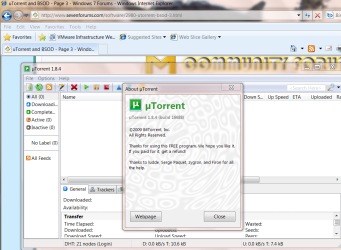
uTorrent and BSOD


It seems that the vast majority of these issues are caused by Ralink RT61 drivers. Do you have such hardware?
 

My Computer

Computer type
Laptop
Computer Manufacturer/Model Number
Apple
OS
El Capitan / Windows 10
CPU
i7-4980HQ
Memory
16GB
Graphics Card(s)
Iris 5200
I have been running Beta uTorrent versions with Avira Free edition and it works great. x64 and x86.


This error is linked to certain** large torrent downloads, and does not affect everyone. I've been able to replicate it on a number of machines.

Pretty much, if you hit this, cancel all your torrents, and download one by one, till you get which torrent sets it off; and then just avoid that perticular one.
 

My Computer

Computer Manufacturer/Model Number
Myself
OS
Windows 7 64bit Ultimate Build 7268.0.090701-1900
CPU
Quad CPU Q6600 @ 2.4GHz
Memory
4GB 6400 Dual Channel
Graphics Card(s)
1GB DDR3 x16 + 512mb ddr2 x1
Sound Card
I dunno, but it puts out a good 7.1 sur through the fiber :D
Monitor(s) Displays
Quad-Monitor display (check out the photo)
Screen Resolution
1200x1600
Hard Drives
(2 x 1TB) + (1 x 500Gb)

tip: Always run your OS on a small Disk with away from your large storage files, and make sure theirs plenty of Cache (32mb recommnded).
PSU
1000w
Case
a block of wood
Cooling
Intel Standard. tip: Dont overclock with beta win7...
Internet Speed
15meg
Is memory a part of the problem?

I read another post where another person had the same problem. I experience this problem as well. He claims that the error has something to do with his memory and both he and I run 4gb (2x2gb) corsair 1066 sticks. Anyone else with this problem have the same component?
 

My Computer

OS
Windows 7 RC Build 7100
CPU
Quad Core Duo
Motherboard
Gigabyte EP45T-DSR3
Memory
2X2gb Corsair 1066
Graphics Card(s)
EVGA Nvidia 9800 GTX 9800
Sound Card
Realtec High Definition Audio
Monitor(s) Displays
22' Acer
Screen Resolution
1680 x 1050
Hard Drives
Hitachi ATA Device
Cooling
Real Big Water Cooling + Additional Case Fans
Internet Speed
Cable
i just had a bsod on windows XP ... possibly related? havent had it on 7, i dont think. I did notice that it has been locking up, like all day, and eventually crashing. i didnt write down the error code (silly me). and from reading through the thread, i cant seem to come up with a reason, as everything checks out e/g hardware drivers are up to date, A/V is not blocking anything but viruses, and everything else is normal. It was pretty random, as a matter of fact. Also the first BSOD i've seen in like 3 years.

i did a memory test, which came up clean (only took 15-20 min)
so idk wtf went wrong. if its relevant, i was d/l the 7260 iso, from mini****.
 

My Computer

Computer Manufacturer/Model Number
eMachines W3502
OS
Windows 7 Ultimate x32
CPU
Intel Celeron D 3.2 Ghz 533 fsb (LGA 775)
Motherboard
Intel D101GGC
Memory
1 GB (2x512MB) PC-3200 DDR @ 200Mhz
Graphics Card(s)
Nvidia GeForce 9400GT- 1GB
Sound Card
Sound Blaster X-Fi Xtreame Gamer
Monitor(s) Displays
19" LCD HDtv
Screen Resolution
1360x768 @ 60Htz
Hard Drives
SeaGate Barracuda 750GB
SeaGate Barracuda 100GB
Toshiba CD/DVDW/ TS-H552D [DVD+R, DL]
PSU
stock (idk)
Case
The busted remains of the stock case
Cooling
Dust cooled, waitwut?
Keyboard
Stock. Missing a few keys.
Mouse
Logitech LX8 5-btn mouse (wireless)
Internet Speed
TWC 10Mb
Other Info
Keeps going, and going, and going.......
Ugh!

I got home today, and found my PC had rebooted 837 times in a cycle of BSOD's >:

I managed to repro this is a fresh isntall of 7264.0.0090622-1900, with just win7+utorrent installed, and unfortunately this isen't a program M$ supports to get the necessary peoples to look at it on that end. This will have to have the utorrent people look at it to address the memory error.

Meanwhile, I will work on getting an external debugger setup here, so I can get a live call-stack. if anyone has some input on that or resources to streamline this process, it would be much appreciated.
 

My Computer

Computer Manufacturer/Model Number
Myself
OS
Windows 7 64bit Ultimate Build 7268.0.090701-1900
CPU
Quad CPU Q6600 @ 2.4GHz
Memory
4GB 6400 Dual Channel
Graphics Card(s)
1GB DDR3 x16 + 512mb ddr2 x1
Sound Card
I dunno, but it puts out a good 7.1 sur through the fiber :D
Monitor(s) Displays
Quad-Monitor display (check out the photo)
Screen Resolution
1200x1600
Hard Drives
(2 x 1TB) + (1 x 500Gb)

tip: Always run your OS on a small Disk with away from your large storage files, and make sure theirs plenty of Cache (32mb recommnded).
PSU
1000w
Case
a block of wood
Cooling
Intel Standard. tip: Dont overclock with beta win7...
Internet Speed
15meg
Sorry to revive an old thread.

Hi everyone, i'm new here, stumbled on this forum a few times since windows 7 RC1, and figured i'd register, seems like a nice place.

I'm having the same problem as these guys, BSOD'ing during utorrent downloads, was wondering if anyone can help me out and let me know where to start?
I'm getting this error code mostly (only one i've wrote down, too.)

SYSTEM_SERVICE_EXCEPTION

blah blah blah

STOP: 0x0000003B (0x00000000C0000005, 0FFFFF80002C794DC, 0xFFFFF88003949800, 0x0000000000000000)

Not got a clue what that tells you, but i'm sure it'll mean something to the guru's ;)

Thanks a lot for your help :)

Edit: Also, just BSOD'ed twice from trying to download some windows updates, and also just BSOD'ed from opening World of Warcraft.

Awesome. :p
 
Last edited:

My Computer

Computer Manufacturer/Model Number
Acer M5201
OS
Windows 7 Ultimate x64 (6.1, Build 7600)
CPU
AMD Phenom 9550 Quad-Core Processor, 2.2GHz
Motherboard
Acer RS780HVF
Memory
4GB (2x2GB) DDR2 5300
Graphics Card(s)
GeForce 8600GT
Hard Drives
2x 600GB & 2TB External
Cooling
Acer M5201 Standard
Internet Speed
20MB
Same problem

Well ia can say i have the same problem, windows 7 ultimate here, and using utorrent, i have nod32 antivirus installed, the problem is not always, usually between 1 or 2 days

MSI Wind U100 netbook here
 

My Computer

Computer Manufacturer/Model Number
MSI Wind U100
OS
Windows 7 Ultimate
CPU
Intel Atom 1.6 Ghz
Memory
1GB
Graphics Card(s)
Intel GMA945
Hard Drives
160GB
Hi there
try latest version -- works fine
(I'm on W7 X-64 RTM Enterprise).

Although (to Xerse) why would you use a torrent for Windows update (or is that a question I shouldn't ask !!).

Cheers
jimbo
 

Attachments

  • torrent.png
    torrent.png
    409.8 KB · Views: 268

My Computer

Computer type
PC/Desktop
Computer Manufacturer/Model Number
Custom built, several laptops HP/ASUS
OS
Linux CENTOS 7 / various Windows OS'es and servers
CPU
Intel i7 Intel i5
Memory
8GB, 16GB
Graphics Card(s)
On Motherboard
Sound Card
Realtek HD audio
Monitor(s) Displays
Apple Cinema display, Samsung LCD
Screen Resolution
1920 X 1080
Hard Drives
4 X 1TB SATA
Mouse
Toshiba wireless laser
Internet Speed
> 20MB up
U torrent crashing often

Hi All,
In Windows 7, UTorrent is crashing often asking to submit the dump, just relaunch or do neither. Did anyone faced similar issue?
 

My Computer

Computer Manufacturer/Model Number
DELL
OS
Windows 7
Hi everyone, and yes ive the very same problem.. actually ive had other hardware related problems b4 this one, so first i didnt realize its about torrent-win 7 compatibility, but im pretty sure by now... and still searching & expecting for help. does anyone have an idea about the solution here? thanx allready...
 

My Computer

Computer Manufacturer/Model Number
OEM
OS
win 7 ultimate 32bit
CPU
Intel(R) Core(TM)2 Quad CPU Q6700 @ 2.66GHz
Motherboard
Foxconn G31MX Series
Memory
3.070,18 MB
Graphics Card(s)
ATI Radeon HD 3400 Series
Sound Card
inboard
Hi everyone, and yes ive the very same problem.. actually ive had other hardware related problems b4 this one, so first i didnt realize its about torrent-win 7 compatibility, but im pretty sure by now... and still searching & expecting for help. does anyone have an idea about the solution here? thanx allready...

Yes, use uTorrent, Microsoft Security Essentials and Sphinx Firewall Control if you want to see what programs are making outbound TCP or UDP connections. Third party malware and firewall software is sorely lacking in terms of compatibility testing. They will improve but for now use these programs.
 

My Computer

Computer type
Laptop
Computer Manufacturer/Model Number
Apple
OS
El Capitan / Windows 10
CPU
i7-4980HQ
Memory
16GB
Graphics Card(s)
Iris 5200
sorry for the delay baarod,really...ive given up off downloading torrents for a while.. to the point: the problem doesnt result from firewall-softwares,ive been using only "microsoft essentials" since upgraded to win7...but i did listen to your advise anyway and install that "win7 f.wall controll", nothing changed though... and its not necessarily utorrent,bcs same thing happens with vuze(azureus?) too.. finally -coming from another suffering soul- i found out this "bluescreen wiever" application, and here is results:

==================================================
Dump File : 052010-16286-01.dmp
Crash Time : 20.05.2010 01:28:38
Bug Check String : SYSTEM_THREAD_EXCEPTION_NOT_HANDLED
Bug Check Code : 0x1000007e
Parameter 1 : 0xc0000005
Parameter 2 : 0x90ca796d
Parameter 3 : 0x8d39bbc4
Parameter 4 : 0x8d39b7a0
Caused By Driver : afd.sys
Caused By Address : afd.sys+2396d
File Description : Ancillary Function Driver for WinSock
Product Name : Microsoft® Windows® Operating System
Company : Microsoft Corporation
File Version : 6.1.7600.16385 (win7_rtm.090713-1255)
Processor : 32-bit
Computer Name :
Full Path : C:\Windows\Minidump\052010-16286-01.dmp
Processors Count : 4
Major Version : 15
Minor Version : 7600
==================================================

==================================================
Dump File : 052010-17362-01.dmp
Crash Time : 20.05.2010 00:15:00
Bug Check String : KERNEL_MODE_EXCEPTION_NOT_HANDLED
Bug Check Code : 0x1000008e
Parameter 1 : 0xc0000005
Parameter 2 : 0x830808ca
Parameter 3 : 0x8078a0e0
Parameter 4 : 0x00000000
Caused By Driver : ntkrnlpa.exe
Caused By Address : ntkrnlpa.exe+23e8ca
File Description : NT Kernel & System
Product Name : Microsoft® Windows® Operating System
Company : Microsoft Corporation
File Version : 6.1.7600.16539 (win7_gdr.100226-1909)
Processor : 32-bit
Computer Name :
Full Path : C:\Windows\Minidump\052010-17362-01.dmp
Processors Count : 4
Major Version : 15
Minor Version : 7600
==================================================

briefly these two windows drivers ("ntkrnlpa.exe" and "afd.sys") r causing the crash... and this is the exact dump text in BSDO:

"A problem has been detected and Windows has been shut down to prevent damage
to your computer.

The problem seems to be caused by the following file: afd.sys

SYSTEM_THREAD_EXCEPTION_NOT_HANDLED

If this is the first time you've seen this stop error screen,
restart your computer. If this screen appears again, follow
these steps:

Check to make sure any new hardware or software is properly installed.
If this is a new installation, ask your hardware or software manufacturer
for any Windows updates you might need.

If problems continue, disable or remove any newly installed hardware
or software. Disable BIOS memory options such as caching or shadowing.
If you need to use safe mode to remove or disable components, restart
your computer, press F8 to select Advanced Startup Options, and then
select Safe Mode.

Technical Information:

*** STOP: 0x1000007e (0xc0000005, 0x90ca796d, 0x8d39bbc4, 0x8d39b7a0)

*** afd.sys - Address 0x90ca796d base at 0x90c84000 DateStamp 0x4a5bbf62"


still needing help and thanx to everybody who's trying to give some...
 
Last edited:

My Computer

Computer Manufacturer/Model Number
OEM
OS
win 7 ultimate 32bit
CPU
Intel(R) Core(TM)2 Quad CPU Q6700 @ 2.66GHz
Motherboard
Foxconn G31MX Series
Memory
3.070,18 MB
Graphics Card(s)
ATI Radeon HD 3400 Series
Sound Card
inboard
sorry for the delay baarod,really...ive given up off downloading torrents for a while.. to the point: the problem doesnt result from firewall-softwares,ive been using only "microsoft essentials" since upgraded to win7...but i did listen to your advise anyway and install that "win7 f.wall controll", nothing changed though... and its not necessarily utorrent,bcs same thing happens with vuze(azureus?) too.. finally -coming from another suffering soul- i found out this "bluescreen wiever" application, and here is results:

Ack, I was looking in the wrong place. It's not a filter like would be caused by firewall or a/v but the network driver itself. It's responding incorrectly to asynchronous winsock calls -- passing bad status back to the kernel. That's going to give you headaches like I had with my Ralink driver initially under 64-bit.

It only crashed under high connection load and that's what ISPs hate any torrent traffic for. You see, torrents and earlier gnutella nets hold LOTS of connections open and that clogs ISP routers. These wonderful folks who we pay for service set limits on connections per IP address. It's called "acceptable use". Once you've exhausted them they abandon them in violation of RFC rules. Newer cards have connection management offloaded to the card ASIC which it controlled by the network driver/firmware. If it's not written to be fault tolerant and the card ASIC is effectively overloaded it passes a hard kernel mode failure to the OS and you see what you are seeing.

Please post your FCC ID or motherboard make and model. A driver will fix this IMHO especially under 64-bit 7.
 

My Computer

Computer type
Laptop
Computer Manufacturer/Model Number
Apple
OS
El Capitan / Windows 10
CPU
i7-4980HQ
Memory
16GB
Graphics Card(s)
Iris 5200
hi and sorry again (my delays r bcs of the school-finals)... i dont know my FCC ID (i dont live in USA actually), but my motherboard is: Foxconn G31MX-K (2 PCI, 1 PCI-E x1, 1 PCI-E x16, 2 DDR2 DIMM, Audio, Video, Gigabit LAN). bytheway, lately i updated almost all my drivers including the motherboards' & the network-cards' (using drivermax,drivermagician etc.) im using 32bit for now (thinkin' to upgrade to 64bit doh) but my system supports 64bit. and im wondering if its possible to solve the problm without making a hardware-change, or whole system-reformat or upgrade(to 64bit)?... i think i get your main idea. but i thought u torrent defines/finds out how many ports can be used depend on the connection type/speed, isnt it? anyway, i did try to decrease the port number but it took only a bit more time 4 facing with the same BSDO... thanx 4 your concern baarod.. and appreciating more help please..

 

My Computer

Computer Manufacturer/Model Number
OEM
OS
win 7 ultimate 32bit
CPU
Intel(R) Core(TM)2 Quad CPU Q6700 @ 2.66GHz
Motherboard
Foxconn G31MX Series
Memory
3.070,18 MB
Graphics Card(s)
ATI Radeon HD 3400 Series
Sound Card
inboard
hi and sorry again (my delays r bcs of the school-finals)... i dont know my FCC ID (i dont live in USA actually), but my motherboard is: Foxconn G31MX-K (2 PCI, 1 PCI-E x1, 1 PCI-E x16, 2 DDR2 DIMM, Audio, Video, Gigabit LAN). bytheway, lately i updated almost all my drivers including the motherboards' & the network-cards' (using drivermax,drivermagician etc.) im using 32bit for now (thinkin' to upgrade to 64bit doh) but my system supports 64bit. and im wondering if its possible to solve the problm without making a hardware-change, or whole system-reformat or upgrade(to 64bit)?... i think i get your main idea. but i thought u torrent defines/finds out how many ports can be used depend on the connection type/speed, isnt it? anyway, i did try to decrease the port number but it took only a bit more time 4 facing with the same BSDO... thanx 4 your concern baarod.. and appreciating more help please..

Realtek® RTL8111B / RTL8111D GB LAN is onboard. Are you using a network CARD or the onboard plug?
 

My Computer

Computer type
Laptop
Computer Manufacturer/Model Number
Apple
OS
El Capitan / Windows 10
CPU
i7-4980HQ
Memory
16GB
Graphics Card(s)
Iris 5200
Realtek RTL8168B/8111B PCI-E Gigabit Ethernet Adapter... it's a "PCI Express 1.0 x1" type chip-set (and ain't onboard, i think)...
 

My Computer

Computer Manufacturer/Model Number
OEM
OS
win 7 ultimate 32bit
CPU
Intel(R) Core(TM)2 Quad CPU Q6700 @ 2.66GHz
Motherboard
Foxconn G31MX Series
Memory
3.070,18 MB
Graphics Card(s)
ATI Radeon HD 3400 Series
Sound Card
inboard

My Computer

Computer Manufacturer/Model Number
Custom
OS
Windows 7 Professional x64
CPU
Intel i7 2600K OC'd @ 4620 MHz
Motherboard
Asus P8Z68-V Pro
Memory
16GB GSkill Sniper 2133 Mhz (4x4GB)
Graphics Card(s)
EVGA GeForce GTX 480 SuperClocked+
Sound Card
Realtek High Definition Audio
Monitor(s) Displays
2x Acer S273HLbmii 27"
Screen Resolution
2 x 1920x1080
Hard Drives
64GB Crucial M4 SSD

Storage: Hitachi 1TB 5400RPM, Samsung 1.5TB 5400RPM
PSU
Corsair HW Series 750w (modular)
Case
Cooler Master HAF 932 Advanced Blue Edition
Cooling
CM Hyper 212+ CPU cooler, 3x 230mm + 1x 140mm case fans
Keyboard
Logitech MK320 (wireless)
Mouse
Logitech MK320 (wireless)
Internet Speed
30 Mb/s : 2 Mb/s
Realtek RTL8168B/8111B PCI-E Gigabit Ethernet Adapter... it's a "PCI Express 1.0 x1" type chip-set (and ain't onboard, i think)...

Where are you plugging your Ethernet cable in? Is is near a USB port?
 

My Computer

Computer type
Laptop
Computer Manufacturer/Model Number
Apple
OS
El Capitan / Windows 10
CPU
i7-4980HQ
Memory
16GB
Graphics Card(s)
Iris 5200
yeah! it's just at the right of the usb-ports...
and to the jonathan King: don't the "bluescreen-viewer" results i send b4 contain enough info about the dump files? if so, i'd send more by "hijackthis", "processexplorer", "eventviewer" etc... check my older threads pls,bro... thanx anyway... maybe i dont know the difference...
 

My Computer

Computer Manufacturer/Model Number
OEM
OS
win 7 ultimate 32bit
CPU
Intel(R) Core(TM)2 Quad CPU Q6700 @ 2.66GHz
Motherboard
Foxconn G31MX Series
Memory
3.070,18 MB
Graphics Card(s)
ATI Radeon HD 3400 Series
Sound Card
inboard
Nope, BlueScreenView is inaccurate, and we need to actual dmp files to run through our own debuggers (windbg).
 

My Computer

Computer Manufacturer/Model Number
Custom
OS
Windows 7 Professional x64
CPU
Intel i7 2600K OC'd @ 4620 MHz
Motherboard
Asus P8Z68-V Pro
Memory
16GB GSkill Sniper 2133 Mhz (4x4GB)
Graphics Card(s)
EVGA GeForce GTX 480 SuperClocked+
Sound Card
Realtek High Definition Audio
Monitor(s) Displays
2x Acer S273HLbmii 27"
Screen Resolution
2 x 1920x1080
Hard Drives
64GB Crucial M4 SSD

Storage: Hitachi 1TB 5400RPM, Samsung 1.5TB 5400RPM
PSU
Corsair HW Series 750w (modular)
Case
Cooler Master HAF 932 Advanced Blue Edition
Cooling
CM Hyper 212+ CPU cooler, 3x 230mm + 1x 140mm case fans
Keyboard
Logitech MK320 (wireless)
Mouse
Logitech MK320 (wireless)
Internet Speed
30 Mb/s : 2 Mb/s
Back
Top