Hi,
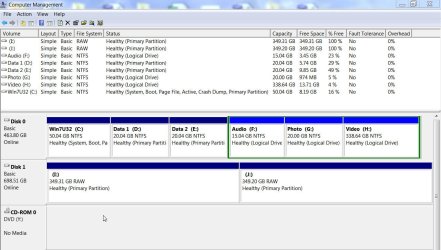
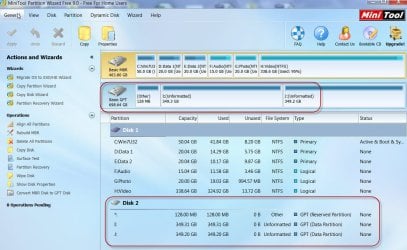
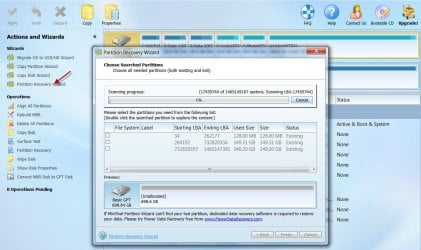
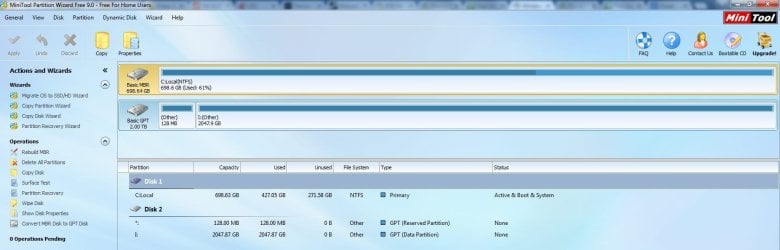
I have a 4TB seagate drive that turned RAW today Want me to format it...
After a couple hours of reading, i found that i have the same problem as this guy :
http://www.sevenforums.com/hardware...equires-formatting-read-raw-instead-ntfs.html
Jumanji helped him alot and in his post (page 6 of the included link), this note seems to be important but i don't know Bootice at all and it's all gibberish to me. Could someone help me understanding what he meant by this :
As a natural corollary of the above exercise I would suggest the following to the OP.
1. Check the last sectors of your Disk from n to n-32 with Bootice. If you find that the GPT backup exists in those sectors, I would say you have struck gold.
2. Save each sector starting from n to n-32.
3. Restore the nth sector to LBA 1 (sector 1), n-1 to LBA 2 and so on till you complete n-32 to LBA 33.
Effectively you would have restored the GPT, and Windows 7 should be able to see your drive as before.
I would be very grateful if someone could do a step by step to do this with pictures maybe using Bootice.
Thank you in advance
I have a 4TB seagate drive that turned RAW today
Want me to format it...After a couple hours of reading, i found that i have the same problem as this guy :
http://www.sevenforums.com/hardware...equires-formatting-read-raw-instead-ntfs.html
Jumanji helped him alot and in his post (page 6 of the included link), this note seems to be important but i don't know Bootice at all and it's all gibberish to me. Could someone help me understanding what he meant by this :
As a natural corollary of the above exercise I would suggest the following to the OP.
1. Check the last sectors of your Disk from n to n-32 with Bootice. If you find that the GPT backup exists in those sectors, I would say you have struck gold.
2. Save each sector starting from n to n-32.
3. Restore the nth sector to LBA 1 (sector 1), n-1 to LBA 2 and so on till you complete n-32 to LBA 33.
Effectively you would have restored the GPT, and Windows 7 should be able to see your drive as before.
I would be very grateful if someone could do a step by step to do this with pictures maybe using Bootice.
Thank you in advance
Last edited:
My Computer
At a glance
windows 7
- Computer type
- PC/Desktop
- OS
- windows 7

 - do not do anything on your own in a hurry.