Lollies
New member
- Local time
- 9:06 PM
- Messages
- 301
Background:
So last year I spent a large sum of money on what i thought would be my gaming computer. Shortly after purchasing the computer I starting doing less gaming and more graphic designing. I am trying to expand my knowledge of graphic design, as my fondness of it has become somewhat great in the past two or three years. It started with making avatars and such, etc... but I now find myself wanting to make decals and t-shirts designs. So the computer I once used for gaming I believe I will be using mainly for graphic design and occasional gaming.
SO
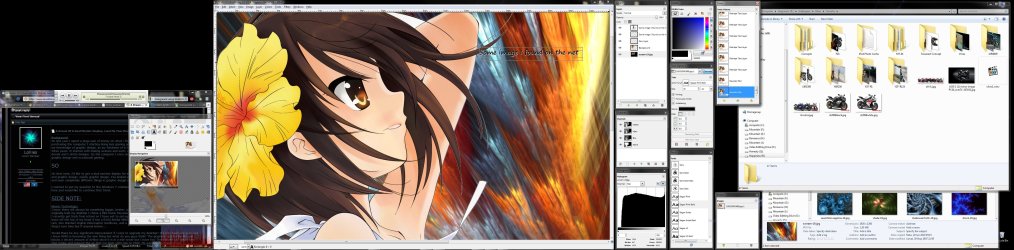
On that note, I'd like to get a dual monitor display for my desktop that would be good for both games and graphic design, mainly graphic design. I've looked around quite a bit but I've heard different opinions and seen completely different things in graphic design magazines.
I wanted to put my question to the Windows 7 community, I've always been pointed in the right direction here and would like to continue that trend.
SIDE NOTE:
Newer Technology:
I know there will always be something bigger, better, and faster coming out on the market but when I originally built my desktop I chose a Mid-tower because I didn't want a High-tower due to the size etc... I recently got back from school so I have yet to set-up my desktop so I can't look at the specs but I know off the top of my head it has a EVGA Nvidia 9800 GX2 graphics card, 8G of DDR2 Corsair Dominator ram, two Western Digital Velociraptor Hardrives, and a Intel quad Core processor. Some of the hardware I forgot over time but if anyone knows...
Would there be any significant improvement if i were to upgrade my desktop? It's only been one year and i know DDR3 is becoming the new thing but what do you guys think? The graphics card hardly fits and blocks a decent amount of airflow since it is in a mid-tower but I have two Thermaltake LED smart fans that intake and exhaust the air that run from 1300 rpm to 2300. Its suppose to change if the temperature rises but i dono if I have it setup properly for it to do so, has to do with complication with a display I have.
So last year I spent a large sum of money on what i thought would be my gaming computer. Shortly after purchasing the computer I starting doing less gaming and more graphic designing. I am trying to expand my knowledge of graphic design, as my fondness of it has become somewhat great in the past two or three years. It started with making avatars and such, etc... but I now find myself wanting to make decals and t-shirts designs. So the computer I once used for gaming I believe I will be using mainly for graphic design and occasional gaming.
SO
On that note, I'd like to get a dual monitor display for my desktop that would be good for both games and graphic design, mainly graphic design. I've looked around quite a bit but I've heard different opinions and seen completely different things in graphic design magazines.
I wanted to put my question to the Windows 7 community, I've always been pointed in the right direction here and would like to continue that trend.
SIDE NOTE:
Newer Technology:
I know there will always be something bigger, better, and faster coming out on the market but when I originally built my desktop I chose a Mid-tower because I didn't want a High-tower due to the size etc... I recently got back from school so I have yet to set-up my desktop so I can't look at the specs but I know off the top of my head it has a EVGA Nvidia 9800 GX2 graphics card, 8G of DDR2 Corsair Dominator ram, two Western Digital Velociraptor Hardrives, and a Intel quad Core processor. Some of the hardware I forgot over time but if anyone knows...
Would there be any significant improvement if i were to upgrade my desktop? It's only been one year and i know DDR3 is becoming the new thing but what do you guys think? The graphics card hardly fits and blocks a decent amount of airflow since it is in a mid-tower but I have two Thermaltake LED smart fans that intake and exhaust the air that run from 1300 rpm to 2300. Its suppose to change if the temperature rises but i dono if I have it setup properly for it to do so, has to do with complication with a display I have.
Sorry if it seems like I'm bragging, I'm just trying to give as much info as i can.
And if anyone knows why do graphic designers use macs versus windows? Just curious.
And if anyone knows why do graphic designers use macs versus windows? Just curious.
HUGH THANKS!
-Lollies
-Lollies
My Computer
At a glance
Windows 7 Ultimate x64Intel Core 2 Extreme QX9650 @ 3.00GHz 1333FSB 128G Corsair Dominator DDR2None LoL
- Computer Manufacturer/Model Number
- Self-Built
- OS
- Windows 7 Ultimate x64
- CPU
- Intel Core 2 Extreme QX9650 @ 3.00GHz 1333FSB 12
- Motherboard
- Asus Striker II Formula nForce 780i SLI Mainboard
- Memory
- 8G Corsair Dominator DDR2
- Graphics Card(s)
- None LoL
- Sound Card
- Creative Labs X-FI XtremeGamer 24-Bit PCI Sound Card
- Monitor(s) Displays
- None LoL
- Screen Resolution
- None LoL
- Hard Drives
- 2 Western Digital Raid-0 10,000 RPM Velociraptor's
- PSU
- Corsair AX850
- Case
- Corsair Graphite 600T
- Cooling
- Corsair H70
- Keyboard
- None LoL
- Mouse
- None LoL
- Internet Speed
- Download: 14.95 MB/s Upload: 2.88 MB/s
- Other Info
- 32" LG LCD TV
Astro A40 Audio System
Logitech Z-2300 Speakers
Microsoft Xbox 360 Slim
Rosewill External Enclosure