I was having the same issue after moving from Windows XP Pro and Outlook 2003.
Unfortunately, the Outlook folders do not exist prior to running Outlook for the first time, so there was not any place to copy the original Outlook files or the .NK2 file. Consequently, Outlook did not automatically import the .NK2 file into it's "Suggested Contacts" folder or into its Stream-Autocomplete...dat file.
The end user had worked for some time to rebuild the autocomplete data only to have it quit working October 17th.
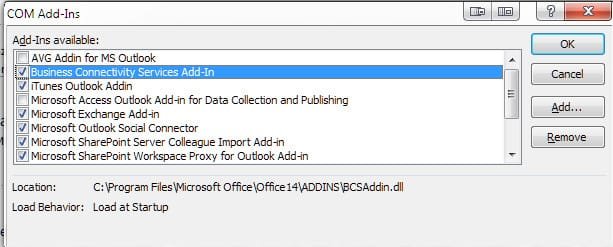
It appears that an iTunes Outlook add-in was updated at that time and for some reason, prevented Outlook from closing completely, which corrupted the primary .PST file, emptying the "Suggested Contacts" folder.
After copying his original .NK2 file to the proper directory (c:\Documents and Settings\Username\AppData\Local\Microsoft\Outlook), I ran outlook /importnk2 from the Start menu. It re-populated the "Suggested Contacts" folder, but Autocomplete still did not work continuously beyond Outlook sessions.
I ran scanpst.exe (usually located in c:\Program Files\Microsoft Office\Office14 older). It found and repared several errors and "Autocomplet" is functioning again.
Steve