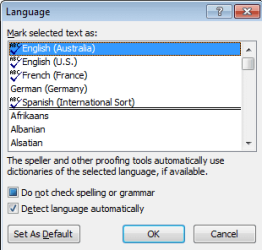
I am editing and revising documents that need to be in English (Australian).
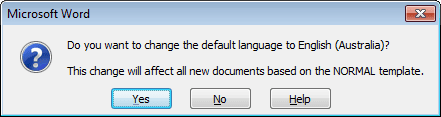
I am in Australia, working for an Australian company that has set the default language set accordingly by default:

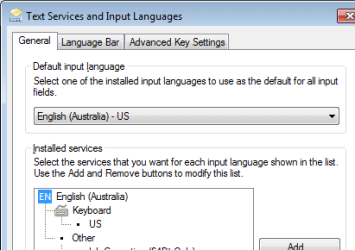
The Control Panel settings for language and keyboard seem correct (English-Australian and Us keyboard):
There was a thread on this forum with useful advice related to this topic here:
permanently-changing-default-language-english-uk:
The conclusion from Kari, who seemed to have the most in depth knowledge (and performed the most testing) was that the Windows input language overrides the Office settings (not much use for the Office setting!?).
That said, it would seem that my system is in compliance with the best advice from that thread. However,
I keep getting the automatic spell check flagging words as misspelled according to the US dictionary.
I have selected the entire document (Ctrl-a) and set the proofing language to English(Australian) several times, but the problem keeps recurring.
Any ideas why?
I am in Australia, working for an Australian company that has set the default language set accordingly by default:
The Control Panel settings for language and keyboard seem correct (English-Australian and Us keyboard):
There was a thread on this forum with useful advice related to this topic here:
permanently-changing-default-language-english-uk:
The conclusion from Kari, who seemed to have the most in depth knowledge (and performed the most testing) was that the Windows input language overrides the Office settings (not much use for the Office setting!?).
That said, it would seem that my system is in compliance with the best advice from that thread. However,
I keep getting the automatic spell check flagging words as misspelled according to the US dictionary.
I have selected the entire document (Ctrl-a) and set the proofing language to English(Australian) several times, but the problem keeps recurring.
Any ideas why?
My Computer
At a glance
Work Win 7, Home Win 10
- Computer type
- PC/Desktop
- OS
- Work Win 7, Home Win 10