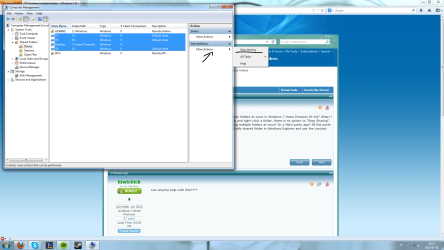
Hi there, Can someone tell if how to stop sharing multiple folders at once in Windows 7 Home Premium 64-bit? When I go to Computer Management / Shared Folders / Shares and right-click a folder, there is no option to "Stop Sharing". Is there a way to fix this or another way to stop sharing multiple folders at once? Or a third-party app? All the posts I have found online just resort to going to each individually shared folder in Windows Explorer and use the context menu to unshare them one-by-one. Cheers.
My Computer
- Computer Manufacturer/Model Number
- Acer Aspire 5741
- OS
- windows 7 Home Premium
- CPU
- Intel Core i5 @ 2.27GHz 32nm Technology
- Motherboard
- Acer Aspire 5741 (CPU)
- Memory
- DDR3 4.0GB
- Graphics Card(s)
- Intel(R) Graphics Media Accelerator HD
- Sound Card
- Realtek High Definition Audio Intel(R) Display Audio
- Monitor(s) Displays
- Generic PnP Monitor on Intel Graphics Media Accelerator HD
- Screen Resolution
- 1366x768
- Hard Drives
- Seagate 2.5" SATA 500GB
- Keyboard
- Synaptics PS/2 Port TouchPad
- Mouse
- Microsoft Comfort Mouse 4500 (IntelliPoint)