betaupsilon
New member
- Local time
- 3:47 PM
- Messages
- 179
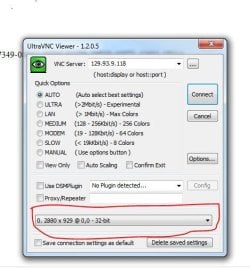
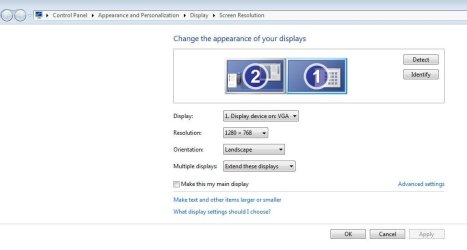
I have installed UltraVNC on a WIN7 HOME PREM so that it can act as a host. I have successfully connected to it via WIN PROF machine. I have 2 monitors on both machines. However, UltraVNC VIEWER on the WIN7 PROF machine only displays on 1 monitor. When I look at the CONNECTION OPTIONS within UltraVNC VIEWER I do not see the ability to display with 2 monitors.
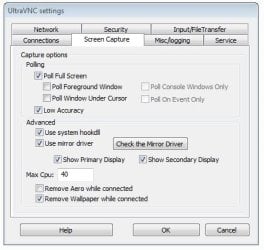
On the WIN7 HOME PREM machine I can view the UltraVNC SERVER settings & under the SCREEN CAPTURE tab I have checked the box for SHOW SECONDARY DISPLAY. I have also checked USE MIRROR DRIVER & USE SYSTEM HOOKDLL.
What else am I missing?
Appreciate any input from an experienced UltraVNC user. The documentation on their website is pretty dismal.
On the WIN7 HOME PREM machine I can view the UltraVNC SERVER settings & under the SCREEN CAPTURE tab I have checked the box for SHOW SECONDARY DISPLAY. I have also checked USE MIRROR DRIVER & USE SYSTEM HOOKDLL.
What else am I missing?
Appreciate any input from an experienced UltraVNC user. The documentation on their website is pretty dismal.
My Computer
At a glance
Windows 7 Home Prem 32 bit
- Computer type
- PC/Desktop
- OS
- Windows 7 Home Prem 32 bit