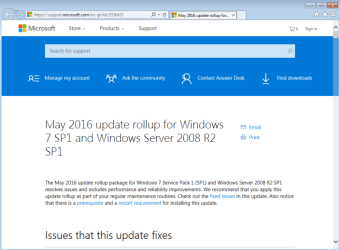
While we’ve spent a lot of time over the past year talking about Windows 10 (including new roadmap details), we know that organizations are still working with Windows 7 too, regularly updating their Windows 7 SP1 images to include the latest updates, app versions, and more. For those that are involved in that process, you’ve probably seen a display like this too many times:
New Windows 7 SP1 convenience rollup makes image creation much faster
We’re happy to announce today that we’re making available a new convenience rollup for Windows 7 SP1 that will help. This convenience rollup package, available to download from Microsoft Update Catalog, contains all the security and non-security fixes released since the release of Windows 7 SP1 that are suitable for general distribution, up through April 2016. Install this one update, and then you only need new updates released after April 2016.
And since this update can be injected into Windows 7 SP1 media, it’s fully supported to mount a Windows 7 SP1 image (WIM file), then inject this update into it. See https://technet.microsoft.com/en-us/library/dd744559(v=ws.10).aspx for the details of how to do this.
This convenience update is completely optional; it doesn’t have to be installed and won’t even be offered via Windows Update – you can choose whether or not you want to use it.
We hope that you find this convenience rollup package useful. This same convenience rollup also applies to Windows Server 2008 R2.
Monthly Rollups
Also today we are announcing that non-security updates for Windows 7 SP1 and Windows 8.1 (as well as Windows Server 2008 R2 SP1, Windows Server 2012 and Windows Server 2012 R2) will be available as a monthly rollup (fixes rolled up together into a single update). Each month, we will release a single update containing all of the non-security fixes for that month. We are making this change – shifting to rollup updates, to improve the reliability and quality of our updates.
These fixes will be available through Windows Update, WSUS, and SCCM as well as the Microsoft Update catalog. We hope this monthly rollup update simplifies your process of keeping Windows 7, and 8.1 up-to-date.
Simplifying finding and downloading updates
Updates have historically been published on the Microsoft Download Center and the Microsoft Update Catalog. Security Bulletins have linked directly to update packages on the Microsoft Download Center. To simplify this, within the next few months Windows updates will no longer be available from the Microsoft Download Center. Security bulletins will continue to link directly to the updates, but will point to the packages on the Microsoft Update Catalog instead of the Microsoft Download Center. Customers that use tools linking to the Microsoft Download Center should follow the links provided in the Security Bulletins or search directly on the Microsoft Update Catalog.
For those who aren’t familiar with the Microsoft Update Catalog website, note that it still requires using Internet Explorer at this point because of an ActiveX control used. Later this summer, we will be updating the site to eliminate the ActiveX control in order to support other browsers.
As always, all updates will still be available via WSUS, SCCM, and Windows Update – this change is only for manual downloads.

Source: Simplifying updates for Windows 7 and 8.1 | Windows for IT Pros
My Computer
At a glance
64-bit Windows 11 Pro for WorkstationsIntel i7-8700K OC'd to 5 GHz64 GB (4x16GB) G.SKILL TridentZ RGB DDR4 3600...ASUS ROG-STRIX-GTX1080TI-O11G-GAMING
- Computer type
- PC/Desktop
- Computer Manufacturer/Model Number
- Self built custom
- OS
- 64-bit Windows 11 Pro for Workstations
- CPU
- Intel i7-8700K OC'd to 5 GHz
- Motherboard
- ASUS ROG Maximus XI Formula Z390
- Memory
- 64 GB (4x16GB) G.SKILL TridentZ RGB DDR4 3600 MHz
- Graphics Card(s)
- ASUS ROG-STRIX-GTX1080TI-O11G-GAMING
- Sound Card
- Integrated
- Monitor(s) Displays
- 2 x Samsung Odyssey G7 27"
- Screen Resolution
- 2560x1440
- Hard Drives
- 1TB Samsung 990 PRO M.2,
4TB Samsung 990 PRO PRO M.2,
TerraMaster F8 SSD Plus NAS
- PSU
- Seasonic Prime Titanium 850W
- Case
- Thermaltake Core P3
- Cooling
- Corsair Hydro H115i
- Keyboard
- Logitech wireless K800
- Mouse
- Logitech MX Master 4
- Internet Speed
- 2 Gb/s Download and 100 Mb/s Upload
- Antivirus
- Malwarebyte Anti-Malware Premium
- Browser
- Google Chrome
- Other Info
- Logitech Z625 speaker system,
Logitech BRIO 4K Pro webcam,
HP Color LaserJet Pro MFP M477fdn,
APC SMART-UPS RT 1000 XL - SURT1000XLI,
Galaxy S23 Plus phone