

I found myself once again having to do maintenance on my Mom's Laptop. After realizing just how hot it was running I decided to do something about it.
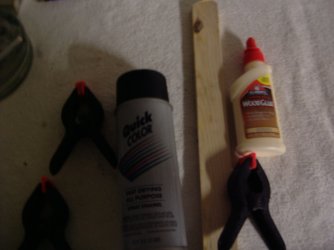
Here's what you'll need.
4 paint stir sticks from any hardware store
A small tube of wood glue
A couple of clamps
A handsaw or some kind of saw of your choosing
And sandpaper I used my drill and a couple different grits.
A small can of Black or whatever color paint you choose
And since My Mom is a stickler for perfection she choose to buy a packet of round Velcro foot stands to protect her desktop.
First measure and cut the 4 sticks to length.
Using the wood glue and clamps, clamp then together
Once they have dried then if you cut them straight you can use a heavy grit paper to round off the edges.
I then used a finer grit to finish sand the now 2 sticks.
Clean off the sticks and paint.
Once the paint has dried you can apply the Velcro foot pads
Now you can place one at the back of your laptop and one 1 the front.
I've tried to show the laptop before and after raising it enough to put my finger under it.
As you can see I'm not a photographer and have a lousy camera but I think you'll get the idea.
This lower the temp between 5-6c which for the less than an hour I spent doing this I think was worth it.
What is needed
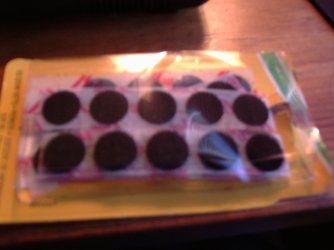
Cut to length glued together and clamped
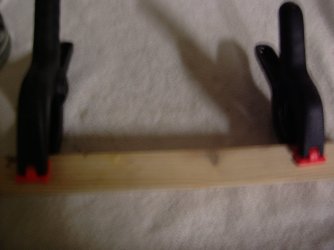
after sanding, paint and footpads are added
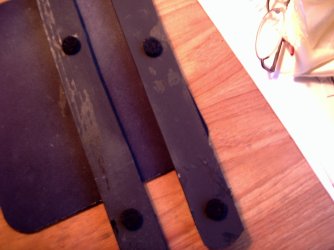
Clearance before is only about 1/4 inch
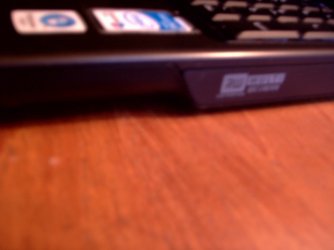
Clearance after is about 3/8 to 1/2in lowering temp 5-6c
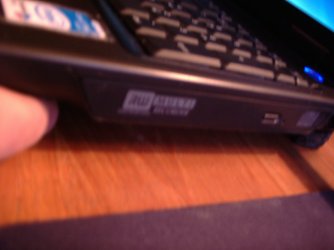
Hope this might help some others with their laptops and excessive heat. cost under $10.00
Thanks.Fabe
Here's what you'll need.
4 paint stir sticks from any hardware store
A small tube of wood glue
A couple of clamps
A handsaw or some kind of saw of your choosing
And sandpaper I used my drill and a couple different grits.
A small can of Black or whatever color paint you choose
And since My Mom is a stickler for perfection she choose to buy a packet of round Velcro foot stands to protect her desktop.
First measure and cut the 4 sticks to length.
Using the wood glue and clamps, clamp then together
Once they have dried then if you cut them straight you can use a heavy grit paper to round off the edges.
I then used a finer grit to finish sand the now 2 sticks.
Clean off the sticks and paint.
Once the paint has dried you can apply the Velcro foot pads
Now you can place one at the back of your laptop and one 1 the front.
I've tried to show the laptop before and after raising it enough to put my finger under it.
As you can see I'm not a photographer and have a lousy camera but I think you'll get the idea.
This lower the temp between 5-6c which for the less than an hour I spent doing this I think was worth it.
What is needed
Cut to length glued together and clamped
after sanding, paint and footpads are added
Clearance before is only about 1/4 inch
Clearance after is about 3/8 to 1/2in lowering temp 5-6c
Hope this might help some others with their laptops and excessive heat. cost under $10.00
Thanks.Fabe
Last edited:
My Computer
At a glance
Windows 7 ultimate 64 bit / XP Home sp3intel Core 2 Duo E8400 3.0ghz8 gigs 1066 OCZ Fata1tyEVGA GTX 580 Call of Duty Black Ops Edition
- Computer Manufacturer/Model Number
- Self Built
- OS
- Windows 7 ultimate 64 bit / XP Home sp3
- CPU
- intel Core 2 Duo E8400 3.0ghz
- Motherboard
- Asus P5ND bios 1401
- Memory
- 8 gigs 1066 OCZ Fata1ty
- Graphics Card(s)
- EVGA GTX 580 Call of Duty Black Ops Edition
- Sound Card
- Creative Soundblaster Audigy 2zs
- Monitor(s) Displays
- Asus 24in LCD's 2MS X2
- Screen Resolution
- 1920x1080p @60Hz
- Hard Drives
- WD Caviar 500 Black/ WD Caviar 200 Blue
- PSU
- OCZ 700W GameXtreme
- Case
- NZXT Apollo
- Cooling
- Corsair H50 CPU/120mm x3 /60mm x2 /Corsair Dominator Ram
- Keyboard
- Logitech Bluetooth Wireless MX5000
- Mouse
- Logitech Bluetooth Wireless MX1000
- Internet Speed
- Download 19.83 Upload 0.97
- Other Info
- Logitech Z2300 Speakers/ Bose Noise Cancelling Headphones/Avermedia PCI-e Hybrid TV Bravo/Epson NX415 all in one/ 4 Port Powered USB Hub/ LG 10x Bluray Burner /TSST Corp DVDRW External


