Chkdsk runs everytime I restart

My experience tells me that one of your disks is slowly undergoing serious corruption. Thankfully most modern disks have a built-in hardware monitoring system called SMART and special programs are able to read this SMART info (even for external USB disks).

Therefore I'd recommend downloading a trial version of Hard Disk Sentinel (Hard Disk Sentinel - HDD health and temperature monitoring) and performing tests on your disks. Only if HDSentinel says their health is 100%, then it makes sense to look for software (Windows) problems.

Tanks and good point. the tiral version however doesnt provide the required tests See: Hard Disk Sentinel store

The other tests I ran to date all passed.
 

My Computer My Computer

At a glance

DELL Win 7 Home Premium 64 BitIntel Core i7-930 (8MB L2, 2.8GHz) // ntel Co...16GB // 18GB DDR3 SDRAM 1333Mhhz 6 DIMMS (3x2...AMD HD7570 // AMD Radeon HD6750 // ATI Radeon...
Computer type
PC/Desktop
Computer Manufacturer/Model Number
DELL XPS 8500 // DELL XPS Studio 9100 // DELL Dim 9200
OS
DELL Win 7 Home Premium 64 Bit
CPU
Intel Core i7-930 (8MB L2, 2.8GHz) // ntel Core 2 Quad Q6600
Motherboard
?? // Dell A02 BIOS // ??
Memory
16GB // 18GB DDR3 SDRAM 1333Mhhz 6 DIMMS (3x2, 3x4) //4 GB
Graphics Card(s)
AMD HD7570 // AMD Radeon HD6750 // ATI Radeon HD5670 1 GB GD
Sound Card
?? // THX TruStudio PC //?
Monitor(s) Displays
Dual Dell 2405 WFP-HC24 //SAmsung 27" // Triple 19" LCD
Screen Resolution
1900 x 1200
Hard Drives
Main :WD Caviar Black 1 TB SATA WD1002FAEX
Backup :WD Caviar Black 1 TB SATA WD1002FAEX
PSU
?? // Ultra 900W // ??
Did you memtest the ram for a couple of loops?
 

My Computer My Computer

At a glance

Microsoft Windows 10 Professional / Windows 7...Intel i5-357016GB DDR3AMD Radeon HD 7850 2GB
Computer type
PC/Desktop
OS
Microsoft Windows 10 Professional / Windows 7 Professional
CPU
Intel i5-3570
Motherboard
Lenovo Mahobay
Memory
16GB DDR3
Graphics Card(s)
AMD Radeon HD 7850 2GB
Sound Card
(1) Realtek HD Audio (2) AMD HD Audio
Monitor(s) Displays
LG LS192WS
Screen Resolution
1440 x 900 @ 32bit color
Hard Drives
(1) SUV300S37A/120G (2) ST3500413AS SATA Disk Device AHCI mode enabled.
PSU
Corsair HX620
Case
Thermaltake V4 Black Edition
Cooling
Cooler Master Hyper 212 + Artic Silver 5 on CPU/GPU
Keyboard
Dell SK-8115
Mouse
Razer Copperhead with MAPED mat (awesome!)
Internet Speed
100 Mbps up/down
Browser
Chrome

My Computer My Computer

At a glance

DELL Win 7 Home Premium 64 BitIntel Core i7-930 (8MB L2, 2.8GHz) // ntel Co...16GB // 18GB DDR3 SDRAM 1333Mhhz 6 DIMMS (3x2...AMD HD7570 // AMD Radeon HD6750 // ATI Radeon...
Computer type
PC/Desktop
Computer Manufacturer/Model Number
DELL XPS 8500 // DELL XPS Studio 9100 // DELL Dim 9200
OS
DELL Win 7 Home Premium 64 Bit
CPU
Intel Core i7-930 (8MB L2, 2.8GHz) // ntel Core 2 Quad Q6600
Motherboard
?? // Dell A02 BIOS // ??
Memory
16GB // 18GB DDR3 SDRAM 1333Mhhz 6 DIMMS (3x2, 3x4) //4 GB
Graphics Card(s)
AMD HD7570 // AMD Radeon HD6750 // ATI Radeon HD5670 1 GB GD
Sound Card
?? // THX TruStudio PC //?
Monitor(s) Displays
Dual Dell 2405 WFP-HC24 //SAmsung 27" // Triple 19" LCD
Screen Resolution
1900 x 1200
Hard Drives
Main :WD Caviar Black 1 TB SATA WD1002FAEX
Backup :WD Caviar Black 1 TB SATA WD1002FAEX
PSU
?? // Ultra 900W // ??
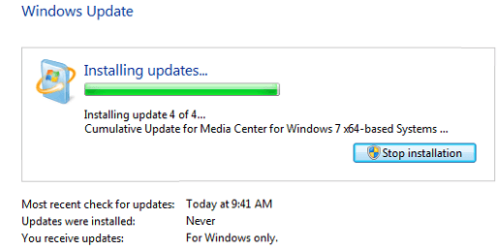
The self destruct cycle of death begins again.... ( I as "so" close...)

- did the fresh factory install
- all good
- got the Windwos Update prompt for 70 + updates
- selected only the first 4
- its stuck on the last one (4 of 4) for that last 30 minutes

Kill it now?

So does this mean it 'is' the hard drive?

For $50, I can reaplce it anyway to be sure ( but of coruse must pass thru clone hell and all the potential grief that can bring).

See how it never ends ??? .....
 

Attachments

  • factory_4.PNG
    factory_4.PNG
    12.8 KB · Views: 3

My Computer My Computer

At a glance

DELL Win 7 Home Premium 64 BitIntel Core i7-930 (8MB L2, 2.8GHz) // ntel Co...16GB // 18GB DDR3 SDRAM 1333Mhhz 6 DIMMS (3x2...AMD HD7570 // AMD Radeon HD6750 // ATI Radeon...
Computer type
PC/Desktop
Computer Manufacturer/Model Number
DELL XPS 8500 // DELL XPS Studio 9100 // DELL Dim 9200
OS
DELL Win 7 Home Premium 64 Bit
CPU
Intel Core i7-930 (8MB L2, 2.8GHz) // ntel Core 2 Quad Q6600
Motherboard
?? // Dell A02 BIOS // ??
Memory
16GB // 18GB DDR3 SDRAM 1333Mhhz 6 DIMMS (3x2, 3x4) //4 GB
Graphics Card(s)
AMD HD7570 // AMD Radeon HD6750 // ATI Radeon HD5670 1 GB GD
Sound Card
?? // THX TruStudio PC //?
Monitor(s) Displays
Dual Dell 2405 WFP-HC24 //SAmsung 27" // Triple 19" LCD
Screen Resolution
1900 x 1200
Hard Drives
Main :WD Caviar Black 1 TB SATA WD1002FAEX
Backup :WD Caviar Black 1 TB SATA WD1002FAEX
PSU
?? // Ultra 900W // ??
Do you have a Dell Win7 Installation DVD which is provided to get the superior clean reinstall? If not where did you get the Win7 DVD? Did you burn it yourself? There are no files on the partition you deleted which are required for install and the error normally means there is a problem with the installation media.

Make sure you are booting the DVD correctly: How to Boot your Computer from a Bootable CD or DVD

If this fails, use the Dell one-time BIOS Boot Menu key to trigger the DVD. What happens exactly? We need the error message verbatim instead of a lot of drama.

Next wipe the HD to overwrite any possible boot sector corruption: SSD - HDD Optimize for Windows Reinstallation

Run the HD maker's diagnostics/repair extended CD scan to get a definitive answer: HD Diagnostic

Run Dell Diagnostics from the hotkey given on first boot screen, or from All Programs.

Try the clean reinstall again.

If you want to continue troubleshooting the factory recovery you did, let the Updates run longer to see what happens.
 
You have a Dell Win7 Installation DVD, correct? If not where did you get the Win7 DVD? Did you burn it yourself? There are no files on the partition you deleted which are required for install and this error normally means there is a problem with the installation media.

Make sure you are booting the DVD correctly: How to Boot your Computer from a Bootable CD or DVD

If this fails, use the Dell one-time BIOS Boot Menu key to trigger the DVD. What happens exactly?

Then follow the steps I gave you to get a perfect clean reinstall.


Just bear with me a moment. I ONLY booted from the DVD . It booted fine, but when I started deleting partItions, things went south. I then put the Win 7 DVD aside and restored back to FACTORY settings, which is where I am now.

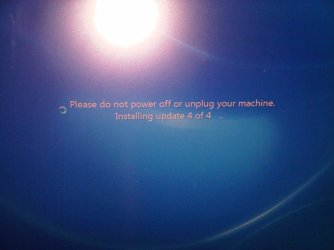
BUT ALL THAT IS A MOOT POINT NOW. I NEED TO REDO IT ALL OVER AGAIN ANYWAY ---- as those Windows updates are crashing again. See screen below, which is a no-win situation. Its been there for 60 minutes.

SO THIS TIME, I AM STARTING SUPER SUPER FRESH , NEW VIRGIN HARD DRIVE (LEAVING RIGHT NOW TO BUY IT) AND THE DELL WIN 7 OEM INSTALL DVD. SURELY WITH GUIDANCE HERE, THIS WILL WORK !!

So my next question is this:

I have a few options in terms of connections (and EVEN cloning) re
- the current Main Drive : Hitachi (flakey)
- the current Back up Drive : WDC Black (good)
- the new shrink wrapped brand new WDC Green

Should I do this? :


  1. Disk 1: Remove the flakey drive completely - CONSIDER IT USELESS.
  2. Connect the BRAND new unformatted WDC Green in its place ( as first SATA drive)
  3. Disconenct for now, the Back up Drive : WDC Black ( good)
  4. Boot with Win 7 DVD Install and have it format and install to the brand new drive - the only one there.
  5. When all the dust settles, reconnect the backup drive
PLEASE CONFIRM !
 

Attachments

  • WIN7-4.jpg
    WIN7-4.jpg
    55.9 KB · Views: 3

My Computer My Computer

At a glance

DELL Win 7 Home Premium 64 BitIntel Core i7-930 (8MB L2, 2.8GHz) // ntel Co...16GB // 18GB DDR3 SDRAM 1333Mhhz 6 DIMMS (3x2...AMD HD7570 // AMD Radeon HD6750 // ATI Radeon...
Computer type
PC/Desktop
Computer Manufacturer/Model Number
DELL XPS 8500 // DELL XPS Studio 9100 // DELL Dim 9200
OS
DELL Win 7 Home Premium 64 Bit
CPU
Intel Core i7-930 (8MB L2, 2.8GHz) // ntel Core 2 Quad Q6600
Motherboard
?? // Dell A02 BIOS // ??
Memory
16GB // 18GB DDR3 SDRAM 1333Mhhz 6 DIMMS (3x2, 3x4) //4 GB
Graphics Card(s)
AMD HD7570 // AMD Radeon HD6750 // ATI Radeon HD5670 1 GB GD
Sound Card
?? // THX TruStudio PC //?
Monitor(s) Displays
Dual Dell 2405 WFP-HC24 //SAmsung 27" // Triple 19" LCD
Screen Resolution
1900 x 1200
Hard Drives
Main :WD Caviar Black 1 TB SATA WD1002FAEX
Backup :WD Caviar Black 1 TB SATA WD1002FAEX
PSU
?? // Ultra 900W // ??
There isn't anything that deleting partitions can possibly do to mess up a successful clean reinstall. It is the recommended way to start fresh with a clean reinstall of Win7. As stated the errors sounds like the DVD is faulty or a bad burn, which is why I asked where you got it.

Choose the HD you want to use for install, unplug all others, boot the DVD to clean reinstall following these steps exactly: Reinstalling Windows 7

Report back any error message verbatim.

You can also boot to run the Factory Recovery disks if clean reinstall fails again, or let us help you troubleshoot it to success as we do here every day.

After install plug back in your backup drive.

Run the Hitachi Drive Fitness extended CD test as advised to test the questionable HD, lest you are only guessing.
 
There isn't anything that deleting partitions can possibly do to mess up a successful clean reinstall. It is the recommended way to start fresh with a clean reinstall of Win7. As stated the errors sounds like the DVD is faulty or a bad burn, which is why I asked where you got it.

Choose the HD you want to use for install, unplug all others, boot the DVD to clean reinstall following these steps exactly: Reinstalling Windows 7

Report back any error message verbatim.

You can also boot to run the Factory Recovery disks if clean reinstall fails again, or let us help you troubleshoot it to success as we do here every day.

After install plug back in your backup drive.

Run the Hitachi Drive Fitness extended CD test as advised to test the questionable HD, lest you are only guessing.

Please be patient with me.

As to where I got the recovery DVDs from, sorry I messed that question - a little stressful here - these were the ones that Dell Backup propmted me to create in Jan 2011 when I received teh machine. Glad I did.

As to the HITACHI test - I already unsuccessfuly tried to run it - see earlier post this thread) but can try again later. Will need those result to make a claim with Dell.

Right now, the system is stuck on the screen shot above, and I cannot boot from any DVD anymore. F2 and F12 do nothing. I hope my BIOS isnt clobbered as well. That would jsut be icing on the cake.

So, the new hard drive is next. I have the new drive in hand and will be openng up the case now to remove both exsitng drives and install the new one only.


Stay tuned..
 

My Computer My Computer

At a glance

DELL Win 7 Home Premium 64 BitIntel Core i7-930 (8MB L2, 2.8GHz) // ntel Co...16GB // 18GB DDR3 SDRAM 1333Mhhz 6 DIMMS (3x2...AMD HD7570 // AMD Radeon HD6750 // ATI Radeon...
Computer type
PC/Desktop
Computer Manufacturer/Model Number
DELL XPS 8500 // DELL XPS Studio 9100 // DELL Dim 9200
OS
DELL Win 7 Home Premium 64 Bit
CPU
Intel Core i7-930 (8MB L2, 2.8GHz) // ntel Core 2 Quad Q6600
Motherboard
?? // Dell A02 BIOS // ??
Memory
16GB // 18GB DDR3 SDRAM 1333Mhhz 6 DIMMS (3x2, 3x4) //4 GB
Graphics Card(s)
AMD HD7570 // AMD Radeon HD6750 // ATI Radeon HD5670 1 GB GD
Sound Card
?? // THX TruStudio PC //?
Monitor(s) Displays
Dual Dell 2405 WFP-HC24 //SAmsung 27" // Triple 19" LCD
Screen Resolution
1900 x 1200
Hard Drives
Main :WD Caviar Black 1 TB SATA WD1002FAEX
Backup :WD Caviar Black 1 TB SATA WD1002FAEX
PSU
?? // Ultra 900W // ??
You can stop the CHKDSK with the CHKNTFS command

C:\Windows\system32>chkntfs /?
Displays or modifies the checking of disk at boot time.

CHKNTFS volume [...]
CHKNTFS /D
CHKNTFS /T[:time]
CHKNTFS /X volume [...]
CHKNTFS /C volume [...]

volume Specifies the drive letter (followed by a colon),
mount point, or volume name.
/D Restores the machine to the default behavior; all drives are
checked at boot time and chkdsk is run on those that are
dirty.
/T:time Changes the AUTOCHK initiation countdown time to the
specified amount of time in seconds. If time is not
specified, displays the current setting.
/X Excludes a drive from the default boot-time check. Excluded
drives are not accumulated between command invocations.
/C Schedules a drive to be checked at boot time; chkdsk will run
if the drive is dirty.

If no switches are specified, CHKNTFS will display if the specified drive is
dirty or scheduled to be checked on next reboot.
 

My Computer My Computer

At a glance

Vista, Windows7, Mint Mate, Zorin, Windows 8from 1.6GHz Duo to i7
Computer Manufacturer/Model Number
HP, Dell, Gateway, Toshiba - 4 laptops and 2 desktops
OS
Vista, Windows7, Mint Mate, Zorin, Windows 8
CPU
from 1.6GHz Duo to i7
Monitor(s) Displays
2x HP w2207
Hard Drives
5x HDD, 7x SSD, 12x Externals
Keyboard
with trackball - no mices
Mouse
Trackball mice
Internet Speed
DSL 6000
I was referring to the Win7 installation DVD which is sometimes provided by Dell and contains a clean copy of Win7 onlly along with auto-activation, not the Recovery DVD's which contain the factory image with all its preinstalled bloatware. Do you have this DVD which provides a cleaner install?

Let us know how the reinstallation or recovery goes with the new HD. It may well solve the problem.
 
I was referring to the Win7 installation DVD which is sometimes provided by Dell and contains a clean copy of Win7 onlly along with auto-activation, not the Recovery DVD's which contain the factory image with all the preinstalled bloatware. Do you have this DVD which provides a cleaner install?

Let us know how the reinstallation or recovery goes with the new HD.
oh .. yes, my reference to the Win 7 Insall DVD was indeed the DELL Win 7 DVD

----------

OK back to the new install, I am really trying to do this right and do it once...

I need to ask ( as this is the step I massed up last time) ..

So I going to have one virgin drive installed, and one shiney Dell Win 7 install DVD. I am gonig to boot from that DVD, My questions are this:

QUESTION 1) On this tutorial, http://www.sevenforums.com/tutorials/1649-clean-install-windows-7-a.html, after step 6, when I expect to see the Disk 0 Unallocated Spece partition, the instrcutions "If the hard drive or partition that you have selected is unallocted, then you can just click on the Next button instead and go to step 9 since it is already empty. "

So, to be clear, there is
- no need to use Drive options to Format ?
- no need to hit New to Create partitiion ??

Correct?

QUESTION 2) I do intend to split the large 1 TB drive, (ie to create Data parttion) but it is so much easier (for me) to do that later, using Disk Management, ie shirnk the C and create a D drive. I assume this is acceptable - correct???
 

My Computer My Computer

At a glance

DELL Win 7 Home Premium 64 BitIntel Core i7-930 (8MB L2, 2.8GHz) // ntel Co...16GB // 18GB DDR3 SDRAM 1333Mhhz 6 DIMMS (3x2...AMD HD7570 // AMD Radeon HD6750 // ATI Radeon...
Computer type
PC/Desktop
Computer Manufacturer/Model Number
DELL XPS 8500 // DELL XPS Studio 9100 // DELL Dim 9200
OS
DELL Win 7 Home Premium 64 Bit
CPU
Intel Core i7-930 (8MB L2, 2.8GHz) // ntel Core 2 Quad Q6600
Motherboard
?? // Dell A02 BIOS // ??
Memory
16GB // 18GB DDR3 SDRAM 1333Mhhz 6 DIMMS (3x2, 3x4) //4 GB
Graphics Card(s)
AMD HD7570 // AMD Radeon HD6750 // ATI Radeon HD5670 1 GB GD
Sound Card
?? // THX TruStudio PC //?
Monitor(s) Displays
Dual Dell 2405 WFP-HC24 //SAmsung 27" // Triple 19" LCD
Screen Resolution
1900 x 1200
Hard Drives
Main :WD Caviar Black 1 TB SATA WD1002FAEX
Backup :WD Caviar Black 1 TB SATA WD1002FAEX
PSU
?? // Ultra 900W // ??
Are you using the 1tb drive you referred to for the installation? If so I would create your partitions in advance using the installer's Custom>Drive Options to partition as you wish, rather than later struggling to shrink such a large partition with Disk Mgmt.

First create your install partition, which on an empty drive will also create the 100mb System reserved partition which is fine. Then either leave the space to its right empty to Create/Format your data partition later, or do it now. Then you can click Next.

If you already created just the one OS partition, that's fine too, but you may need to use free Partition Wizard bootable CD to successfully shrink such a huge partition at boot when no OS files are running.
 
Are you using the 1tb drive you referred to for the installation? If so I would create your partitions in advance using the installer's Custom>Drive Options to partition as you wish, rather than later struggling to shrink such a large partition with Disk Mgmt.

First create your install partition, which on an empty drive will also create the 100mb System reserved partition which is fine. Then either leave the space to its right empty to Create/Format your data partition later, or do it now. Then you can click Next.

If you already created just the one OS partition, that's fine too, but you may need to use free Partition Wizard bootable CD to successfully shrink such a huge partition at boot when no OS files are running.


Thanks for sticking with me.

For those of us who dont do this every day, the process is unbelievably frustrating.

Yes new 1 TB drive ; Dell Win DVD. Nothing else connencted

Okay, here is the play by play:

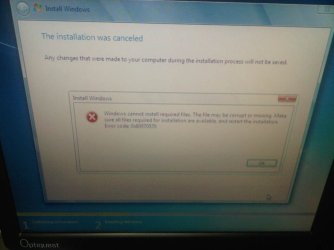
1) Before I got your reply, I started the process, and follwed the tutorial instructions to the letter which said to hit NEXT. I let it complete only to get the error below. I am really suprised at this one - thought this was the simplest cleanest option of all.

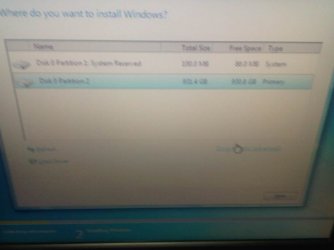
2) So I let it reset ,and then presented me with the partitions it created from the first attempt - the 100MB reserved System Partition, and a large Primary one.

3) All the drive options at that point re new / delete /create/ formqt were grayed out. And all I could select was the reserve System partition or the large priamry partition So, I selected the large primary one, and again let it install.

4) Again I got the "installation was cancelled" error message

Please advise next steps.. I am currently looking at the erro message. Pulling my hair out.
 

Attachments

  • new-1.jpg
    new-1.jpg
    52.2 KB · Views: 9
  • new-2.jpg
    new-2.jpg
    36.7 KB · Views: 6

My Computer My Computer

At a glance

DELL Win 7 Home Premium 64 BitIntel Core i7-930 (8MB L2, 2.8GHz) // ntel Co...16GB // 18GB DDR3 SDRAM 1333Mhhz 6 DIMMS (3x2...AMD HD7570 // AMD Radeon HD6750 // ATI Radeon...
Computer type
PC/Desktop
Computer Manufacturer/Model Number
DELL XPS 8500 // DELL XPS Studio 9100 // DELL Dim 9200
OS
DELL Win 7 Home Premium 64 Bit
CPU
Intel Core i7-930 (8MB L2, 2.8GHz) // ntel Core 2 Quad Q6600
Motherboard
?? // Dell A02 BIOS // ??
Memory
16GB // 18GB DDR3 SDRAM 1333Mhhz 6 DIMMS (3x2, 3x4) //4 GB
Graphics Card(s)
AMD HD7570 // AMD Radeon HD6750 // ATI Radeon HD5670 1 GB GD
Sound Card
?? // THX TruStudio PC //?
Monitor(s) Displays
Dual Dell 2405 WFP-HC24 //SAmsung 27" // Triple 19" LCD
Screen Resolution
1900 x 1200
Hard Drives
Main :WD Caviar Black 1 TB SATA WD1002FAEX
Backup :WD Caviar Black 1 TB SATA WD1002FAEX
PSU
?? // Ultra 900W // ??
Delete the second partition, select a smaller size (around 100gb is good) for the OS, Create and Format it.

Make sure all other HD"s and peripherals are unplugged. Try install again.

If it fails then without rebooting try Install again doublechecking your partitioning is correct.

Next write the DVD ISO to flash stick to try install: Install UltraISO trial version, on File tab Open DVD or ISO, on BOotable Tab choose Write Disk Image, Format, Write. Boot under USB, Removable, HD's on one-time BIOS Boot Menu or by setting first to boot in BIOS setup.

Next make sure you have the latest BIOS version update from Dell Support Downloads webpage for your tag number. If so reboot and tap F2 key to enter Dell BIOS setup to reset the CMOS: Clear CMOS - 3 Ways to Clear the CMOS - Reset BIOS .

While in BIOS setup, check SATA controller setting. Set to AHCI first to try install. If fails, try ATA/IDE.

Confirm you have tested RAM - Test with Memtest86+ for 5-6 passes, and run chkdsk /f /r from the Win7 DVD or REpair CD Command Line. Remove all but 2gb of RAM to try install, swap RAM sticks.

Please fill in your System Specs in bottom left corner of post so Hardware experts can consult.
 
Delete the second partition, select a smaller size (around 100gb is good) for the OS, Create and Format it.

Try install.

If it fails then without rebooting try Install again doublechecking your partitioning is correct.

Next reboot and enter BIOS setup to reset the CMOS: Clear CMOS - 3 Ways to Clear the CMOS - Reset BIOS . Now try install again.

Next write the DVD ISO to flash stick to try install: Install UltraISO trial version, on File tab Open DVD or ISO, on BOotable Tab choose Write Disk Image, Format, Write. Boot under USB, Removable, HD's on one-time BIOS Boot Menu or by setting first to boot in BIOS setup.

I will be adding steps here.


I will try to delete , but I think it was greyed, out.. Will post back in one minute.

The ISO tuff you mentioned is all greek to me.
 

My Computer My Computer

At a glance

DELL Win 7 Home Premium 64 BitIntel Core i7-930 (8MB L2, 2.8GHz) // ntel Co...16GB // 18GB DDR3 SDRAM 1333Mhhz 6 DIMMS (3x2...AMD HD7570 // AMD Radeon HD6750 // ATI Radeon...
Computer type
PC/Desktop
Computer Manufacturer/Model Number
DELL XPS 8500 // DELL XPS Studio 9100 // DELL Dim 9200
OS
DELL Win 7 Home Premium 64 Bit
CPU
Intel Core i7-930 (8MB L2, 2.8GHz) // ntel Core 2 Quad Q6600
Motherboard
?? // Dell A02 BIOS // ??
Memory
16GB // 18GB DDR3 SDRAM 1333Mhhz 6 DIMMS (3x2, 3x4) //4 GB
Graphics Card(s)
AMD HD7570 // AMD Radeon HD6750 // ATI Radeon HD5670 1 GB GD
Sound Card
?? // THX TruStudio PC //?
Monitor(s) Displays
Dual Dell 2405 WFP-HC24 //SAmsung 27" // Triple 19" LCD
Screen Resolution
1900 x 1200
Hard Drives
Main :WD Caviar Black 1 TB SATA WD1002FAEX
Backup :WD Caviar Black 1 TB SATA WD1002FAEX
PSU
?? // Ultra 900W // ??
Delete is greyed out. All i can select off that screen is Refresh and Load Driver.
 

My Computer My Computer

At a glance

DELL Win 7 Home Premium 64 BitIntel Core i7-930 (8MB L2, 2.8GHz) // ntel Co...16GB // 18GB DDR3 SDRAM 1333Mhhz 6 DIMMS (3x2...AMD HD7570 // AMD Radeon HD6750 // ATI Radeon...
Computer type
PC/Desktop
Computer Manufacturer/Model Number
DELL XPS 8500 // DELL XPS Studio 9100 // DELL Dim 9200
OS
DELL Win 7 Home Premium 64 Bit
CPU
Intel Core i7-930 (8MB L2, 2.8GHz) // ntel Core 2 Quad Q6600
Motherboard
?? // Dell A02 BIOS // ??
Memory
16GB // 18GB DDR3 SDRAM 1333Mhhz 6 DIMMS (3x2, 3x4) //4 GB
Graphics Card(s)
AMD HD7570 // AMD Radeon HD6750 // ATI Radeon HD5670 1 GB GD
Sound Card
?? // THX TruStudio PC //?
Monitor(s) Displays
Dual Dell 2405 WFP-HC24 //SAmsung 27" // Triple 19" LCD
Screen Resolution
1900 x 1200
Hard Drives
Main :WD Caviar Black 1 TB SATA WD1002FAEX
Backup :WD Caviar Black 1 TB SATA WD1002FAEX
PSU
?? // Ultra 900W // ??
Delete and Format are only available if I select the reserved partitiion.

This is crazy.. Hoe to I return to wehre I started, ie all space unallocated?

I've done everything humanly possible,, Given up on my system files, my apps, my data, my hard drive. Bought a new drive. Have a valid DELL Win 7 DVD....

Cannot even do a basic install. ARRGHH!!!
 

My Computer My Computer

At a glance

DELL Win 7 Home Premium 64 BitIntel Core i7-930 (8MB L2, 2.8GHz) // ntel Co...16GB // 18GB DDR3 SDRAM 1333Mhhz 6 DIMMS (3x2...AMD HD7570 // AMD Radeon HD6750 // ATI Radeon...
Computer type
PC/Desktop
Computer Manufacturer/Model Number
DELL XPS 8500 // DELL XPS Studio 9100 // DELL Dim 9200
OS
DELL Win 7 Home Premium 64 Bit
CPU
Intel Core i7-930 (8MB L2, 2.8GHz) // ntel Core 2 Quad Q6600
Motherboard
?? // Dell A02 BIOS // ??
Memory
16GB // 18GB DDR3 SDRAM 1333Mhhz 6 DIMMS (3x2, 3x4) //4 GB
Graphics Card(s)
AMD HD7570 // AMD Radeon HD6750 // ATI Radeon HD5670 1 GB GD
Sound Card
?? // THX TruStudio PC //?
Monitor(s) Displays
Dual Dell 2405 WFP-HC24 //SAmsung 27" // Triple 19" LCD
Screen Resolution
1900 x 1200
Hard Drives
Main :WD Caviar Black 1 TB SATA WD1002FAEX
Backup :WD Caviar Black 1 TB SATA WD1002FAEX
PSU
?? // Ultra 900W // ??
I can try to reset the BIOS of the BIOD menu . But if this needs a motherboard jumper or a battery pull, this is insanity.
 

My Computer My Computer

At a glance

DELL Win 7 Home Premium 64 BitIntel Core i7-930 (8MB L2, 2.8GHz) // ntel Co...16GB // 18GB DDR3 SDRAM 1333Mhhz 6 DIMMS (3x2...AMD HD7570 // AMD Radeon HD6750 // ATI Radeon...
Computer type
PC/Desktop
Computer Manufacturer/Model Number
DELL XPS 8500 // DELL XPS Studio 9100 // DELL Dim 9200
OS
DELL Win 7 Home Premium 64 Bit
CPU
Intel Core i7-930 (8MB L2, 2.8GHz) // ntel Core 2 Quad Q6600
Motherboard
?? // Dell A02 BIOS // ??
Memory
16GB // 18GB DDR3 SDRAM 1333Mhhz 6 DIMMS (3x2, 3x4) //4 GB
Graphics Card(s)
AMD HD7570 // AMD Radeon HD6750 // ATI Radeon HD5670 1 GB GD
Sound Card
?? // THX TruStudio PC //?
Monitor(s) Displays
Dual Dell 2405 WFP-HC24 //SAmsung 27" // Triple 19" LCD
Screen Resolution
1900 x 1200
Hard Drives
Main :WD Caviar Black 1 TB SATA WD1002FAEX
Backup :WD Caviar Black 1 TB SATA WD1002FAEX
PSU
?? // Ultra 900W // ??
I can try to reset the BIOS of the BIOD menu . But if this needs a motherboard jumper or a battery pull, this is insanity.

Please read the illustrated tutorial I linked before getting hysterical. This is supposed to be a learning experience and always leads to a satisfactory solution, so set aside the dramatics please. :rolleyes:

Check now the SATA controller setting in BIOS. This may be the problem since the disk may not be being read correctly by installer as has been a prob with Dells in the past.

Delete is greyed out. All i can select off that screen is Refresh and Load Driver.

I have never heard of Drive Options being grayed out except when Win7 installer is run from an OS, not booted.

If you confirm you are booting DVD and this happens again, then follow these steps to use Diskpart from Command Line to wipe the HD, create/format the partition and mark Active as shown in Step 2.2: SSD - HDD Optimize for Windows Reinstallation.
 
SSD - HDD Optimize for Windows Reinstallation.[/URL]

UPDATE

Re BIOS , I check the BIOS before starting the process to ensure it sae the new hard drive ( and only the new hard drive). I have not yet reset the BIOS.

Re the Win 7 install , I closed the partiion window (with the greyed out options), and exited the installation completely to let it reboot from DVD , load the files again, ask me the language question etc.

Saw the same two partions, but now was able to delete the big one. I deleted it and created a smaller one ( 350GB). I was also able to Format it, I left the remaining 550 GB unallocated.

I selected the 350 GB Primary partition as the one to iinstall Windows on.

Thats where I am now and its currentl installing.

Will post back with results soon .....

Sorry for the drama... its the stress talking..
 

My Computer My Computer

At a glance

DELL Win 7 Home Premium 64 BitIntel Core i7-930 (8MB L2, 2.8GHz) // ntel Co...16GB // 18GB DDR3 SDRAM 1333Mhhz 6 DIMMS (3x2...AMD HD7570 // AMD Radeon HD6750 // ATI Radeon...
Computer type
PC/Desktop
Computer Manufacturer/Model Number
DELL XPS 8500 // DELL XPS Studio 9100 // DELL Dim 9200
OS
DELL Win 7 Home Premium 64 Bit
CPU
Intel Core i7-930 (8MB L2, 2.8GHz) // ntel Core 2 Quad Q6600
Motherboard
?? // Dell A02 BIOS // ??
Memory
16GB // 18GB DDR3 SDRAM 1333Mhhz 6 DIMMS (3x2, 3x4) //4 GB
Graphics Card(s)
AMD HD7570 // AMD Radeon HD6750 // ATI Radeon HD5670 1 GB GD
Sound Card
?? // THX TruStudio PC //?
Monitor(s) Displays
Dual Dell 2405 WFP-HC24 //SAmsung 27" // Triple 19" LCD
Screen Resolution
1900 x 1200
Hard Drives
Main :WD Caviar Black 1 TB SATA WD1002FAEX
Backup :WD Caviar Black 1 TB SATA WD1002FAEX
PSU
?? // Ultra 900W // ??
Back
Top