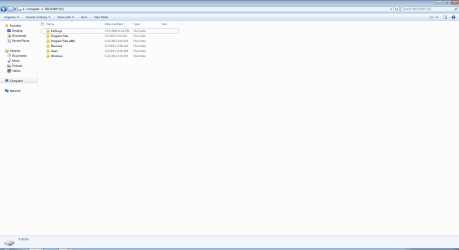
I have backed up my data and I want to set my computer back to factory default setting, including Recovery Drive.
My recovery drive is full. It has the capacity of 18.57 GB and has only 179 MB of free space.
When I start my computer, I get a black and white screen saying "Windows Boot Manager" and asked to choose between two Windows 7.
Previously, I was using an upgraded Windows 8 (using download from Microsoft website) on my C drive. Then I wanted to switch back to a factory default Windows 7. I didn't know I could do so from Recovery Drive, so I instead used CD. And I made a wrong step, and Installed Windows 7 on Recovery Drive in addition to what was already in there. Not only that, since I didn't realize that I was in the wrong partition, I downloaded some of the essential programs like browser, and antivirus programs - which explains the full Recovery Drive.
Now I want to bring back my Recovery Drive just the way it was when I purchased it. Which files can I safely delete from Recovery Drive?
PS: I tried to format the Recovery Drive using Disk Management and diskpart but neither would let me do it. Will formatting Recovery Drive in my case a bad idea? Will it remove crucial components for operation of my machine?
My recovery drive is full. It has the capacity of 18.57 GB and has only 179 MB of free space.
When I start my computer, I get a black and white screen saying "Windows Boot Manager" and asked to choose between two Windows 7.
Previously, I was using an upgraded Windows 8 (using download from Microsoft website) on my C drive. Then I wanted to switch back to a factory default Windows 7. I didn't know I could do so from Recovery Drive, so I instead used CD. And I made a wrong step, and Installed Windows 7 on Recovery Drive in addition to what was already in there. Not only that, since I didn't realize that I was in the wrong partition, I downloaded some of the essential programs like browser, and antivirus programs - which explains the full Recovery Drive.
Now I want to bring back my Recovery Drive just the way it was when I purchased it. Which files can I safely delete from Recovery Drive?
PS: I tried to format the Recovery Drive using Disk Management and diskpart but neither would let me do it. Will formatting Recovery Drive in my case a bad idea? Will it remove crucial components for operation of my machine?
My Computer
At a glance
Windows 7 Professional SP1, 64 bit.3rd generation Intel® Core™ i5-3450s processor6GB DDR3 SDRAM, 1600MHz-1X4G+1X2GIntel® HD Graphics
- Computer type
- PC/Desktop
- Computer Manufacturer/Model Number
- Dell Vostro 270s
- OS
- Windows 7 Professional SP1, 64 bit.
- CPU
- 3rd generation Intel® Core™ i5-3450s processor
- Memory
- 6GB DDR3 SDRAM, 1600MHz-1X4G+1X2G
- Graphics Card(s)
- Intel® HD Graphics
- Hard Drives
- 1TB - 7200RPM, SATA 3.0Gb/s, 16MB Cache
- Antivirus
- AVG
- Browser
- Chrome