Open Notepad . Paste highlighted text below
start
C:\Windows\SysWOW64\ezSharedSvcHost.exe
HKCU\...\Policies\system: [LogonHoursAction] 2
HKCU\...\Policies\system: [DontDisplayLogonHoursWarnings] 1
HKCU\...\Policies\system: [DisableRegistryTools] 0
HKCU\...\Policies\system: [DisableTaskMgr] 0
MountPoints2: G - G:\LaunchU3.exe -a
HKU\Kids\...\Run: [SearchProtect] - C:\Users\Kids\AppData\Roaming\SearchProtect\bin\cltmng.exe [x]
HKLM-x32\...\Run: [] - [x]
HKU\Kids\...\Policies\system: [LogonHoursAction] 2
HKU\Kids\...\Policies\system: [DontDisplayLogonHoursWarnings] 1
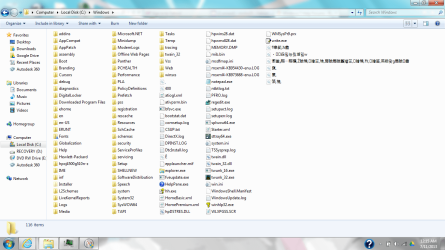
C:\Windows\箔,穘,
C:\Windows\竂,
C:\Windows\竀,
C:\Windows\ᰆⱻ舀밃뉷믡塷밃w
C:\Windows\ऍ皋箌,Ἁ畬̠
C:\Windows\Ĕ
C:\Windows\400
C:\Windows\̠
C:\Windows\懲當ྸ畷┈畷穠,Ź瞼穘,愈瞺笜,稐,房瞼扄瞼簋矰笜,愈瞺穘,秨,漢瞺筈,燕矀좣g扄瞼Ỽ畬
C:\Windows\Tasks\SpeedMaxPc Registration3.job
C:\Windows\System32\Tasks\SpeedMaxPc Registration3
C:\Windows\Tasks\SpeedMaxPc Update3.job
C:\Windows\Tasks\SpeedMaxPc.job
C:\Windows\System32\Tasks\SpeedMaxPc
C:\Windows\System32\Tasks\SpeedMaxPc Update3
C:\Windows\Tasks\RegCure Pro.job
C:\Windows\System32\Tasks\RegCure Pro
C:\Windows\Tasks\SA.DAT
end
Click on File ==> Save As
File Name: fixlist.txt
Save as Type : All Files
Location : Desktop
Click the [Save] button
Launch FRST64.exe and click on the [FIX] button . Once complete it will create a new log called Fixlog.txt . Upload the new log in your reply .
Is this a new laptop ?



 rb: type Programs and Features inside