Solved 8gb ram only reading as 4gb

abyrne

New member
Local time
8:36 AM
Messages
20
Hi,

I have an Acer Aspire 5742, and had been having loads of problems over the past six months with BSODs and other performance problems.

I managed eventually to narrow the offender down to my RAM, I had one 4gb card originally, so went on Crucial and bought two compatible 4gb sticks, thinking I may as well upgrade as well as replace.

I put the cards in today, and my computer is saying I only have 4gb of RAM?? I'm sure I've installed them properly, although they are a bit fiddly. Any advice on what to do next?

Thanks!
 

My Computer My Computer

At a glance

Windows 7 Home Premium 64bitAspire 57424.00 GBIntel HD Graphics
Computer type
Laptop
Computer Manufacturer/Model Number
Acer
OS
Windows 7 Home Premium 64bit
CPU
Aspire 5742
Motherboard
Intel Core i3 CPU 2.53 Ghz
Memory
4.00 GB
Graphics Card(s)
Intel HD Graphics
Hard Drives
283 GB
Antivirus
Avast
Browser
Firefox

My Computer My Computer

At a glance

Windows 10 Pro. 64/ version 1709 Windows 7 Pr...Intel i7-6800K @ 4.3Corsair Platinum 16 gig @2400EVGA GTX 1070 OC
Computer type
PC/Desktop
Computer Manufacturer/Model Number
Home made Desktop
OS
Windows 10 Pro. 64/ version 1709 Windows 7 Pro/64
CPU
Intel i7-6800K @ 4.3
Motherboard
ASUS X-99 Deluxe II
Memory
Corsair Platinum 16 gig @2400
Graphics Card(s)
EVGA GTX 1070 OC
Monitor(s) Displays
Asus 27" LED LCD/VE278Q
Screen Resolution
1920-1080 or 1280-720 HDMI
Hard Drives
INTEL SSD 730-240 Gb Sata 3.0/
PSU
EVGA Platium 1200W
Case
Phanteks Luxe Tempered Glass 8 fans/ one radiator
Cooling
XSPC/ Water Cooled CPU
Keyboard
Das 4 Professional
Mouse
Logitech M705/MX Anywhere 2-S
Internet Speed
100 mbits
Antivirus
Microsoft Security Essentials/ Malwarebytes Premium 3.0/ SAS
Browser
I.E. 11 default/Firefox/ ISP Time Warner Cable/Spectrum
Other Info
LG BluRay Burner/
Sound system-KLipsch-THX/
Icy Dock ssd Hot Swap bays.
Yeah, it's definitely 64 bit.

ab.png
 

My Computer My Computer

At a glance

Windows 7 Home Premium 64bitAspire 57424.00 GBIntel HD Graphics
Computer type
Laptop
Computer Manufacturer/Model Number
Acer
OS
Windows 7 Home Premium 64bit
CPU
Aspire 5742
Motherboard
Intel Core i3 CPU 2.53 Ghz
Memory
4.00 GB
Graphics Card(s)
Intel HD Graphics
Hard Drives
283 GB
Antivirus
Avast
Browser
Firefox
hi, test each ram slot. so put one stick of ram in then test then take that ram stick out and test other slot do they both work with the same ram stick
 

My Computer My Computer

At a glance

win 10
Computer type
PC/Desktop
Computer Manufacturer/Model Number
dell xps 9000
OS
win 10
For sure Windows is only seeing 4 gigs of ram and your hard ware is a little high by about 4X. (gray)

In most cases that means ram installed incorrectly or the wrong ram or ram settings.
Try something simple first. Re-seat both sticks of ram and then Reboot a couple of times and then take another look at the ram in Resource Monitor. It's possible that one stick of ram in a match set could be bad but not likely.

You have a laptop so someone else will have to help with ram settings in the bios. I don't do laptops.
 

My Computer My Computer

At a glance

Windows 10 Pro. 64/ version 1709 Windows 7 Pr...Intel i7-6800K @ 4.3Corsair Platinum 16 gig @2400EVGA GTX 1070 OC
Computer type
PC/Desktop
Computer Manufacturer/Model Number
Home made Desktop
OS
Windows 10 Pro. 64/ version 1709 Windows 7 Pro/64
CPU
Intel i7-6800K @ 4.3
Motherboard
ASUS X-99 Deluxe II
Memory
Corsair Platinum 16 gig @2400
Graphics Card(s)
EVGA GTX 1070 OC
Monitor(s) Displays
Asus 27" LED LCD/VE278Q
Screen Resolution
1920-1080 or 1280-720 HDMI
Hard Drives
INTEL SSD 730-240 Gb Sata 3.0/
PSU
EVGA Platium 1200W
Case
Phanteks Luxe Tempered Glass 8 fans/ one radiator
Cooling
XSPC/ Water Cooled CPU
Keyboard
Das 4 Professional
Mouse
Logitech M705/MX Anywhere 2-S
Internet Speed
100 mbits
Antivirus
Microsoft Security Essentials/ Malwarebytes Premium 3.0/ SAS
Browser
I.E. 11 default/Firefox/ ISP Time Warner Cable/Spectrum
Other Info
LG BluRay Burner/
Sound system-KLipsch-THX/
Icy Dock ssd Hot Swap bays.
what version of windows are you running ?

is it 32 bit or 64 bit os?
 

My Computer My Computer

At a glance

WIN 7 PRO 64INTEL I54 GIGS
Computer type
Laptop
Computer Manufacturer/Model Number
HP PROBOOK 4520s
OS
WIN 7 PRO 64
CPU
INTEL I5
Memory
4 GIGS
Hard Drives
300
Antivirus
Symantec
Browser
IE 11 & CHROME

My Computer My Computer

At a glance

Windows 10 Pro. 64/ version 1709 Windows 7 Pr...Intel i7-6800K @ 4.3Corsair Platinum 16 gig @2400EVGA GTX 1070 OC
Computer type
PC/Desktop
Computer Manufacturer/Model Number
Home made Desktop
OS
Windows 10 Pro. 64/ version 1709 Windows 7 Pro/64
CPU
Intel i7-6800K @ 4.3
Motherboard
ASUS X-99 Deluxe II
Memory
Corsair Platinum 16 gig @2400
Graphics Card(s)
EVGA GTX 1070 OC
Monitor(s) Displays
Asus 27" LED LCD/VE278Q
Screen Resolution
1920-1080 or 1280-720 HDMI
Hard Drives
INTEL SSD 730-240 Gb Sata 3.0/
PSU
EVGA Platium 1200W
Case
Phanteks Luxe Tempered Glass 8 fans/ one radiator
Cooling
XSPC/ Water Cooled CPU
Keyboard
Das 4 Professional
Mouse
Logitech M705/MX Anywhere 2-S
Internet Speed
100 mbits
Antivirus
Microsoft Security Essentials/ Malwarebytes Premium 3.0/ SAS
Browser
I.E. 11 default/Firefox/ ISP Time Warner Cable/Spectrum
Other Info
LG BluRay Burner/
Sound system-KLipsch-THX/
Icy Dock ssd Hot Swap bays.
check and see if there is a bios update?

Very Strange

Good Luck
 

My Computer My Computer

At a glance

WIN 7 PRO 64INTEL I54 GIGS
Computer type
Laptop
Computer Manufacturer/Model Number
HP PROBOOK 4520s
OS
WIN 7 PRO 64
CPU
INTEL I5
Memory
4 GIGS
Hard Drives
300
Antivirus
Symantec
Browser
IE 11 & CHROME
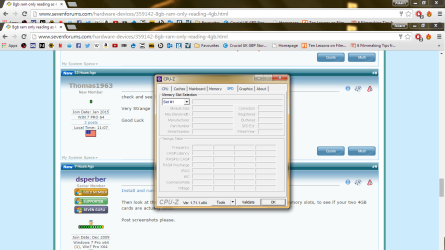
Install and run CPU-z.

Then look at the MEMORY tab. Also look at the SPD and cycle through the memory slots, to see if your two 4GB cards are actually seen.

Post screenshots please.
 

My Computer My Computer

At a glance

Windows 7 Pro x64 (1), Win7 Pro X64 (2)i5-3350p 3.1Ghz/6MB-cache (1); E8400 3.0Ghz/6...8GB PC3-12800 DDR3 (1); 4GB PC3-10600 DDR3 (2)ATI HD7750 (1), (see TV cards); ATI R7 250 (2)
Computer type
PC/Desktop
Computer Manufacturer/Model Number
Home-built, two systems (1) and (2)
OS
Windows 7 Pro x64 (1), Win7 Pro X64 (2)
CPU
i5-3350p 3.1Ghz/6MB-cache (1); E8400 3.0Ghz/6MB-cache (2)
Motherboard
ASUS P8Z77-V Pro (1); ASUS P5Q3 (2)
Memory
8GB PC3-12800 DDR3 (1); 4GB PC3-10600 DDR3 (2)
Graphics Card(s)
ATI HD7750 (1), (see TV cards); ATI R7 250 (2)
Sound Card
Realtek ALC892 HD Audio (1); Realtek ALC1200 HD Audio (2)
Monitor(s) Displays
Eizo HD2441W LCD, Eizo S2433W (1); Eizo 24" S2433W (2)
Screen Resolution
1920x1200, 1920x1200 (1); 1920x1200 (2)
Hard Drives
(1) 1TB SATA-II (7200RPM), 2x2TB SATA-III (7200RPM), 250GB SATA-III (10000RPM) for OS; 2x2TB external USB 3.0

(2) 320GB SATA-II (7200RPM), 750GB SATA-II (7200RPM), 150GB SATA-II (10000RPM) for OS; 2TB external USB 3.0
PSU
Nesteq ECS-6001 600W (1); Nesteq ECS-5001 500W (2)
Case
Acousti-Case 360 (1) and (2)
Cooling
Noctua NH-U12P SE2 for CPU, 2x120mm case fans (1) and (2)
Keyboard
IBM PS/2 (1) and (2)
Mouse
Logitech MX Revolution wireless (1); Microsoft wired (2)
Internet Speed
100mbps down / 10mbps up
Antivirus
Microsoft Security Essentials; Malwarebyte Anti-Malware Pro
Browser
Firefox
Other Info
Ceton InfiniTV 4-tuner cablecard-enabled TV card as well as Hauppauge HVR-2250 OTA/ATSC 2-tuner TV card in (1), running under Win7 WMC

My Computer My Computer

At a glance

Windows 10 Pro. 64/ version 1709 Windows 7 Pr...Intel i7-6800K @ 4.3Corsair Platinum 16 gig @2400EVGA GTX 1070 OC
Computer type
PC/Desktop
Computer Manufacturer/Model Number
Home made Desktop
OS
Windows 10 Pro. 64/ version 1709 Windows 7 Pro/64
CPU
Intel i7-6800K @ 4.3
Motherboard
ASUS X-99 Deluxe II
Memory
Corsair Platinum 16 gig @2400
Graphics Card(s)
EVGA GTX 1070 OC
Monitor(s) Displays
Asus 27" LED LCD/VE278Q
Screen Resolution
1920-1080 or 1280-720 HDMI
Hard Drives
INTEL SSD 730-240 Gb Sata 3.0/
PSU
EVGA Platium 1200W
Case
Phanteks Luxe Tempered Glass 8 fans/ one radiator
Cooling
XSPC/ Water Cooled CPU
Keyboard
Das 4 Professional
Mouse
Logitech M705/MX Anywhere 2-S
Internet Speed
100 mbits
Antivirus
Microsoft Security Essentials/ Malwarebytes Premium 3.0/ SAS
Browser
I.E. 11 default/Firefox/ ISP Time Warner Cable/Spectrum
Other Info
LG BluRay Burner/
Sound system-KLipsch-THX/
Icy Dock ssd Hot Swap bays.
Here are my CPU-z results, it appears only Slot 2 is being read, so I'll try testing both slots and both ram sticks and see if that sheds any more light!

memory.png

spd1.png

spd2.png
 

My Computer My Computer

At a glance

Windows 7 Home Premium 64bitAspire 57424.00 GBIntel HD Graphics
Computer type
Laptop
Computer Manufacturer/Model Number
Acer
OS
Windows 7 Home Premium 64bit
CPU
Aspire 5742
Motherboard
Intel Core i3 CPU 2.53 Ghz
Memory
4.00 GB
Graphics Card(s)
Intel HD Graphics
Hard Drives
283 GB
Antivirus
Avast
Browser
Firefox
Evey thing points to one module of ram being seen as 4 gigs.

Here is a tutorial to test you ram. It does take some time. At least 8 continuous passes need to be done or until bad ram is found.

http://www.sevenforums.com/tutorials/105647-ram-test-memtest86.html

Could you post a web site of the exact ram you are using?

Is it this?

Crucial Technology CT51264BF160B.C16F 4GB
Description: PC3-12800, 1.5V, 1.35V , CAS Supported: 6 7 8 9 10 11
Other names: Crucial Technology CT51264BF160B.C16F
Memory First Benchmarked: 2012-12-01
Last Price Change: $44.99 USD (2014-03-31)
 

My Computer My Computer

At a glance

Windows 10 Pro. 64/ version 1709 Windows 7 Pr...Intel i7-6800K @ 4.3Corsair Platinum 16 gig @2400EVGA GTX 1070 OC
Computer type
PC/Desktop
Computer Manufacturer/Model Number
Home made Desktop
OS
Windows 10 Pro. 64/ version 1709 Windows 7 Pro/64
CPU
Intel i7-6800K @ 4.3
Motherboard
ASUS X-99 Deluxe II
Memory
Corsair Platinum 16 gig @2400
Graphics Card(s)
EVGA GTX 1070 OC
Monitor(s) Displays
Asus 27" LED LCD/VE278Q
Screen Resolution
1920-1080 or 1280-720 HDMI
Hard Drives
INTEL SSD 730-240 Gb Sata 3.0/
PSU
EVGA Platium 1200W
Case
Phanteks Luxe Tempered Glass 8 fans/ one radiator
Cooling
XSPC/ Water Cooled CPU
Keyboard
Das 4 Professional
Mouse
Logitech M705/MX Anywhere 2-S
Internet Speed
100 mbits
Antivirus
Microsoft Security Essentials/ Malwarebytes Premium 3.0/ SAS
Browser
I.E. 11 default/Firefox/ ISP Time Warner Cable/Spectrum
Other Info
LG BluRay Burner/
Sound system-KLipsch-THX/
Icy Dock ssd Hot Swap bays.
Aaaah! Typical...it was me :o

I tested both slots with both sticks individually and they all worked, and after a couple more attempts at trying both sticks at the same time both are reading and I have 8gb of RAM working!

It was quite tricky aligning both at the same time, and the one in slot 1 must have not been properly connected.

Drama over and thanks all so much for your advice!
 

My Computer My Computer

At a glance

Windows 7 Home Premium 64bitAspire 57424.00 GBIntel HD Graphics
Computer type
Laptop
Computer Manufacturer/Model Number
Acer
OS
Windows 7 Home Premium 64bit
CPU
Aspire 5742
Motherboard
Intel Core i3 CPU 2.53 Ghz
Memory
4.00 GB
Graphics Card(s)
Intel HD Graphics
Hard Drives
283 GB
Antivirus
Avast
Browser
Firefox
Good to hear
 

My Computer My Computer

At a glance

win 10
Computer type
PC/Desktop
Computer Manufacturer/Model Number
dell xps 9000
OS
win 10
I'm I correct in assuming that both ram modules were not install properly and now they are?

Could you post another picture of Resource Monitor so I can have another look?

Remember post # 5
In most cases that means ram installed incorrectly or the wrong ram or ram settings.
Try something simple first. Re-seat both sticks of ram and then Reboot a couple of times and then take another look at the ram in Resource Monitor. It's possible that one stick of ram in a match set could be bad but not likely.
 
Last edited:

My Computer My Computer

At a glance

Windows 10 Pro. 64/ version 1709 Windows 7 Pr...Intel i7-6800K @ 4.3Corsair Platinum 16 gig @2400EVGA GTX 1070 OC
Computer type
PC/Desktop
Computer Manufacturer/Model Number
Home made Desktop
OS
Windows 10 Pro. 64/ version 1709 Windows 7 Pro/64
CPU
Intel i7-6800K @ 4.3
Motherboard
ASUS X-99 Deluxe II
Memory
Corsair Platinum 16 gig @2400
Graphics Card(s)
EVGA GTX 1070 OC
Monitor(s) Displays
Asus 27" LED LCD/VE278Q
Screen Resolution
1920-1080 or 1280-720 HDMI
Hard Drives
INTEL SSD 730-240 Gb Sata 3.0/
PSU
EVGA Platium 1200W
Case
Phanteks Luxe Tempered Glass 8 fans/ one radiator
Cooling
XSPC/ Water Cooled CPU
Keyboard
Das 4 Professional
Mouse
Logitech M705/MX Anywhere 2-S
Internet Speed
100 mbits
Antivirus
Microsoft Security Essentials/ Malwarebytes Premium 3.0/ SAS
Browser
I.E. 11 default/Firefox/ ISP Time Warner Cable/Spectrum
Other Info
LG BluRay Burner/
Sound system-KLipsch-THX/
Icy Dock ssd Hot Swap bays.
Back
Top