
A picture speaks a 1000 words, if you can see them in ALL browsers

cdavey

New member
Local time
3:24 PM
Messages
3
Ok, I'm really pulling my hair out and I've literally have tried everything that I know how to do.

When I go to webpages that have a lot of pictures or even Facebook, the pictures are either pixelated or non-existent. I've attached a jpg of what I'm talking about. It doesn't matter what browser I user, they all do the same thing.

I've ran Malwarebytes, CCleaner, ran numerous virus scans and there is no viruses. I've tried using the Dell PC Checkup and it comes back that my computer is running fine.

I've done all the updates that were necessary.

I even did a reinstall this afternoon and the problem is still there.

I have a Dell Vostro 260
Intel(R) Core (TM) i5-2400 CPU @ 3.10 GHz
4 GB
64-Bit

I've followed several things of others on this forum that have had the problem and have done what they suggested and I'm not getting anywhere.

I really need help.
 

Attachments
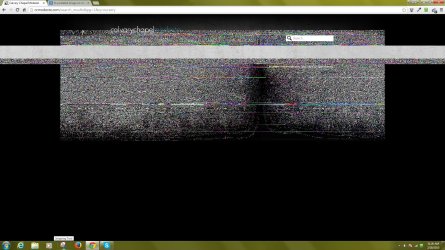
  • webpage pixelated .jpg
    webpage pixelated .jpg
    371.3 KB · Views: 3

My Computer My Computer

At a glance

Windows 7 Prof
Computer type
PC/Desktop
Computer Manufacturer/Model Number
Dell
OS
Windows 7 Prof
Did you do an in-place install (Overwrite Windows without removing files), or a full reinstall?

If you did an in place install, Uninstall, and reinstall your display adapter, and default any settings in the display utility if you have one from NVidia or ATI.

If you did a full erase and reinstall, my personal opinion is it's the display adapter itself. But hold out to see if you get another response before you go down that route.
 

My Computer My Computer

At a glance

Windows 7 Ultimate x64Intel i7 975 ExtremeCorsair Dominator 24GBEVGA Nvidia GeForce GTX 760
Computer type
PC/Desktop
Computer Manufacturer/Model Number
Custom Build
OS
Windows 7 Ultimate x64
CPU
Intel i7 975 Extreme
Motherboard
EVGA X58
Memory
Corsair Dominator 24GB
Graphics Card(s)
EVGA Nvidia GeForce GTX 760
Sound Card
Onboard
Monitor(s) Displays
2 LG TVs
Screen Resolution
1920x1080 X 2
Hard Drives
256GB Samsung SSD 840 Pro (Sata III) - OS
240GB PNYXLR8 (X2 in R0 Sata III) - Games
64GB Kingston SSD (Sata II) - Plex Index
500 GB Hitachi HDD (Sata II) Music
1TB WD Green Series (Sata II) - Downloads
3TB WD Black Series (Sata II) - DVR
3TB WD
PSU
Corsair Silent Gold 1k
Case
Corsair 800D
Cooling
Swiftech Water cooled (CPU only) with x3 120mm radiator
Internet Speed
1Gbps (Google Fiber)
Antivirus
Windows Defender
Browser
Chome,Firefox,IE
I did this an "in-place install (Overwrite Windows without removing files),"

I have Inten(R) HD Graphics Display adapter.

I can see how to uninstall. If I uninstall do I reinstall in the same spot? Also, the default settings are they set in the same spot?

Thanks for your help.
Cheryl
 

My Computer My Computer

At a glance

Windows 7 Prof
Computer type
PC/Desktop
Computer Manufacturer/Model Number
Dell
OS
Windows 7 Prof
You should be able to default the settings from the display driver app, which you can find in the taskbar. To uninstall, and reinstall a driver, that's done in Device Manager. Search for the Device Manager app in the taskbar search to open (It's also an option in Control Panel). From there, locate your graphics adapter under "Display adapters" and double click to open properties. On the Driver tab, click uninstall to uninstall. Then restart. Usually windows will search and reinstall the driver after a reboot. But make sure it shows the intel 4k adapter in Device Manager again to be sure
 

My Computer My Computer

At a glance

Windows 7 Ultimate x64Intel i7 975 ExtremeCorsair Dominator 24GBEVGA Nvidia GeForce GTX 760
Computer type
PC/Desktop
Computer Manufacturer/Model Number
Custom Build
OS
Windows 7 Ultimate x64
CPU
Intel i7 975 Extreme
Motherboard
EVGA X58
Memory
Corsair Dominator 24GB
Graphics Card(s)
EVGA Nvidia GeForce GTX 760
Sound Card
Onboard
Monitor(s) Displays
2 LG TVs
Screen Resolution
1920x1080 X 2
Hard Drives
256GB Samsung SSD 840 Pro (Sata III) - OS
240GB PNYXLR8 (X2 in R0 Sata III) - Games
64GB Kingston SSD (Sata II) - Plex Index
500 GB Hitachi HDD (Sata II) Music
1TB WD Green Series (Sata II) - Downloads
3TB WD Black Series (Sata II) - DVR
3TB WD
PSU
Corsair Silent Gold 1k
Case
Corsair 800D
Cooling
Swiftech Water cooled (CPU only) with x3 120mm radiator
Internet Speed
1Gbps (Google Fiber)
Antivirus
Windows Defender
Browser
Chome,Firefox,IE
How are JPGs/photos looking outside of a browser? [Like in Irfanview or other image viewer]

Other major sites look fine like say CNN?

If only happening when you are hit with a lot of images and driver doesn't fix it.

I have to suspect issue is with RAM or Video RAM (often shared in laptops).
 

My Computer My Computer

At a glance

Windows 7 Ultimate Retail Box (64-bit install...AMD FX-8350 CPU v1.15 (or 1.0F) BIOS was requ...8G CAS-7 G-Skill DDR3 @1333 (2 fours) [mobo n...Radeon HD 7950 [3 gigs of GDDR5] MSI Twin Fro...
Computer type
PC/Desktop
Computer Manufacturer/Model Number
Self Built Custom
OS
Windows 7 Ultimate Retail Box (64-bit installed) + Service Pack 1
CPU
AMD FX-8350 CPU v1.15 (or 1.0F) BIOS was required!
Motherboard
MSI 890FXA-GD70
Memory
8G CAS-7 G-Skill DDR3 @1333 (2 fours) [mobo nonOC max rec'd]
Graphics Card(s)
Radeon HD 7950 [3 gigs of GDDR5] MSI Twin Frozr model
Sound Card
Realtek High Definition Audio (onboard mobo, ALC-889 chip)
Monitor(s) Displays
2 WS LED Monitors: One LG One Viewsonic
Screen Resolution
1920 by 1080
Hard Drives
SSD for OS: Samsung 840 Pro
SSD for VM and utilities: Adata SX900
7200 RPM SATA HDs for the rest: Hitachi and Seagate
PSU
Corsair TX850 - 850W max, in service since August 2010.
Case
Thermaltake Armor A90
Cooling
Thermaltake Spin Q CPU Cooler, in service since August 2010
Keyboard
Logitech G11
Mouse
Logitech M310 Wireless
Internet Speed
100 Megabit broadband supposedly upgraded from 50 (Cable)
Antivirus
Bitdefender Internet Security 2014 suite
Browser
Pale Moon 64-bit main, also IceDragon, Opera, and Maxthon.
Other Info
CompTIA A+ certified (220-800 series) in July 2013.
The driver thing didn't work.

Images that I look at outside of a browser are fine.

This is on my desktop. How would the RAM and Video RAM be in that case and how would I fix it?

Thanks
 

My Computer My Computer

At a glance

Windows 7 Prof
Computer type
PC/Desktop
Computer Manufacturer/Model Number
Dell
OS
Windows 7 Prof
I'm curious what would happen if you do a Google Image search?
 

My Computer My Computer

At a glance

Windows 7 Pro
Computer type
PC/Desktop
OS
Windows 7 Pro
Are the images looking the same when you reload the same image, or when you move the page?
 

My Computer My Computer

At a glance

Windows 7 64 bit ProfessionalAMD FX 835016GB GskillR9 280X
Computer type
PC/Desktop
Computer Manufacturer/Model Number
Custom Built
OS
Windows 7 64 bit Professional
CPU
AMD FX 8350
Motherboard
Asrock Fatality Killer
Memory
16GB Gskill
Graphics Card(s)
R9 280X
Hard Drives
1tb HDD
128gb SSD
Browser
Chrome
Back
Top