Solved Active Progress Bar Help Needed

fimble

New member
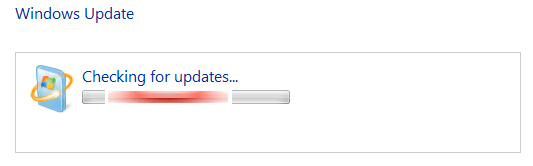
I must be missing something somewhere. It doesn't matter how many times / colours I change the progress bar to, I always end up with colour fringing on the "active" progress bar (Image 707).

Colour Fringe.png

I'm looking for a kind soul who's managed to change the colour of this progress bar without the colour fringe showing up.

The colour I'm after is R,G,B = 108, 21, 5 . HTML = 6C1505.

Thanks in anticipation of someone solving this annoyance!
 

My Computer

OS
windows 7 ultimate
Can you please post your Aero.msstyles file with substituted image.
 

My Computer

Computer type
PC/Desktop
OS
Windows 8.1 ; Windows 7 x86 (Dec2008-Jan2013)
Other Info
"The scale icon at the top right of a post or tutorial is how you can give rep to the member."
Confirmed - file is the problem.
I have tried yours on the first screen and on the second screen I have inserted confirmed moveover file into the same theme of yours. Also you can find working files in attachment (I have converted red from blue).
 

Attachments

  • bar.png
    bar.png
    12.1 KB · Views: 6
  • bar2.png
    bar2.png
    12 KB · Views: 4
  • IMAGE-670-1033.png
    IMAGE-670-1033.png
    2.9 KB · Views: 119
  • IMAGE-670.png
    IMAGE-670.png
    4.5 KB · Views: 119

My Computer

Computer type
PC/Desktop
OS
Windows 8.1 ; Windows 7 x86 (Dec2008-Jan2013)
Other Info
"The scale icon at the top right of a post or tutorial is how you can give rep to the member."
Dude, your my hero :dinesh: :dinesh: :dinesh: :dinesh: :dinesh:.

Don't know where I'm going wrong!

But that's working a treat. Many Thanks!
 

My Computer

OS
windows 7 ultimate
Just an update if anyone should stumble across this.
Don't try to manually change the colour.
Use the Hue/Saturation method to do it.

(Using Photoshop).

And before I could request this thread be marked "solved", it was!!

Well done up in the Gods area! :thumbsup:
 

My Computer

OS
windows 7 ultimate
Back
Top