bobbyelliott
New member
- Local time
- 4:40 AM
- Messages
- 8
I recently upgraded my nVidia 8800GS graphics card to an ATI Radeon HD 6770. I have two problems that I can't resolve.
1. When I reboot (or wake from sleep) the PC refuses to boot, and goes into a sort of start up loop (blank screen but the PC seems to constantly try to restart), which, oddly, is only cured by me pressing the restart button again. Pressing (and sometimes holding) the restart button does not actually reboot my PC but simply only seems to allow my PC to continue (for example, wake from sleep). It's weird. It happens every time. So, I now have to press the restart button several times to get my PC past the POST screen. This has only happened since I replaced the nVidia card with the ATI card.
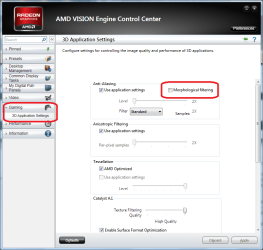
2. My other problem is ugly (really ugly) fonts in some programs -- including my browsers (Chrome and IE). Also some games (such as Second Life). The fonts look awful. But my windows fonts look OK and Word/Exce/etc are fine. Something odd happened yesterday. The PC suddenly changed fonts, which looked lovely, which lasted about a minute, before reverting to the ugly, washed-out fonts. I didn't do anything to make this happen (or revent back). So, something weird is going on.
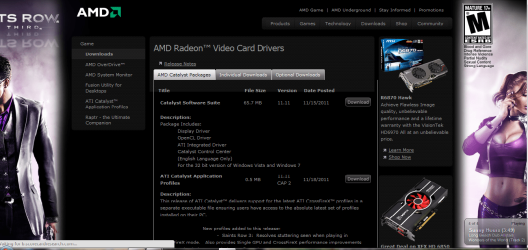
I am running the latest version of Windows 7, and the latest Catelyst software, including drivers, and nothing seems to address either problem. It's so bad I am tempted to revert back to the older nVidia card.
Help!
1. When I reboot (or wake from sleep) the PC refuses to boot, and goes into a sort of start up loop (blank screen but the PC seems to constantly try to restart), which, oddly, is only cured by me pressing the restart button again. Pressing (and sometimes holding) the restart button does not actually reboot my PC but simply only seems to allow my PC to continue (for example, wake from sleep). It's weird. It happens every time. So, I now have to press the restart button several times to get my PC past the POST screen. This has only happened since I replaced the nVidia card with the ATI card.
2. My other problem is ugly (really ugly) fonts in some programs -- including my browsers (Chrome and IE). Also some games (such as Second Life). The fonts look awful. But my windows fonts look OK and Word/Exce/etc are fine. Something odd happened yesterday. The PC suddenly changed fonts, which looked lovely, which lasted about a minute, before reverting to the ugly, washed-out fonts. I didn't do anything to make this happen (or revent back). So, something weird is going on.
I am running the latest version of Windows 7, and the latest Catelyst software, including drivers, and nothing seems to address either problem. It's so bad I am tempted to revert back to the older nVidia card.
Help!
My Computer
At a glance
Windows 7
- OS
- Windows 7