JavaScript is disabled. For a better experience, please enable JavaScript in your browser before proceeding.
You are using an out of date browser. It may not display this or other websites correctly.
You should upgrade or use an
alternative browser .
Solved Auto install/repair program at start-up
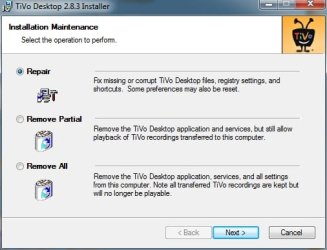
I have a program that needs to "repair" each time my PC boots.
Computer type PC/Desktop Computer Manufacturer/Model Number Custom OS Windows 7 Ultimate x64 CPU intel core i5 2500K Motherboard Gigabyte H67MA-USB3-B3 Memory 16G Graphics Card(s) Intel HD graphics 2000 (GT2) Hard Drives C: 120G OCZ-VERTEX2 NTFS Antivirus Kasperski Browser Firefox
Computer type PC/Desktop Computer Manufacturer/Model Number Custom Build OS Windows 7 Ultimate 64-bit CPU Intel G3420 3.2GHZ Dual Core Motherboard Gigabyte H87-HD3 Memory Kingson 8GB 1600mhz Graphics Card(s) MSI R7970 TF 3GD5/OC BE Monitor(s) Displays 21" LG & "19 Vertical Samsung Hard Drives 120GB SSD - Boot PSU Corsair CX 500 modular Case Zalman Z11 Plus (modified) Cooling Corsair H55, 2x 120mm SP Corsair, 1x 140 Coolermaster Keyboard Corsair K50 Mouse CSL Gaming Internet Speed 164Mbps Antivirus Avast, Malwarebytes Browser Google Chrome, IE, Firefox
In what circumstance would a program ever need to do a repair on boot constantly?
Computer type PC/Desktop Computer Manufacturer/Model Number Custom Built OS Windows 10 Pro CPU AMD Ryzen 5 2400G Processor with Radeon RX Vega 11 Graphics Motherboard ASRock X470 Master SLI/AC AM4 AMD Promontory X470 SATA 6Gb/s Memory G.SKILL Ripjaws V Series 16GB (2 x 8GB) 288-Pin DDR4 SDRAM D Graphics Card(s) 2047MB NVIDIA GeForce GTX 1060 6GB (EVGA) Sound Card Motherboard Built in Monitor(s) Displays Acer R240HY bidx 23.8-Inch IPS HDMI DVI VGA (1920 x 1080) Wi Screen Resolution 1920 x 1080 Hard Drives 1TB Sandisk SSD PLUS (Main drive) PSU CORSAIR TX Series TX650M 650W 80+ Gold Modular Power Supply Case CORSAIR CARBIDE SPEC-02 Mid-Tower Gaming Case, Red LED Fan Cooling 220mm, two 120mm, and four 60mm fans Keyboard Wired Dell keyboard Mouse Wireless Logitech mouse Internet Speed 250mb down, 30mb up Antivirus Panda Cloud Antivirus Browser Chrome-ish x64 Other Info Your awesome for reading this.
Could you clue us in on what the programs it is?
Computer type PC/Desktop Computer Manufacturer/Model Number Home made Desktop OS Windows 10 Pro. 64/ version 1709 Windows 7 Pro/64 CPU Intel i7-6800K @ 4.3 Motherboard ASUS X-99 Deluxe II Memory Corsair Platinum 16 gig @2400 Graphics Card(s) EVGA GTX 1070 OC Monitor(s) Displays Asus 27" LED LCD/VE278Q Screen Resolution 1920-1080 or 1280-720 HDMI Hard Drives INTEL SSD 730-240 Gb Sata 3.0/ PSU EVGA Platium 1200W Case Phanteks Luxe Tempered Glass 8 fans/ one radiator Cooling XSPC/ Water Cooled CPU Keyboard Das 4 Professional Mouse Logitech M705/MX Anywhere 2-S Internet Speed 100 mbits Antivirus Microsoft Security Essentials/ Malwarebytes Premium 3.0/ SAS Browser I.E. 11 default/Firefox/ ISP Time Warner Cable/Spectrum Other Info LG BluRay Burner/
New member
Thread Starter
TiVo
I had several "conversations" with the TiVo support people but they could not advise how to make TiVo Desktop/server/etc load when my PC boots.
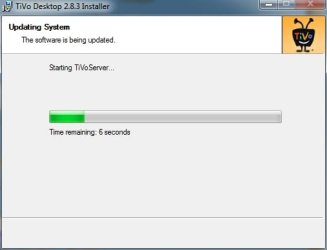
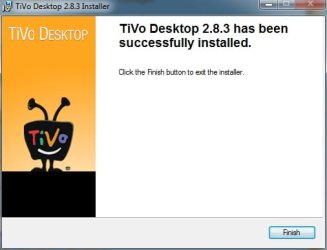
The latest TiVoDesktop 2.8.3 does offer the repair option but I've had to run it manually for the program to keep the file transfers working.
I was hoping to save myself the heavy lifting
but also to ensure reloading in the event of a power outage/unattended reboot.
TiVo 140629-1.jpg
109.8 KB
· Views: 7
TiVo 140629-2.jpg
120.5 KB
· Views: 7
TiVo 140629-3.jpg
47.4 KB
· Views: 7
TiVo 140629-4.jpg
71.6 KB
· Views: 7
Computer type PC/Desktop Computer Manufacturer/Model Number Custom OS Windows 7 Ultimate x64 CPU intel core i5 2500K Motherboard Gigabyte H67MA-USB3-B3 Memory 16G Graphics Card(s) Intel HD graphics 2000 (GT2) Hard Drives C: 120G OCZ-VERTEX2 NTFS Antivirus Kasperski Browser Firefox



 but also to ensure reloading in the event of a power outage/unattended reboot.