Best system cleaner software?

AlexRD

New member
Hi,

I'm looking for a very good system cleaner software that includes registry cleaning, junk cleaning, system tweaking, that kind of stuff.
It can be a paid version.

I just don't want something that is either ineffective or does more damage than it helps.

Also, i'm a sucker for good UI.

PS: Before someone links let me google that for you, i did google it, however they all claim to be the best one, and most of the reviews are paid for. Also, i'm looking for personal input, which in my opinion is much more valuable.

Thanks,
Alex.
 

My Computer

Computer Manufacturer/Model Number
Custom Built
OS
Windows 7 Professional x64
CPU
Intel Core i7 2600k - 3.4 GHz
Motherboard
Asus Maximus IV Z68 - Extreme
Memory
4x4 Ripjaws X79 Series 2133 MHz (9-11-10-28)
Graphics Card(s)
1x eVGA GTX 580 - 3GB Classified
Sound Card
Realtek ALC 889 HD Audio
Monitor(s) Displays
Full HD Philips TV 32"
Screen Resolution
1920x1080
Hard Drives
1x Crucial m4 SSD 512 GB
PSU
800W Coolermaster Silentpro Gold
Case
Sentey - Renegade GS-6200
Cooling
Stock
Keyboard
Logitech K800 Wireless
Mouse
Logitech Performance MX Laser
Internet Speed
10MB Internet Connection

My Computer

Computer Manufacturer/Model Number
* BFK Customs *
OS
W 7 64-bit Ultimate
CPU
Intel Q9550 Yorkfield
Motherboard
ASUS P5Q Pro
Memory
8GB Dominator 8500C5D
Graphics Card(s)
ATI : XFX 5870
Sound Card
Realtek HD Audio 7-1
Monitor(s) Displays
1x 47" LCD HDMI & 3x 26" LCD HDMI
Screen Resolution
1920x1080P & 1920x1200
Hard Drives
1x 80GB Intel X25-M G2 SSD : 1x 500GB & 1x 640GB WD Caviar Black(s)
PSU
Corsair 620HX
Case
Cooler Master RC-690
Cooling
Tuniq Tower 120, 2x 140mm and 3x 120mm case fans
Keyboard
Microsoft 500
Mouse
Razer Diamondback 3G
Internet Speed
14 Mb/s
Other Info
1x Koutech 3Gb/s SATA HDD Hot Swap Rack
CCleaner, period.
 

My Computer

Computer type
PC/Desktop
OS
Microsoft Windows 10 Professional / Windows 7 Professional
CPU
Intel i5-3570
Motherboard
Lenovo Mahobay
Memory
16GB DDR3
Graphics Card(s)
AMD Radeon HD 7850 2GB
Sound Card
(1) Realtek HD Audio (2) AMD HD Audio
Monitor(s) Displays
LG LS192WS
Screen Resolution
1440 x 900 @ 32bit color
Hard Drives
(1) SUV300S37A/120G (2) ST3500413AS SATA Disk Device AHCI mode enabled.
PSU
Corsair HX620
Case
Thermaltake V4 Black Edition
Cooling
Cooler Master Hyper 212 + Artic Silver 5 on CPU/GPU
Keyboard
Dell SK-8115
Mouse
Razer Copperhead with MAPED mat (awesome!)
Internet Speed
100 Mbps up/down
Browser
Chrome
Ccleaner is a great program that i've used for a long time, but it lacks system tweaking, and other stuff like registry defrag, privacy sweep, that sort of stuff.
 

My Computer

Computer Manufacturer/Model Number
Custom Built
OS
Windows 7 Professional x64
CPU
Intel Core i7 2600k - 3.4 GHz
Motherboard
Asus Maximus IV Z68 - Extreme
Memory
4x4 Ripjaws X79 Series 2133 MHz (9-11-10-28)
Graphics Card(s)
1x eVGA GTX 580 - 3GB Classified
Sound Card
Realtek ALC 889 HD Audio
Monitor(s) Displays
Full HD Philips TV 32"
Screen Resolution
1920x1080
Hard Drives
1x Crucial m4 SSD 512 GB
PSU
800W Coolermaster Silentpro Gold
Case
Sentey - Renegade GS-6200
Cooling
Stock
Keyboard
Logitech K800 Wireless
Mouse
Logitech Performance MX Laser
Internet Speed
10MB Internet Connection
My vote is for CCleaner too. What are you deleting with "privacy sweep?

If one "tweaks" w7 too much you will be a candidate for a clean or repair install.
 

My Computer

Computer type
PC/Desktop
Computer Manufacturer/Model Number
Home Built Desktop By DataTech
OS
Windows 7 Ultimate X64 SP1
CPU
Intel i5-2550K, Differing ~4.4-4.8GHz No built in GPU
Motherboard
ASUS P8Z68-V PRO/GEN3
Memory
16GB G.Skill Sniper 1866MHz @ 2133MHz 2x8GB
Graphics Card(s)
ASUS GTX650TIB-DC2OC-2GD5, (650TI Boost)
Sound Card
Onboard Realtek 5-1
Monitor(s) Displays
Samsung P2570HD
Screen Resolution
1920x1080
Hard Drives
Samsung 840 Pro 256GB SSD for OS, 500GB Seagate Constellation (Enterprise drive) for Data
PSU
Corsair HX650W
Case
Inwin Dragon Rider
Cooling
Hyper 212 EVO w/two Noctua fans, push-pull, @1300 RPM
Keyboard
E-Z Eyes, bright yellow keys with large characters
Mouse
steelseries SENSEI Laser Pro Gaming
Internet Speed
48-51Mbs Mbs down, 11 Mbs up Xfinity Cable
Antivirus
Norton Internet Security 2013
Browser
IE 10, Opera, Pale Moon if needed
Other Info
4 case fans, LG BluRay-RE, ASUS DVD-RW, Mr. Fusion power supply, 1.21 gigawatts.
My vote is for CCleaner too. What are you deleting with "privacy sweep?

If one "tweaks" w7 too much you will be a candidate for a clean or repair install.

Privacy sweep was an example only. Also, i think that if you know what you're doing while tweaking you can only gain from it. I want a system tweaking utility because i am very lazy, and laziness prevents me from doing it manually.
 

My Computer

Computer Manufacturer/Model Number
Custom Built
OS
Windows 7 Professional x64
CPU
Intel Core i7 2600k - 3.4 GHz
Motherboard
Asus Maximus IV Z68 - Extreme
Memory
4x4 Ripjaws X79 Series 2133 MHz (9-11-10-28)
Graphics Card(s)
1x eVGA GTX 580 - 3GB Classified
Sound Card
Realtek ALC 889 HD Audio
Monitor(s) Displays
Full HD Philips TV 32"
Screen Resolution
1920x1080
Hard Drives
1x Crucial m4 SSD 512 GB
PSU
800W Coolermaster Silentpro Gold
Case
Sentey - Renegade GS-6200
Cooling
Stock
Keyboard
Logitech K800 Wireless
Mouse
Logitech Performance MX Laser
Internet Speed
10MB Internet Connection
none period :D Windows 7 doesn't need it and any cleeaner may only cause you grief in the long run (or even short).
 

My Computer

Computer type
PC/Desktop
Computer Manufacturer/Model Number
Home built (GeneO industries)/Model 4
OS
Windows 10 Pro. EFI boot partition, full EFI boot
CPU
i7 4770k 4.4GHz (44-44-43-43 turbo) @ 1.248V
Motherboard
ASUS Maximus VI Hero
Memory
16GB (8GBx2) @2200 MHz G.skill Sniper 10-11-10-30-1, 1.6V
Graphics Card(s)
MSI GTX 970 Gaming 4G
Sound Card
Onboard SupremeFX Audio
Monitor(s) Displays
NEC Spectraview 2490WUXi-SV
Screen Resolution
1920 x 1200
Hard Drives
Samsung 850 Pro 256GB (OS), Samsung 2x 128GB 840 Pro SSD in RAID0, 3x WD Blue 6Gb/s 1TB RAID0, WD 2TB Black external USB 3.0, 2TB WD20EARS Green external USB 3.0, 2x 500GB Seagate and 1 750 GB external USB, 1x 350GB external USB3
PSU
Seasonic X-850 (2012 KM3 model)
Case
Fractal Design Define R4
Cooling
NH-D14, NF-F12, NF-A15; NF-P14, NF-P12,NF-A14, S12A PWM
Keyboard
Cooler Master Storm Quickfire Rapid - Brown
Mouse
Logitech G602
Internet Speed
126.4 Mb/s down, 24.3 Mb/s up
Other Info
USB 3.0 x8 , SATA III x8, eSATA, USB 2.0 x6. Samsung DVD R/W drive.

WEI: CPU 7.8, Memory 7.9, Graphics 7.9, Disk 7.9
Ashampoo WinOptimizer. Can't tell you if its the best or not, but I have used it for quite a few years now and find it very reliable.
 

My Computer

Computer Manufacturer/Model Number
Customized build from CyberPower
OS
Windows 7 Home Premium 64bit SP 1
CPU
Intel i5 2500k
Motherboard
Asus P8P67 Deluxe
Memory
8 gigabytes Corsair PC3-12800 DDR3
Graphics Card(s)
EVGA GeForce GTX 460 superclocked
Sound Card
Integrated
Monitor(s) Displays
ViewSonic 23" LCD
Screen Resolution
1980 x 1080
Hard Drives
120 Gb Samsung 840 Pro SSD
120 Gb Kingston Hyper X SSD
1 Tb WD Caviar Black HDD
PSU
Coolermaster 1000 watt modular
Case
Coolermaster HAF X full tower
Cooling
Coolermaster Hyper 212 plus
Keyboard
Logitech USB
Mouse
Microsoft 3 button
Internet Speed
download 1.5 Mb/sec upload 300Kb/sec
CC mate and be careful with the reg bit I always backup a restore point in docs:)
 

My Computer

Computer type
PC/Desktop
Computer Manufacturer/Model Number
Own build (new) Desk1 / Asus ROG Win 7 / Desk2 1st build
OS
Desk1 7 Home Prem / Desk2 10 Pro / Main lap Asus ROG 10 Pro 2 laptop Toshiba 7 Pro Asus P2520 7 & 10
CPU
Desk1 i5 3750K / Laptop i7 GTX 860M / Desk2 i5 2500
Motherboard
Desk1 Asus P877-V / Desk2 Gigabyte H67 UD3H / Laptop ?
Memory
Desk1 8GB (1866) / Desk2 16GB (1333) / Laptop 8Gb DDR3
Graphics Card(s)
Desk 1& 2NVidia GTX 650 & Laptops on board Intel
Sound Card
Desk 1 & 2 -XONAR DG Realtek High Def audio Laptop
Monitor(s) Displays
Desk 1 Benq HD 2450 / Desk2 Philips 24" / Laptop 17.5"
Screen Resolution
1920x1080 D1 & D2 & Laptop 1
Hard Drives
Desk1 Samsung 120GB 830 SSD
Asus ROG 256GB 850 Pro SSD
Desk2 Samsung 840 256 SSD
Toshiba 120GB EVO
PSU
Desk 1 Corsair HX 1050/ Laptop ? / Desk 2 Corsair HX 650
Case
Desk 1 Cooler HAF XM ? Toshiba laptop / Desk2 Coolermaster
Cooling
Fans on all Desk1 -2 Desk2 - all Coolermasters 5 Laptop ?
Keyboard
Desk 1 MS Sidewinder X6 Desk 2 MS Sidewinder X 4
Mouse
Desk 1&2 - Gigabyte MS 900 gamer - laptop - Logitec wireless
Internet Speed
ADSL2+
Other Info
One other Desktop (tester) and spare Toshba laptop both with SSD's
Running Kaspersky 2016 ISS on all machines config'd identically
Logitec audio stereo systems on each machine (x3)
Canon MG5250MFC
Router/modem TP-Link running WPA2SK
None of us here who've been with Win7 since before its release recommend tweaking or optimizing beyond normal System settings. Win7 is already lean enough that it is always instantaneous and never hangs on adequate hardware when you follow best practices to get a perfect install.

If you have preinstalled Win7 and haven't yet done the Clean Reinstall you can Clean Up Factory Bloatware.

The most respected expert on Win7 in the world wrote these tips to Optimize Windows 7 - Windows 7 Forums .

Using a system optimizer or tweaking suite is a fool's errand. If you insist be sure to bookmark Blue Screen of Death (BSOD) Posting Instructions - Windows 7 Forums.
 
Greg if you are referring to my comment on tweaking I was referring to Brinks optimise tutorial so I just wanted to make that clear as - I would never use those rotten apps one gets bombarded with - I know I am a bit thick and perhaps stupid but not that thick and stupid. :zip:

Still can't take a trick so might take a small vacation.
 

My Computer

Computer type
PC/Desktop
Computer Manufacturer/Model Number
Own build (new) Desk1 / Asus ROG Win 7 / Desk2 1st build
OS
Desk1 7 Home Prem / Desk2 10 Pro / Main lap Asus ROG 10 Pro 2 laptop Toshiba 7 Pro Asus P2520 7 & 10
CPU
Desk1 i5 3750K / Laptop i7 GTX 860M / Desk2 i5 2500
Motherboard
Desk1 Asus P877-V / Desk2 Gigabyte H67 UD3H / Laptop ?
Memory
Desk1 8GB (1866) / Desk2 16GB (1333) / Laptop 8Gb DDR3
Graphics Card(s)
Desk 1& 2NVidia GTX 650 & Laptops on board Intel
Sound Card
Desk 1 & 2 -XONAR DG Realtek High Def audio Laptop
Monitor(s) Displays
Desk 1 Benq HD 2450 / Desk2 Philips 24" / Laptop 17.5"
Screen Resolution
1920x1080 D1 & D2 & Laptop 1
Hard Drives
Desk1 Samsung 120GB 830 SSD
Asus ROG 256GB 850 Pro SSD
Desk2 Samsung 840 256 SSD
Toshiba 120GB EVO
PSU
Desk 1 Corsair HX 1050/ Laptop ? / Desk 2 Corsair HX 650
Case
Desk 1 Cooler HAF XM ? Toshiba laptop / Desk2 Coolermaster
Cooling
Fans on all Desk1 -2 Desk2 - all Coolermasters 5 Laptop ?
Keyboard
Desk 1 MS Sidewinder X6 Desk 2 MS Sidewinder X 4
Mouse
Desk 1&2 - Gigabyte MS 900 gamer - laptop - Logitec wireless
Internet Speed
ADSL2+
Other Info
One other Desktop (tester) and spare Toshba laptop both with SSD's
Running Kaspersky 2016 ISS on all machines config'd identically
Logitec audio stereo systems on each machine (x3)
Canon MG5250MFC
Router/modem TP-Link running WPA2SK
Greg if you are referring to my comment...

No at all John. I was referring to tweaking apps and optimizing suites in general.

The last one I used was in Vista, Auslogics Boost Speed. I think I installed it in Win7 once and realized it had no place there in an already perfect OS.
 
CCleaner and Disk Cleanup.

CCleaner can be used to clear browsing history, uninstall programs, delete temp files or unneeded software.
Disk Cleanup is used to free more disk space by doing almost the same as CCleaner if you don't have enough space for your Windows 7 C: partition. If you have used Disk Cleanup but still have not enough space, you'll need to extend your current partition. If all else fails, you'll need to replace your old harddisk with bigger storage (500 GB recommended) and re-install Windows and activate using your product key on the bottom of your laptop.
 

My Computer

Computer Manufacturer/Model Number
Acer Aspire One 722 (AO722)
OS
Windows 7 Home Premium Service Pack 1 32-bit Build 7601
CPU
AMD C-50 Processor 1.0 Ghz
Memory
2 GB DDR3 RAM (1.73 usable in System Properties)
Graphics Card(s)
AMD Radeon HD 6200 series Graphics
Sound Card
High Definition Audio Device
Monitor(s) Displays
Generic PnP Monitor
Screen Resolution
1366 x 768 (recommended)
Hard Drives
320 GB HDD storage
298.09 GB in Disk Management (REAL)
Keyboard
Built-in on my laptop
Mouse
External mouse
Other Info
Installed Windows 7 Service Pack 1 by 9/9/2012
none period :D Windows 7 doesn't need it and any cleeaner may only cause you grief in the long run (or even short).

Well this is my understanding as well when it comes to Win7 and was going to mention it :D
 

My Computer

Computer Manufacturer/Model Number
Proline
OS
Windows 7 Pro 64 bit
CPU
Intel(R) Core(TM) i7 CPU 870 @ 2.93GHz
Motherboard
H55-G43(MS-7638)
Memory
4GB
Graphics Card(s)
NVIDIA GeForce GTX 470
Sound Card
Onboard
Monitor(s) Displays
Proline LCD 19 inch
Screen Resolution
1280 x 1024
Hard Drives
2 x SATA 250 Gig 1 x External 2TB
PSU
RX 730 SS
Case
Proline
Cooling
Standard
Keyboard
PS2
Mouse
PS2
Internet Speed
To embarrassed to tell lol
none period :D Windows 7 doesn't need it and any cleeaner may only cause you grief in the long run (or even short).

CCleaner is a very safe app, that is used daily by millions without issue. All browsers store temp files that need to be cleaned from time to time, and unless you are only using IE9, there is not an easy way to do this without programs like CCleaner. It's easy to customize to save needed cookies, and is completely safe to use.
 

My Computer

OS
Windows 7 Home Premium x64 SP1
CCleaner !!!
 

My Computer

Computer type
PC/Desktop
Computer Manufacturer/Model Number
UNDER CONSTRUCTION
OS
Windows 7 Ultimate SP1 (32-bit)
CPU
Intel Core i3-2120 @ 3.30GHz (Stock)
Motherboard
ASUS P8H61-M LX (Rev 3.0)
Memory
1x Kingston DDR3 SDRAM @ 1333MHz 4GB (Stock)
Graphics Card(s)
PALIT NVIDIA GeForce 210 @ 1GB DDR3 (Stock)
Sound Card
Realtek ALC887 (On-Board)
Monitor(s) Displays
LG Flatron L227WTG-PF 22" LCD Monitor
Screen Resolution
1680x1050 (Monitor) & 1176x664 (TV)
Hard Drives
Western Digital Caviar Blue @ 500GB (Internal) & Western Digital Elements @ 500GB (External)
PSU
Seasonic M12II Bronze Evo Edition @ 520W
Case
Cooler Master HAF X
Cooling
DEEPCOOL Gamma Archer CPU Cooler & 1x 120mm Side Intake Fan
Keyboard
Compaq KB-0133 PS/2 Keyboard
Mouse
Elephant Blade Runner GR WEM-1019 USB Laser Gaming Mouse
Internet Speed
PLDT Home DSL @ 3 Mbps ↓ & 0.75 Mbps ↑
Antivirus
Microsoft SE & Malwarebytes Anti-Malware (Premium)
Browser
Google Chrome
Other Info
Edifier 2.1 Speaker System + Bose SoundLink Mini | Samsung LN540520X/XAA LCD TV via HDMI | Epson L120
Another very strong vote for CCleaner which has many useful features (as those who have seen my posts know).

I can not praise CCleaner enough.

CCleaner is very mild.

If you would like to see all of the trash that programs which were removed have left behind and still more, then I do suggest letting Auslogics Registry Cleaner take a run over you computer's registry. You will be amazed.

Both of the aforementioned programs will prompt you to save the registry before they make any changes.
 

My Computer

Computer Manufacturer/Model Number
Toshiba Satellite S875D-S7239 laptop
OS
MS Windows 7 Ultimate SP1 64-bit
CPU
AMD A10-4600M
Motherboard
AMD Pumori (Socket FT1)
Memory
6.00 GB Dual-Channel DDR3 @ 798MHz (11-11-12-28)
Graphics Card(s)
AMD Radeon HD 7660G
Sound Card
High Definition Audio Device
Monitor(s) Displays
Generic PnP Monitor (1600x900@60Hz)
Screen Resolution
1600x900@60Hz
Hard Drives
SSD 119GB Corsair CSSD-V128GB2 ATA Device
Keyboard
Standard PS/2 Keyboard
Mouse
HP Wireless Optical Mobile Mouse Model FHA-3410
Internet Speed
What the local pub, local coffee shop offers.
Other Info
Optical Drive:MATSHITA BD-CMB UJ160B ATA Device


Also have an Asus ha1002xp netbook with Win 7 Ultimate installed.
CCleaner recently found 30gb of schmutz on one Typhoid Mary's PC which hadn't been cleaned in 6 months.

4gb of it was Firefox temp files which can not be set to Empty after session as can be done in IE9 Advanced settings.

Most of the rest were AppData temp files, more than the size of the OS installation!

When I ran the Registry scan I took a deep breath when asked if I wanted to clean up 1100 errors. But I knew it's no risk in CCLeaner, even though I saved the backup offered.

But don't visit their forums hoping to be treated with thanks for priceless endorsements we have given them in serial threads here for three years. You may be treated shabbily by the snotwads they allow to run wild there who embarass its' good name.
 
Last edited:
I'd have to agree and go with CCleaner as well. I run it often to get rid of temp files and so forth. I tend to get around 600mb-1gb of temp files.
 

My Computer

Computer type
PC/Desktop
Computer Manufacturer/Model Number
Custom Built
OS
MS Windows 7 Professional 64-bit SP1
CPU
Intel(R) Core(TM) i5-2400 CPU @ 3.10GHz
Motherboard
Asus P8Z77-V LK
Memory
G.SKILL Ares 8GB (2x4GB)
Graphics Card(s)
EVGA nVidia GeForce GTX 760 Superclocked
Sound Card
Realtek High Definition Audio
Monitor(s) Displays
ASUS VN247 24" 1ms
Screen Resolution
1920x1080
Hard Drives
Mushkin Chronos 120GB SSD (OS), 1TB Seagate HDD (Data)
PSU
XFX Pro Series 850w P1-850B-BEFX
Case
Corsair Obsidian 750D
Cooling
Corsair H100i (cpu) and case fans
Keyboard
Corsair Vengeance K70
Mouse
Corsair Vengeance M60
Internet Speed
1.14 MB/s (9.6 mbps)
Browser
Google Chrome
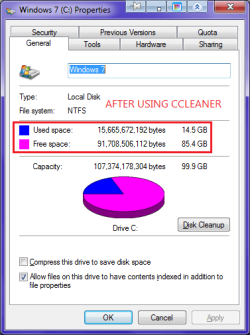
I don't like Disk Cleanup anymore. As anyone suggested me to use CCleaner to delete temp files than Disk Cleanup.

i.pngj.png
 

My Computer

Computer Manufacturer/Model Number
Acer Aspire One 722 (AO722)
OS
Windows 7 Home Premium Service Pack 1 32-bit Build 7601
CPU
AMD C-50 Processor 1.0 Ghz
Memory
2 GB DDR3 RAM (1.73 usable in System Properties)
Graphics Card(s)
AMD Radeon HD 6200 series Graphics
Sound Card
High Definition Audio Device
Monitor(s) Displays
Generic PnP Monitor
Screen Resolution
1366 x 768 (recommended)
Hard Drives
320 GB HDD storage
298.09 GB in Disk Management (REAL)
Keyboard
Built-in on my laptop
Mouse
External mouse
Other Info
Installed Windows 7 Service Pack 1 by 9/9/2012
Back
Top