Solved Blanks screen on boot from dvd

gunseng01

New member
Local time
8:46 AM
Messages
5
Hi, I'm trying to install windows 7 professional 32bit on a computer I kinda pieced together for my parents, after my POST screen it just goes blank and I get a blinking white cursor, no "to boot from cd press any key..." or anything after sitting at the blank screen for a minute itll just go to the bootmanager screen. Any ideas?

m2n68am - plus MB
 
Last edited:

My Computer My Computer

OS
windows 7 professional 64
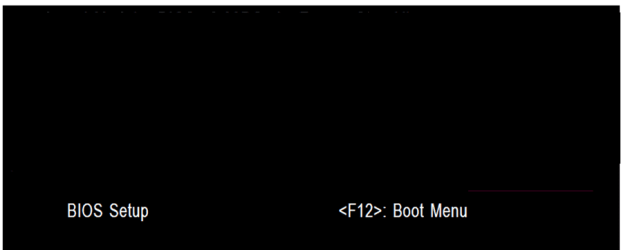
Try booting the DVD from the one time boot menu.

GA BIOS2.PNG
 

My Computer My Computer

OS
ME/XP/Vista/Win7
Alright I've tried the disc in 3 different computers and all have the same issue. I burnt this disc myself, maybe I burnt it too fast and its not bootable? Also its a DVD+R, is that an issue?
 

My Computer My Computer

OS
windows 7 professional 64
Where did you get the ISO from?
 

My Computer My Computer

OS
ME/XP/Vista/Win7
Microsoft store, its student discount professional
 

My Computer My Computer

OS
windows 7 professional 64
May be worth redownloading.
 

My Computer My Computer

OS
ME/XP/Vista/Win7
You'd believe the ISO to be bad before you think the burn was bad?
 

My Computer My Computer

OS
windows 7 professional 64
It was the burn, burnt it again at 2x and it worked like a charm.
 

My Computer My Computer

OS
windows 7 professional 64
Hello gunseng01, welocme to Seven Forums!


Good to see you got the install started though if it's all 'old' hardware, it may be worth the time to have a look through the information below to get the best place to install Windows to.


   Information

1) To rule out HDD Master Boot Record format errors, boot the Windows 7 installation media to diskpart and run the clean command, it takes only seconds to complete; once the clean finishes, exit diskpart and use the Windows 7 installer to create and format a single 100GB partition for the installation.

If that doesn't work, after another clean, use diskpart to create, format and mark Active a single 100GB partition to see if that works, use Step Two #2 in the SSD/HDD tutorial for reference.

:info:You can always extend the Windows partition to include the remaining unallocated space on the HDD / SSD or create additional Primary partitions or an Extended partition after the installation completes if you choose.

2) If you have ever had Linux installed to the HDD in any way, a simple clean command will not over-write the Grub boot-loader, you must use the full clean all command to completely over-write the Grub loader so Windows will install.
 

My Computer My Computer

Computer Manufacturer/Model Number
* BFK Customs *
OS
W 7 64-bit Ultimate
CPU
Intel Q9550 Yorkfield
Motherboard
ASUS P5Q Pro
Memory
8GB Dominator 8500C5D
Graphics Card(s)
ATI : XFX 5870
Sound Card
Realtek HD Audio 7-1
Monitor(s) Displays
1x 47" LCD HDMI & 3x 26" LCD HDMI
Screen Resolution
1920x1080P & 1920x1200
Hard Drives
1x 80GB Intel X25-M G2 SSD : 1x 500GB & 1x 640GB WD Caviar Black(s)
PSU
Corsair 620HX
Case
Cooler Master RC-690
Cooling
Tuniq Tower 120, 2x 140mm and 3x 120mm case fans
Keyboard
Microsoft 500
Mouse
Razer Diamondback 3G
Internet Speed
14 Mb/s
Other Info
1x Koutech 3Gb/s SATA HDD Hot Swap Rack
Back
Top