I have search for my problem but no luck. I don't really know that much about computers and this is getting frustrating.
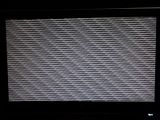
It all started about 2 months ago when i got the BSOD 0x00000124 ... i used to get it only once week. 5 days ago i decided to format my PC factory new and i thought i was gonna get rid of it that way.... but i don't what whent wrong and since the day i formated my PC a get it everytime i turn my computer on...i use it for about 20 to 30 minutes and then the BSOD appears and sometimes a GRAY freeze screen (right now i get the gray screen more often than the BSOD screen). Like i said i don't know crap about computers and don't know whats going on. Please help
> We do need the DMP file as it contains the only record of the sequence of events leading up to the crash, what drivers were loaded, and what was responsible.
You may be able to get the DMP files without crashing by booting into safe mode (F8) with networking.
The procedure:
* Copy the contents of \Windows\Minidump to another (temporary) location somewhere on your machine.
* Zip up the copy.
* Attach the ZIP archive to your post using the "paperclip" (file attachments) button.
To ensure minidumps are enabled:
*Go to Start, in the Search Box type: sysdm.cpl Press Enter.
*Under the Advanced tab, click on the Startup and Recovery - Settings... button.
*Ensure that Automatically restart is unchecked.
*Under the Write Debugging Information header select Small memory dump (256 kb) in the drop down box (the 256kb varies).
*Ensure that the Small Dump Directory is listed as %systemroot%\Minidump.
*OK.
Reboot if changes have been made.
> We do need the DMP file as it contains the only record of the sequence of events leading up to the crash, what drivers were loaded, and what was responsible.
You may be able to get the DMP files without crashing by booting into safe mode (F8) with networking.
The procedure:
* Copy the contents of \Windows\Minidump to another (temporary) location somewhere on your machine.
* Zip up the copy.
* Attach the ZIP archive to your post using the "paperclip" (file attachments) button.
To ensure minidumps are enabled:
*Go to Start, in the Search Box type: sysdm.cpl Press Enter.
*Under the Advanced tab, click on the Startup and Recovery - Settings... button.
*Ensure that Automatically restart is unchecked.
*Under the Write Debugging Information header select Small memory dump (256 kb) in the drop down box (the 256kb varies).
*Ensure that the Small Dump Directory is listed as %systemroot%\Minidump.
*OK.
Reboot if changes have been made.
Your .dmp file CONFIRMS a stop error of 0x124 which is a general hardware error .
A "stop 0x124" is fundamentally different to many other types of bluescreens because it stems from a hardware complaint.
Stop 0x124 minidumps contain very little practical information, and it is therefore necessary to approach the problem as a case of hardware in an unknown state of distress.
It is a general hardware complaint that requires checking ram, psu, mobo, etc
As stated above in my Post 2....
You can read more on this error and what to try here...